
Participating Frequently
November 7, 2019
Question

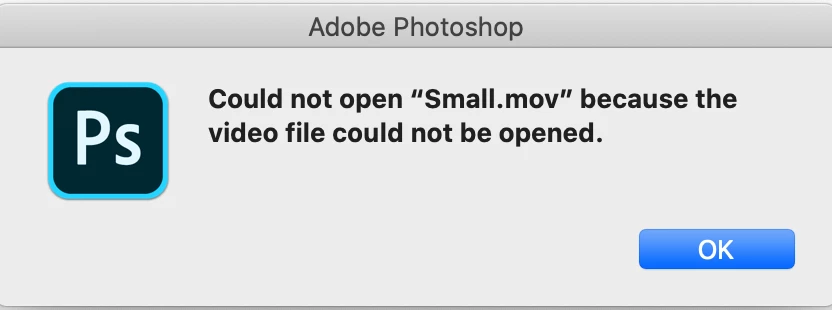
Photoshop 2020 does not open video files on macOS Catalina

  • November 7, 2019
  • 2 replies
  • 3014 views

I am running Mac Catalina and photoshop 21.0.0. Photoshop is unable to open video files.   I got in touch with Adobe support and they fixed the problem by giving permissions in the library but today again it is unable to open standard quicktime .mov or mp4 files.
 

{Thread title modified by moderator}

This topic has been closed for replies.

2 replies

Participant
June 22, 2020

I am facing the same issue today on June 22, 2020. Can't open Quicktime player video in photoshop. Can adobe address this issue? Adobe; are you listening?


nikunj.m
Legend
November 7, 2019

Hi there,


We are sorry about the issue you are facing while trying to open video files.


Would you mind confirming the exact version of macOS that is installed on your computer? You can try to give access to Photoshop under the files and folders section by going to System Preferences > Security and Privacy > Priacy and also add Photoshop 2020 to the accessibility list for macOS Catalina to check if that helps.


You may also try to reset the preferences of Photoshop by following the steps mentioned in the link below:

https://helpx.adobe.com/in/photoshop/using/preferences.html


Regards,

Nikunj

Philpill1Author
Participating Frequently
November 7, 2019

Hello.  I am running Mac OS 10.15.1 and I use a 2018 MacBook Pro and am having this problem with Photoshop 21.0.0.  I did what you suggested and went to my security and Privacy section and added Photoshop to the Accessibility section.  I deleted my preferences and restarted the computer and launched photoshop and received the same message.   Yesterday I called adobe and they solved the problem by changing permissions in the photoshop application area.  It then worked.  Today is doesn't.  

shaver80
Inspiring
November 15, 2019

Wondering if you found a solution for this? I'm having the same issue. This is the first version this has ever happened. Its not a preferences thing because I decided to start from scratch this new version. All prefs. are brand new. Macbook Pro OS10.14.6