
Known Participant
December 24, 2019
Question

Photoshop 2020 Home Screen is unavailable

  • December 24, 2019
  • 4 replies
  • 16971 views

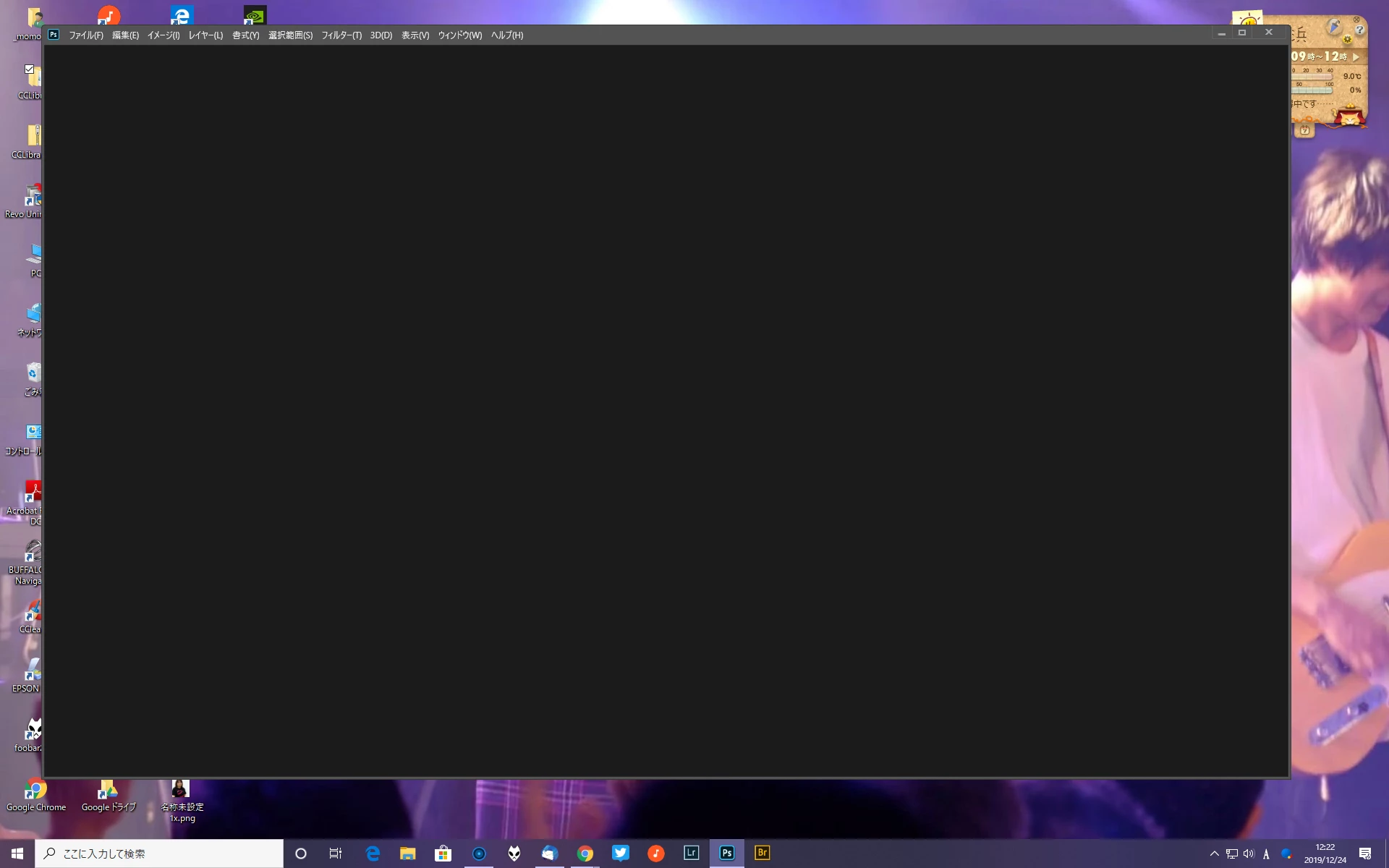
When I execute Photoshop CC 2020 (21.0.2), home screen is not shown, but black window.

Once type an [Esc] key, legacy sereen can be opened.

I guess home screen cannot be displayed by unknon causes.

I would like to get any advices how to improve this.

O/S is Windows 10 2019 November update.


This topic has been closed for replies.

4 replies

Participant
August 27, 2020

I have the same problem, but in Photoshop 2019.  The Home screen never comes up.  Furthermore, when I open a file, the menus and buttons become unresponsive.  Sometimes when I navigate away from the program and come back later, it begins to work.  I have similar issues with Premiere Pro as well.  Before you ask, yes I have reset the preferences.  This has zero effect.  Yes, I have updated my graphics card, with no fix. 

Participant
September 29, 2020

Try enabling the "Auto Show The Home Screen" option in Settings.

Go to Edit (Windows) / Photoshop (macOS) > Preferences > General.

In the Preferences dialog, select the Auto-Show the Home Screen option and deselect the Use Legacy New Document Dialog.

For reference look at the screenshot posted at the begining of this comment thread. This solved the problem for me.

Mohit Goyal
Community Manager
Community Manager
February 5, 2020

Hi there,


We're really sorry for all the trouble. Check out the following troubleshooting article and try the offered suggestions: https://helpx.adobe.com/photoshop/kb/troubleshoot-home-screen-issues.html


Let us know if that helps to resolve your issue.


Thanks,

Mohit

Known Participant
February 5, 2020

Thanks lots for your advice.

Unfortunately, issue is not solved.

December 24, 2019

Hi

Have you tried resetting your Photoshop preferences, you may want to backup your settings beforehand

https://helpx.adobe.com/ie/photoshop/using/preset-migration.html

Known Participant
December 27, 2019

My Photoshop is version 21.0.2.

And I have tried also below:


Uninstall & reinstall

install old version

Reset preferences setting


However results are the same.

silk-m
Community Expert
Community Expert
December 28, 2019

Hi,

Do you see anything in "Window / Workspace / Essencials (Default)"

--Susumu Iwasaki
Akash Sharma
Legend
December 24, 2019

Hi there,


Sorry that the Home Screen in Photoshop 2020 is showing up blank. That is not a usual experience, let us help make it right.


Would you mind taking a look at the steps mentioned in this article https://helpx.adobe.com/in/photoshop/kb/home-screen-loading-problem.html and let us know if that helps? You may also checkout this discussion for more details: https://feedback.photoshop.com/photoshop_family/topics/photoshop-has-gone-blank


Thanks,

Akash

Known Participant
December 31, 2019

Unfortunately, my Ps 2020 may not perform well. Whatever I did was vain.

When I returned from Ps 2020 to Ps 2019, Ps 2019 performed well.

I am going to use Ps 2019....


Thank you for advice.