Known Participant
October 2, 2023
Answered

Photoshop 2024 [v25.1] - Color Sliders don't work [Color picker issue -merged]

  • October 2, 2023
  • 142 replies
  • 50828 views

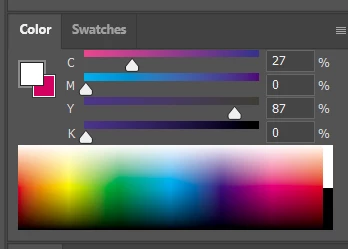
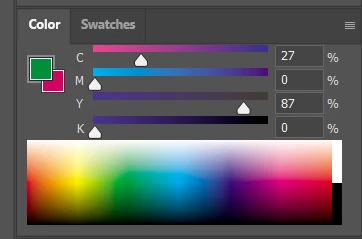
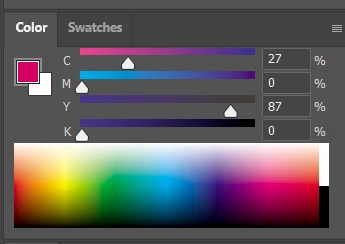
Color Sliders in my new Photoshop 2024 don't work at all - they don't change when i pick a color from the Spectrum or when i change Foreground/Bacground color with X key.

I reset Preferences, reinstaled PS and nothing works. Any ideas?

Photoshop 25.1.0, Windows 10.


This topic has been closed for replies.
Correct answer Kevin Stohlmeyer

@robzartworx there is a phased roll out for update 25.2 happening globally.

If you are in a managed environment (Enterprise/Teams/Edu) you may have to reach out to your plan admin to allow access to new updates within 30 days of release.

142 replies

Participating Frequently
February 27, 2024

I tried 25.5/ 25.4/25.3.1/ 25.2  all fkin have this problem, WELL DONE ADOBE

jonathanv94257306
Participating Frequently
February 22, 2024

Really wish Adobe would stop implementing (cursing removed) new features for beginners but focus on putting out high quality bug free software for professionals. Still working with a ton of glitches and bugs and every new big update it's riddled with more bugs.

Participating Frequently
February 19, 2024

THANKS ADOBE, I PAID MONEY FOR THIS *****

Kevin Stohlmeyer
Community Expert
Community Expert
December 6, 2023

@War_Squirrel please start a new thread for this new issue. This thread is marked as answered.

Participant
December 6, 2023

The colour picking is fixed with the last update, but I now have the screen freezing issue back that was resolved with a previous version. I can use all the peripheral things like the menus, but not the canvas itself. Is anyone else having this issue with the last update?


Resetting preferences doesn't fix the issue. Thankfully I can still save before closing and re-opening the program. There doesn't seem to be a specific time that it occurs, but it does seem to occur more frequently if I am zoomed in while working on the canvas.

Participant
December 6, 2023

The issue was fixed for the Beta a few weeks ago, but was only fixed recently for Release with the last update.

jane-e
Community Expert
Community Expert
December 6, 2023


quote

Man, this issue was fixed a week ago with version 25.2.

By @Solar99


If you are saying that to First340984212j0v, that account is spewing nonsense and has been reported. Staff will look at it.


Jane


Solar99Author
Known Participant
December 6, 2023

Man, this issue was fixed a week ago with version 25.2.

jakeM17166197
Known Participant
November 29, 2023

Yay I'm so glad it's working again as expected! 

This does highlight that instead of their next rollout of whatever new feature that Adobe believes would "move the needle", if they just did a pass at all the features that are already in place, perhaps a code cleanup, it would probably convince people to stay. Fix all the parts they've  broken over the years! Take a second look at the Adobe Community pages and see what people are complaining about. 

~ Just a thought.

mjmdvm
Inspiring
November 29, 2023

Just updated to version 25.2 and can confirm that the color picking issue has been fixed!  Please Adobe..less gimicks like AI and focus on base functionality!!!