Participant
October 22, 2024
Question

Photoshop 2025 stops working on Launch

  • October 22, 2024
  • 1 reply
  • 1754 views

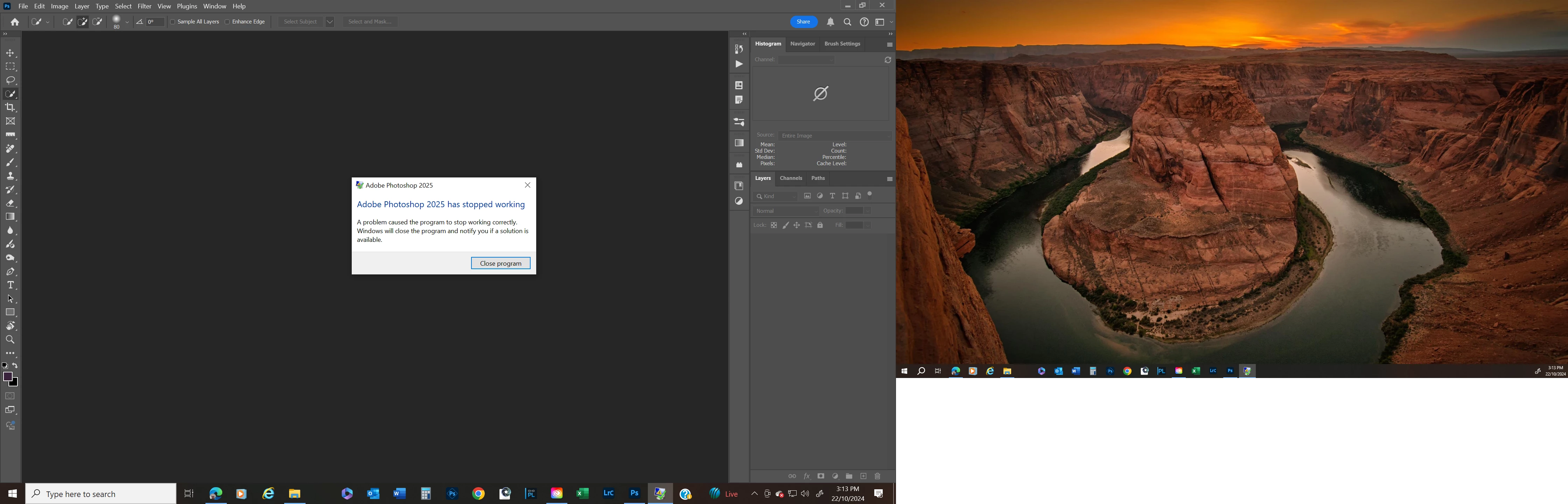
I updated photoshop to 2025. now when i launch it stops woking and i get the following message


This topic has been closed for replies.

1 reply

Ged_Traynor
Community Expert
Community Expert
October 22, 2024

@trafique try manually resetting your Photoshop preferences
https://helpx.adobe.com/ie/photoshop/using/preferences.html#Manually
Remember to back up your settings before doing the preference reset
https://helpx.adobe.com/ie/photoshop/using/preset-migration.html

If that doesn't help, try uninstalling and reinstalling from the Creative Cloud app

trafiqueAuthor
Participant
October 22, 2024

I removed the settings folder from C:\Users\Tahir Rafique\AppData\Roaming\Adobe\Adobe Photoshop 2025\Adobe Photoshop 2025 Settings 

Uninstalled PS2025 and reinstalled. 

Launched PS and after the launch it stops working. The message is "Aproblem caused program to stop working correctly. Windows will close the program and notify you if a solution is availble 

Ged_Traynor
Community Expert
Community Expert
October 22, 2024
