
Photoshop 22 does not access neural filters - gets stuck in the "spinning circle mode"
MacOS 10.14.6 , Photoshop 22.
Just (October 21 2020, evening, US Pacific) installed Photoshop 22 via CreativeCloudApp.
Launched it for the first time, was able to successfully download a neural filter for colorizing old photos and colorized one of them.
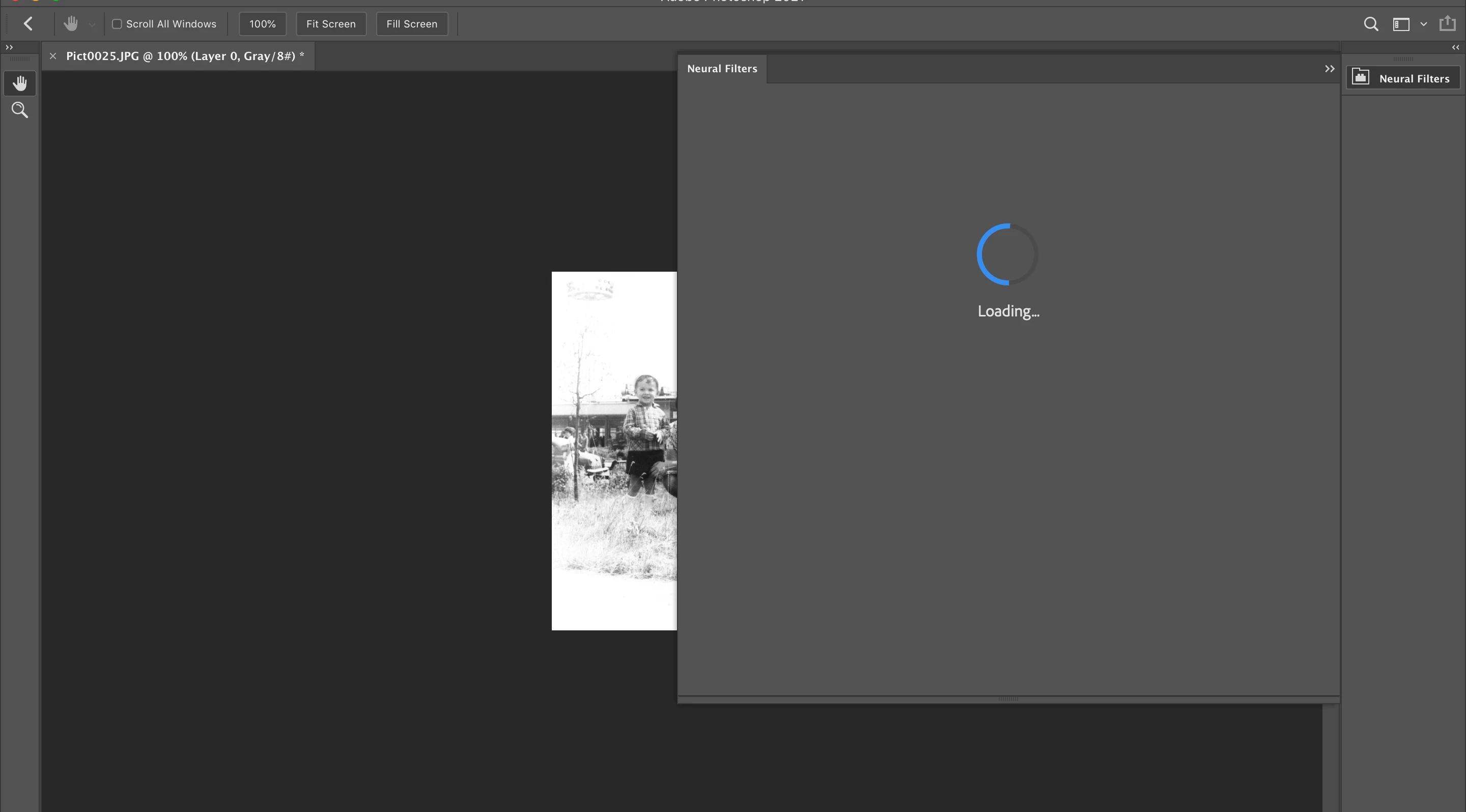
Opened another old photo; clicked on the "Neural filters .." now it just opens a side panel and spins the wheel (circle forever). Photoshop itself is hung, have to do CMD-W to break the hang. Cannot see the filter list / filter panle AT ALL.
(needles to say that I have restarted Photoshop gazilion times) See the attached screenshot:
Tried removing / cleaning removing the flter plugin directory as it has been suggested in another thread:
cd ./Application\ Support/Adobe/UXP/PluginsStorage/PHSP/22/Internal/com.adobe.nfp.gallery
rm -rf PluginData
Start Photoshop, the same result. The PluginData/ catalog gets recreated immediately, has some data in it :
xian:com.adobe.nfp.gallery alex$ ls -lR PluginData/ | wc
53 374 2680
xian:com.adobe.nfp.gallery alex$ ls -lR PluginData/ | wc
53 374 2680
xian:com.adobe.nfp.gallery alex$ ls -lR PluginData/ | wc
53 374 2680
xian:com.adobe.nfp.gallery alex$
The above listings were done about 5 mins apart, apparently nothing gets added / downloaded while Photoshop continues spining the circle as shown on the screenshot.
The content os the PluginData/ :
xian:com.adobe.nfp.gallery alex$ ls -l PluginData/
total 136
drwxr-xr-x 4 alex staff 128 Oct 22 00:51 FaceSeg
drwxr-xr-x 4 alex staff 128 Oct 22 00:51 FaceSegnentation
drwxr-xr-x 31 alex staff 992 Oct 22 00:51 StyleGan2Cloud
drwxr-xr-x 4 alex staff 128 Oct 22 00:51 StyleGan2OnDevice2
-rw-r--r-- 1 alex staff 67361 Oct 22 00:51 manifest.json
xian:com.adobe.nfp.gallery alex$
So apparently some filter got downloaded but they are not accessible either.
I know at least three other persons who have exactly the same issue .
It feels like a major bug to me - the guys at Adobe have some serious issues to solve and fix.
The product is definitely not ready for prime time.
Please let us all know when it is fixed.


 AdChoices