

Photoshop 25.9 resize /transform error on Windows 10
All of a sudden I'm getting an error in Photoshop 25.9 when I try to resize:
"Could not complete the Image Size command. Use the 'Get Info' command in Finder to ensure the file is unlocked and you have permission to access the file. If the problem persists, save document to a different file or duplicate it in the Finder" (see screencap)
It happens when I try to resize multiple elements using Transform Tool or when I use Image Size.
Machine specs:
Processor AMD Ryzen 7 3800X 8-Core Processor 3.89 GHz
Installed RAM 16.0 GB
System type 64-bit operating system, x64-based processor
I'm on Windows so there's no Finder but when I check the file permissions I have full permission over the file (I'm the only user and admin)
So far I've reset Preferences, turned Graphics Card use off, reinstalled Photoshop. Nothing has worked. I'm on a work deadline and it's a frustrating situation. Any ideas?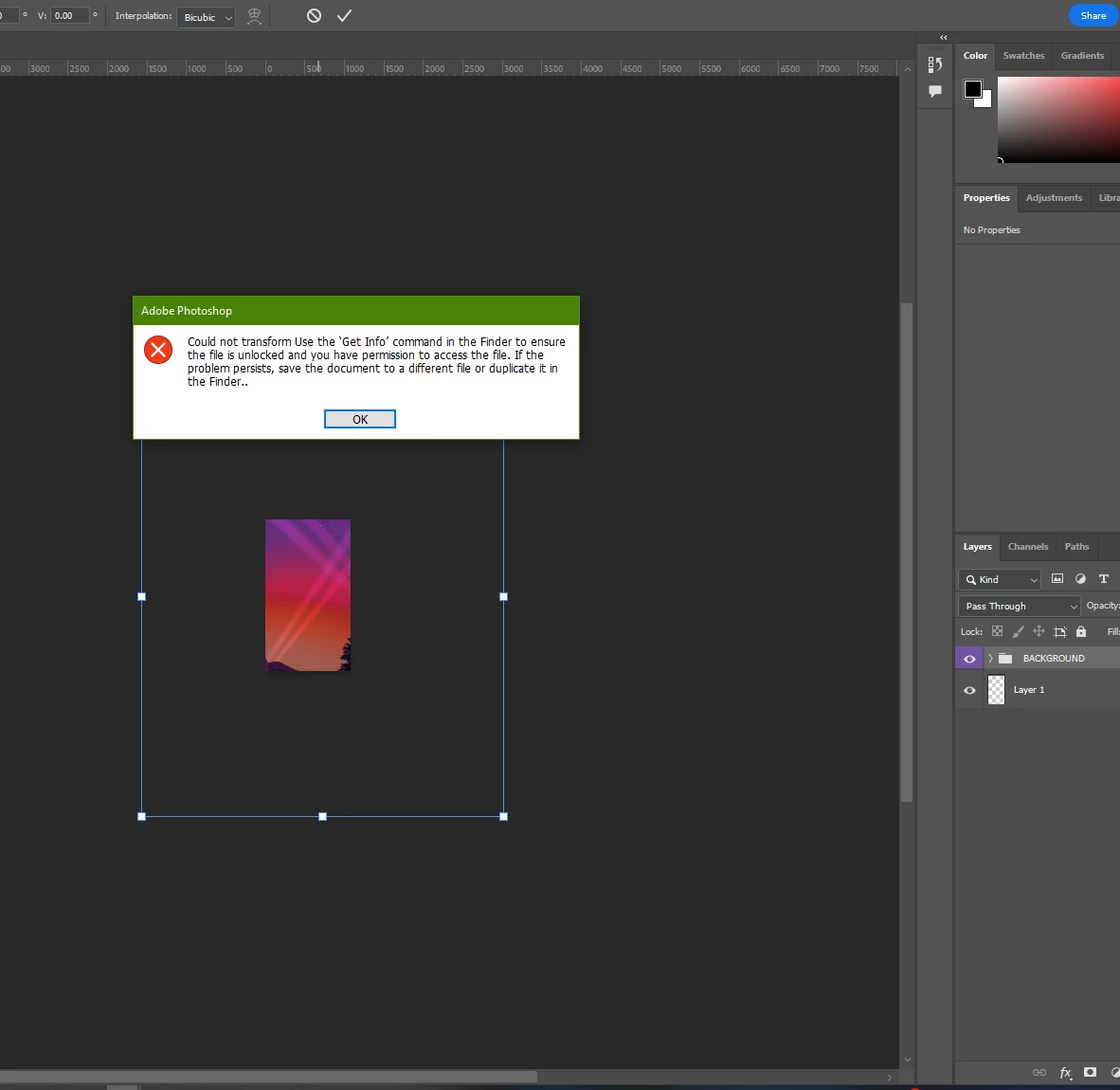


 AdChoices