



bellevue scott
Inspiring
February 27, 2026
Question

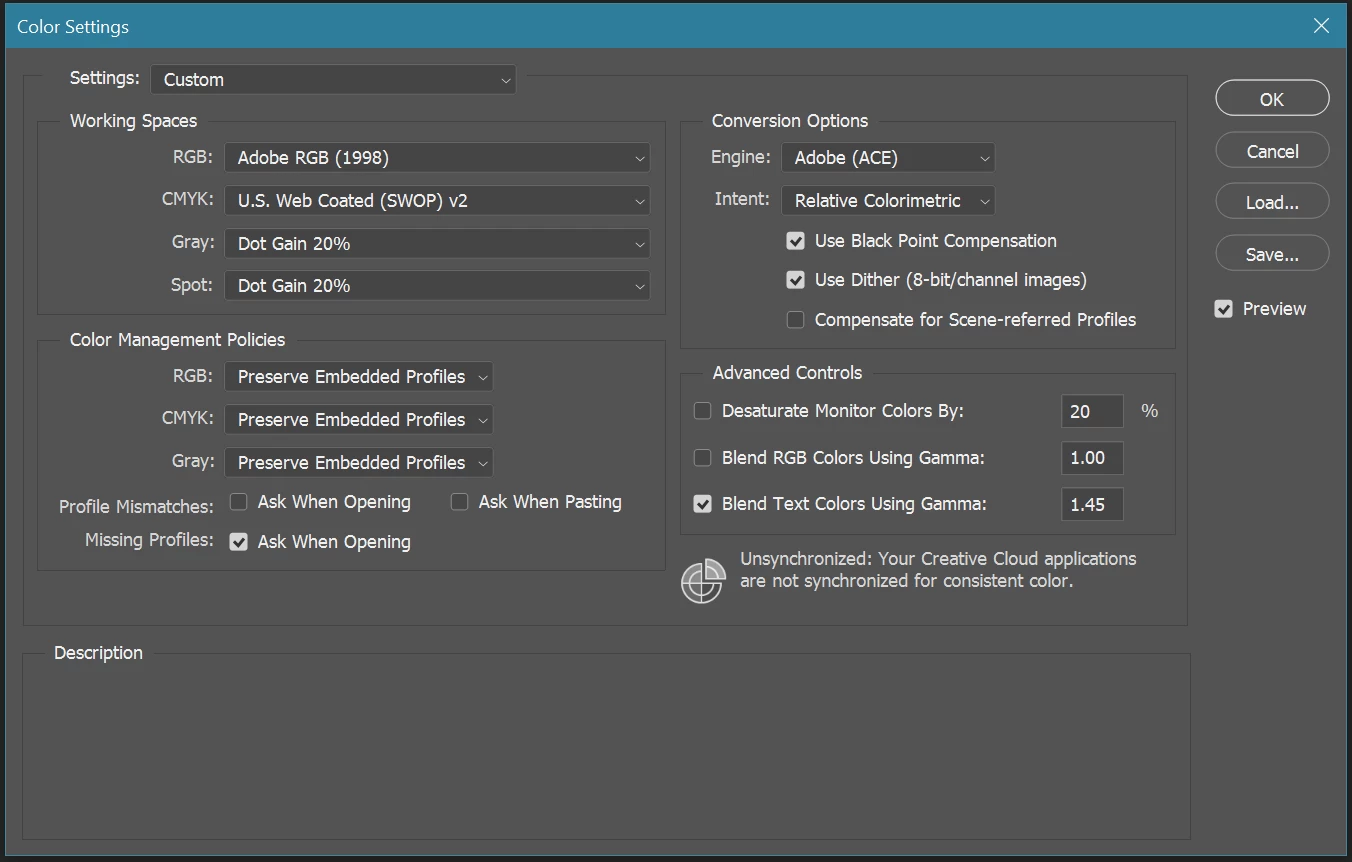
Photoshop 27.4 now opens color settings dialogue box every time I open it.

  • February 27, 2026
  • 3 replies
  • 134 views

yesterday Photoshop started opening the color settings dialog box every time I open it. Every single time PS launches this dialog box comes up. Any idea why this is happening?


    3 replies

    bellevue scott
    Inspiring
    March 1, 2026

    I received a notice from adobe asking me to mark one of the answers as the correct answer, but I really don’t want to. If the only answer is for me to delete my preferences, which includes different preferences and shortcuts for three of us, which will cause us to lose hours of productivity because this dialog box won’t go away, then for me this is a non answer. The community experts and adobe staff can say what you want, but for a “productivity suite” that I pay a lot of money for, this is not an acceptable answer. Period. 


    If you think this is an acceptable answer, then you don’t work in a production environment. This is just like the old days of windows where you were told to reformat the c drive for anything that goes wrong. It’s lazy and unacceptable. I honestly expect better from adobe. So for me, really, this is not an acceptable answer. 


    If there is no way to resolve this without deleting all of my preferences, then adobe should rethink how those preferences are stored and address that issue. the current answer is for the user to lose productivity and deal with the issue and adobe does nothing. I think the onus should be on adobe to address this. 

    bellevue scott
    Inspiring
    February 28, 2026

    I would appreciate it if someone else has any ideas. I am not nuking all of my preferences including work spaces for three people for this. There has to be a better answer. It’s as if the only answer to everything is to nuke your preferences and “see if that works”. Which is not what I should expect from a professional graphics suite. 


    Any other ideas on why this started happening and how to fix it? 

    D Fosse
    Community Expert
    Community Expert
    February 28, 2026

    Settings are rewritten on every application exit, as opposed to read-only program files. So this generally happens for one of two reasons:


    One, an issue with folder permissions in your Windows user account, which prevents this rewrite. Or two, an irregular application shutdown that corrupts the settings. Since errors accumulate and carry over, this would also appear as a persistent issue.


    You already know that resetting preferences fixes the problem. That is the solution. You don’t need to see if it works.


    This isn’t something that happens very often. In fifteen years I’ve had to reset preferences maybe once or twice. 

    nikunj.m
    Legend
    February 27, 2026

    Hi, thanks for reaching out! 

    You can try to reset the preferences of Photoshop using the steps mentioned here: https://helpx.adobe.com/photoshop/desktop/get-started/settings-and-preferences/reset-preferences.html

    Please backup your settings prior to resetting the preferences. You can check: https://helpx.adobe.com/photoshop/desktop/get-started/settings-and-preferences/backup-and-restore-preferences.html

    Let us know how it goes!

    Nikunj

    bellevue scott
    Inspiring
    February 27, 2026

    Thanks for that Nikunj. I did follow the instructions to nuke my settings and then restart photoshop and let it create a new settings folder. The issue went away, but then so did all of my settings, which are in fact very important to me. 


    When I put my settings folder back after the reset, I get my settings back, but I now still get the color settings panel popping up every single time I launch Photoshop. So, any suggestion on fixing that would be appreciated. 

    D Fosse
    Community Expert
    Community Expert
    February 27, 2026

    @bellevue scott 

    Clearly, your color settings file is corrupted. Not at my machine to check the settings folder now, but I think there should be a dedicated file or folder just for color settings. Delete that.