Known Participant
Feb 23, 2020 11:48 AM UTC
Answered

Photoshop 3D, Secondary mini view missing

Hello, 

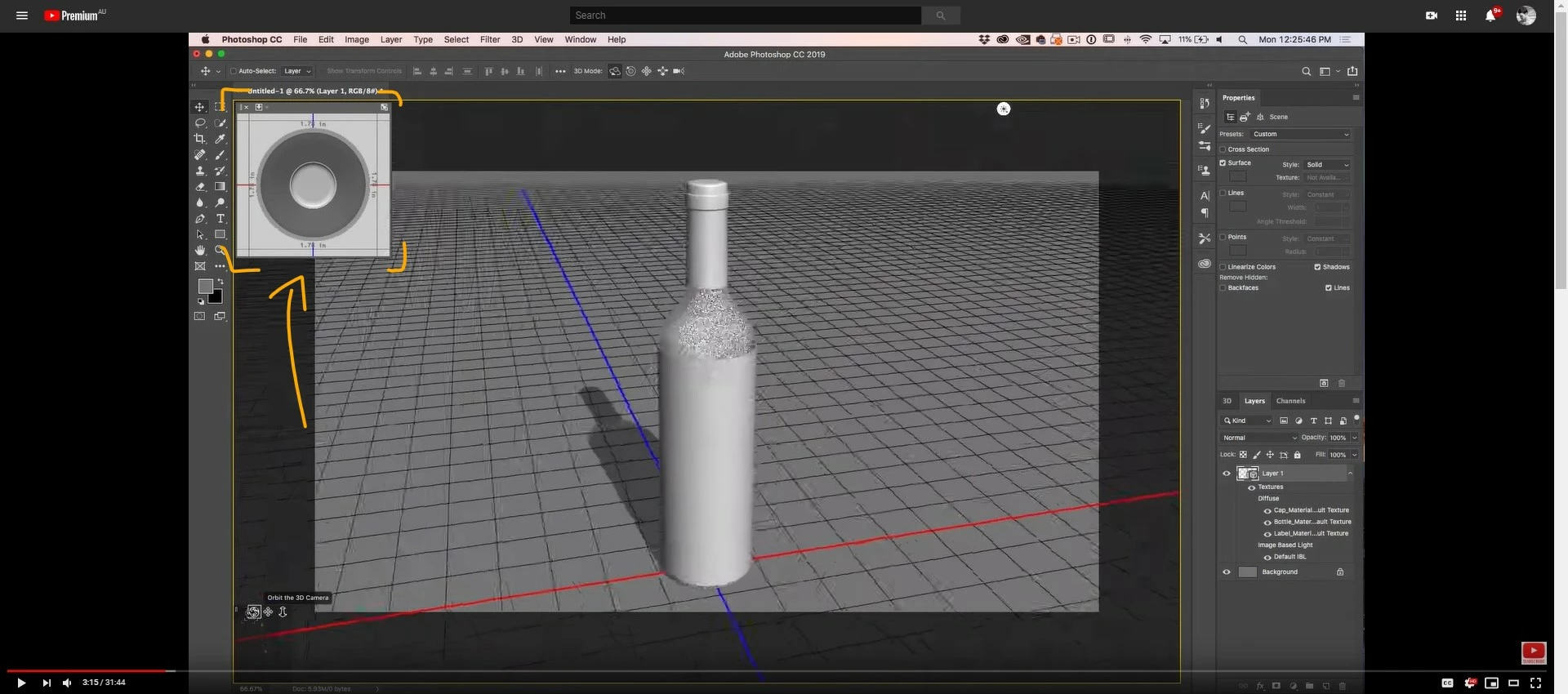
I'm giving a try to the 3D tools available in Photoshop. I am using Photoshop 2019 and 2020 and for some reason, the little window that gives as an additional view and can usually be found on the top left corner in most of the tutorials I am following is missing in my Photoshop.

I wonder how can I activate it, and deactivate it.


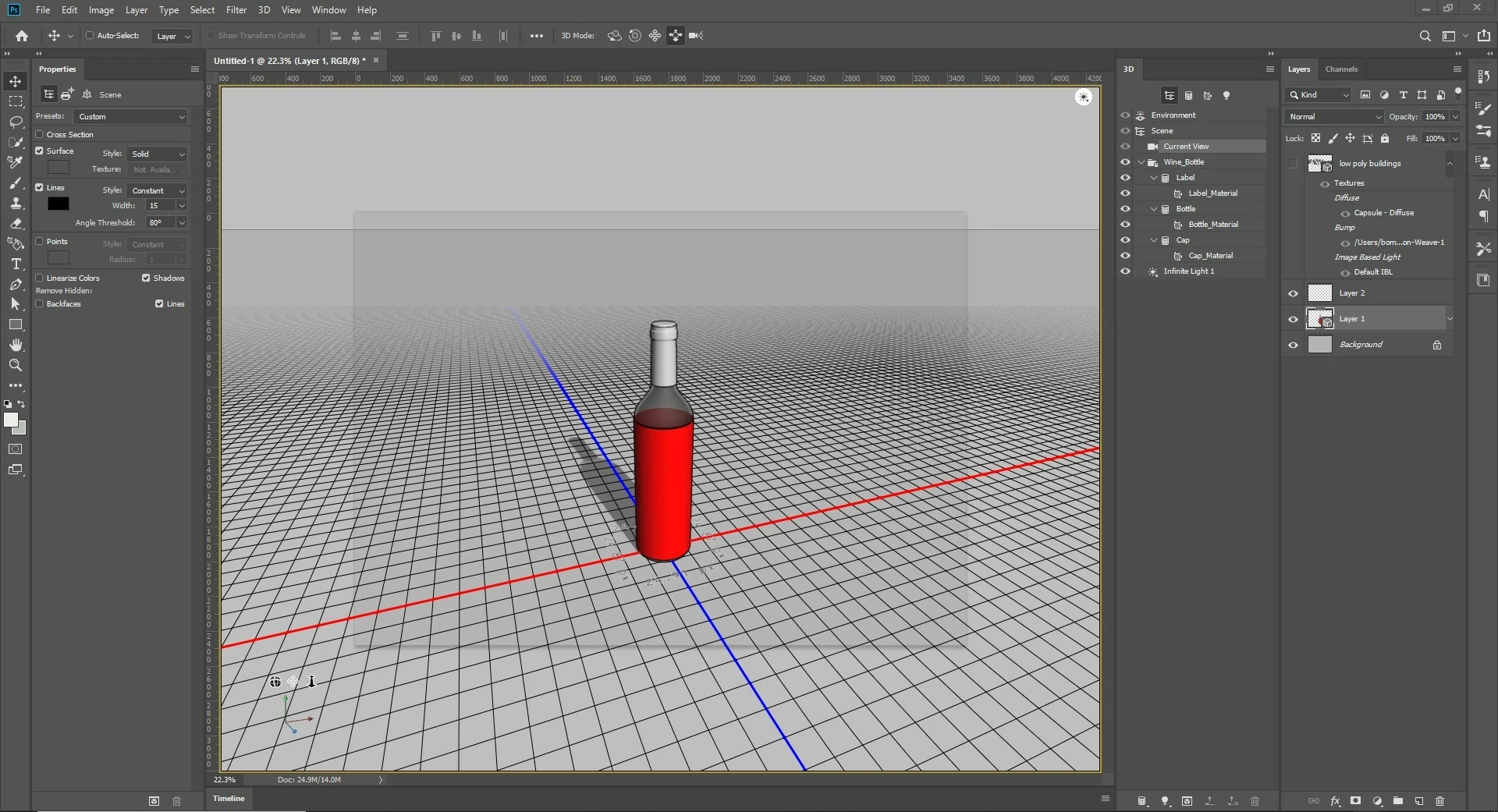
This is my view


And this is the view I am missing.


Thank you.
This topic is closed to new replies. Start a new post to keep the conversation going.
JJMack
JJMackCorrect answer
Community Expert
Feb 23, 2020 11:53 AM UTC

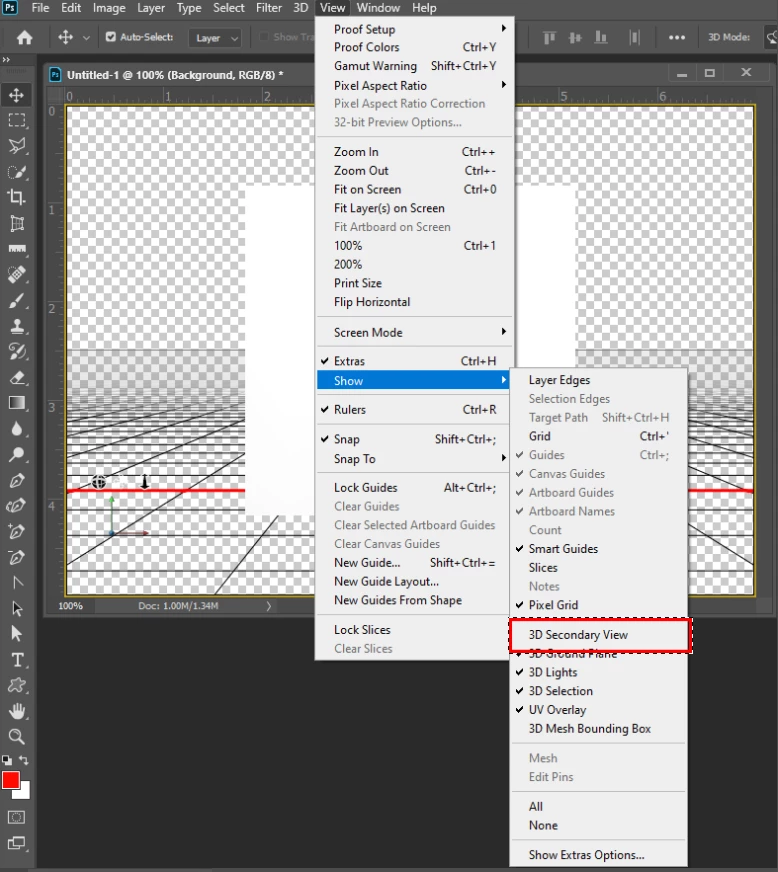
Are you missing this also?

JJMack

8 replies

Known Participant
Apr 7, 2020 1:29 AM UTC

Thanks soooo much JJMack.

There is where it was.

So evident at the end 🙂

Translate
JJMack
Community Expert
JJMackCommunity ExpertCorrect answer
Community Expert
Feb 23, 2020 11:53 AM UTC

Are you missing this also?

Translate
JJMack
Participant
Mar 11, 2020 2:07 PM UTC

Thanks JJMack, I had the same issue. Easy fix thanks to you!

Translate