



Photoshop action / PSD to automatically clean up a photographed reflective CD?
Hi everyone,
I'm looking for a Photoshop Action, PSD template, plugin, or any other Photoshop-based solution for a very specific workflow.
I have attached two example images:
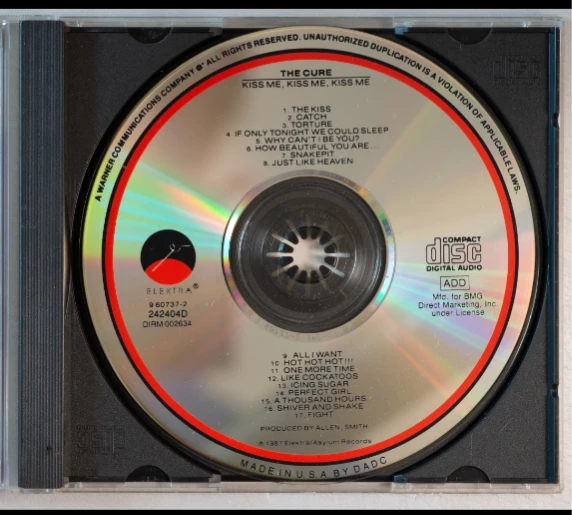
IMAGE 1 — ORIGINAL CAMERA PHOTO / INPUT
This is a real CD photographed directly from above, with the disc lying flat on a white background and the camera sensor positioned parallel to the surface of the CD.
Because the CD is highly reflective, the photograph contains uneven brightness, darker and lighter areas, reflections, rainbow/iridescent effects and other photographic artifacts.
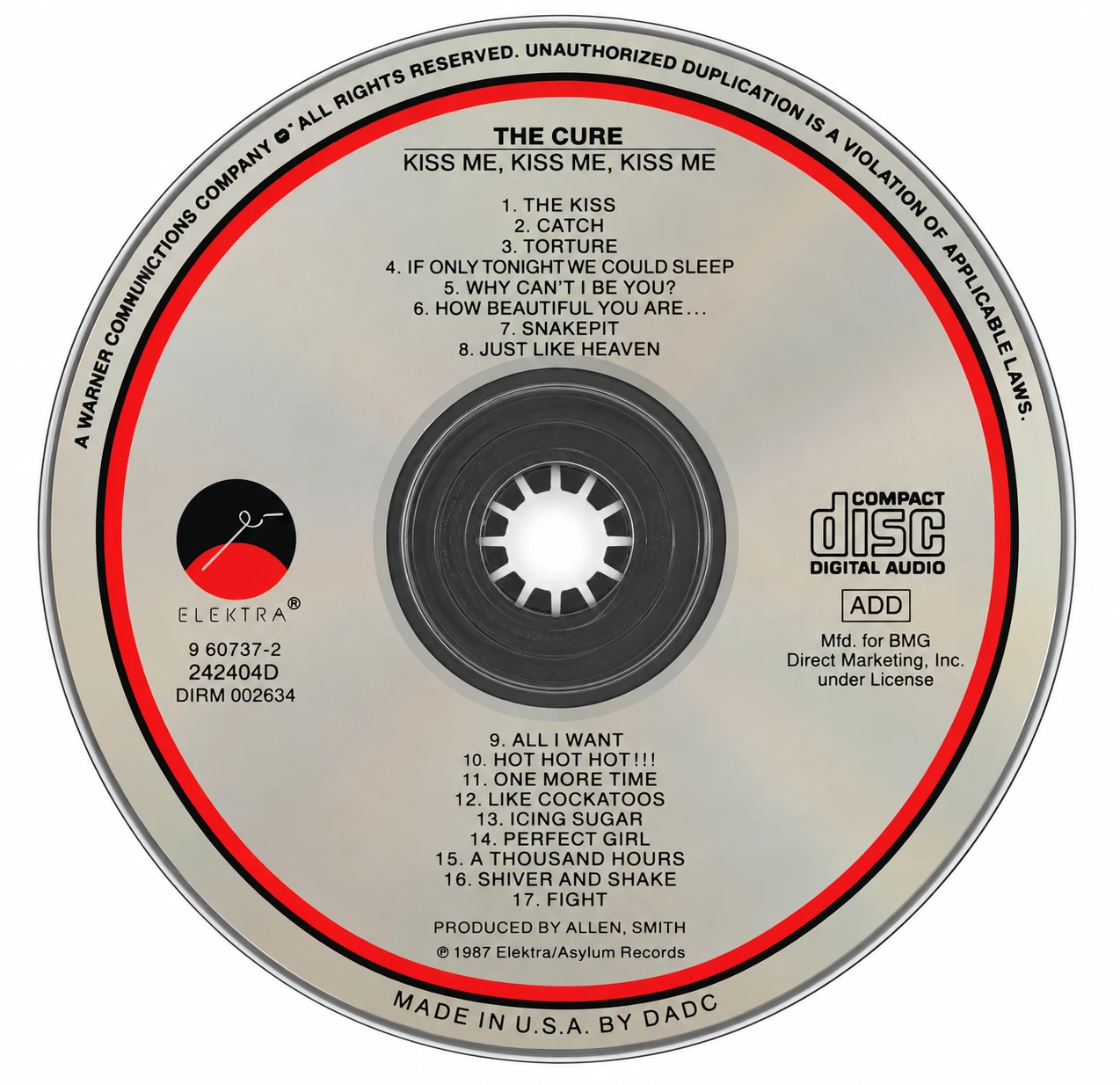
IMAGE 2 — REQUIRED RESULT / TARGET OUTPUT
This shows the result I need: the same type of CD, still viewed perfectly straight-on, perfectly circular and flat, on a white background, but with a clean, even and uniform metallic surface.
IMPORTANT REQUIREMENTS:
The original printed information must be preserved exactly.
I do NOT want AI to redraw, reinterpret or recreate the text.
All lettering, catalogue numbers, logos, symbols, track listings and printed graphics must remain exactly as they appear on the real photographed CD.
Ideally, the process should separate the printed ink/artwork from the imperfect reflective silver surface, preserve the original printed information, and place it over a clean and uniform CD surface.
The final CD must remain in a true 90-degree top-down / orthographic view.
I do NOT need a perspective, tilted or 3D mockup.
My ideal workflow would be:
REAL CD PHOTO
→ Photoshop Action / PSD / Plugin
→ one click, or very few automatic steps
→ CLEAN, UNIFORM, PERFECTLY FLAT CD IMAGE
I need to process dozens of CDs, so manually retouching each disc for hours is not practical.
I am mainly interested in standard silver reflective CDs with printed text, logos and relatively simple graphics.
Picture discs and full-surface photographic artwork can be considered a separate problem.
Does a Photoshop Action, PSD template or plugin already exist that can do this?
If not, would anyone be interested in creating such an Action/template?
I think this could also be useful for CD collectors, music archives, Discogs-style databases and online discography websites.
I can provide the original high-resolution photograph as a test image.
Thanks!
NOTE: The first image is only an example of the reflection problem. In my actual workflow, the CD will be removed from the jewel case and photographed by itself, perfectly flat on a white background at 90°. The Action does NOT need to extract the CD from the jewel case.
 AdChoices