
lenak6976122
Participant
April 29, 2018
Answered

Photoshop and Touch Bar

  • April 29, 2018
  • 1 reply
  • 772 views

My new Mac Book Pro has the Touch Bar but it doesn't show me when I use the Photoshop CC 2018. What can I do? Should I find the control function the menu of Photoshop. To cut ist short the Touch Bar is used in every apple product but not at Adobe.
I need help.

Thanks for every comment
This topic has been closed for replies.
Correct answer Akash Sharma

Hi lenak6976122,

Sorry that Touch Bar on your MacBook Pro is not enabled while working in Photoshop CC 2018.

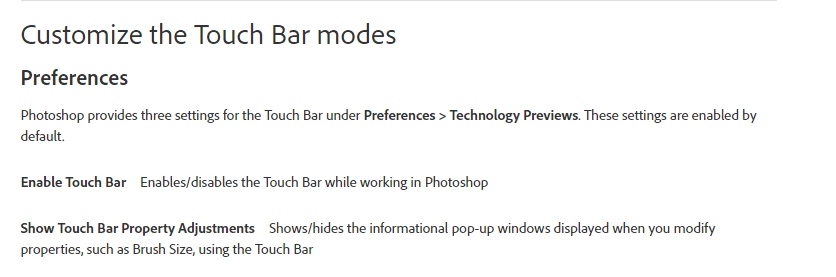
Please check that the Touch Bar options are enabled in Photoshop preferences as mentioned in this article: Learn how to work with the MacBook Pro Touch Bar in Photoshop.

Let us know if that helps.

Thanks,

Akash

1 reply

Akash Sharma
Akash SharmaCorrect answer
Legend
May 1, 2018

Hi lenak6976122,

Sorry that Touch Bar on your MacBook Pro is not enabled while working in Photoshop CC 2018.

Please check that the Touch Bar options are enabled in Photoshop preferences as mentioned in this article: Learn how to work with the MacBook Pro Touch Bar in Photoshop.

Let us know if that helps.

Thanks,

Akash