
Participant
March 24, 2022
Answered

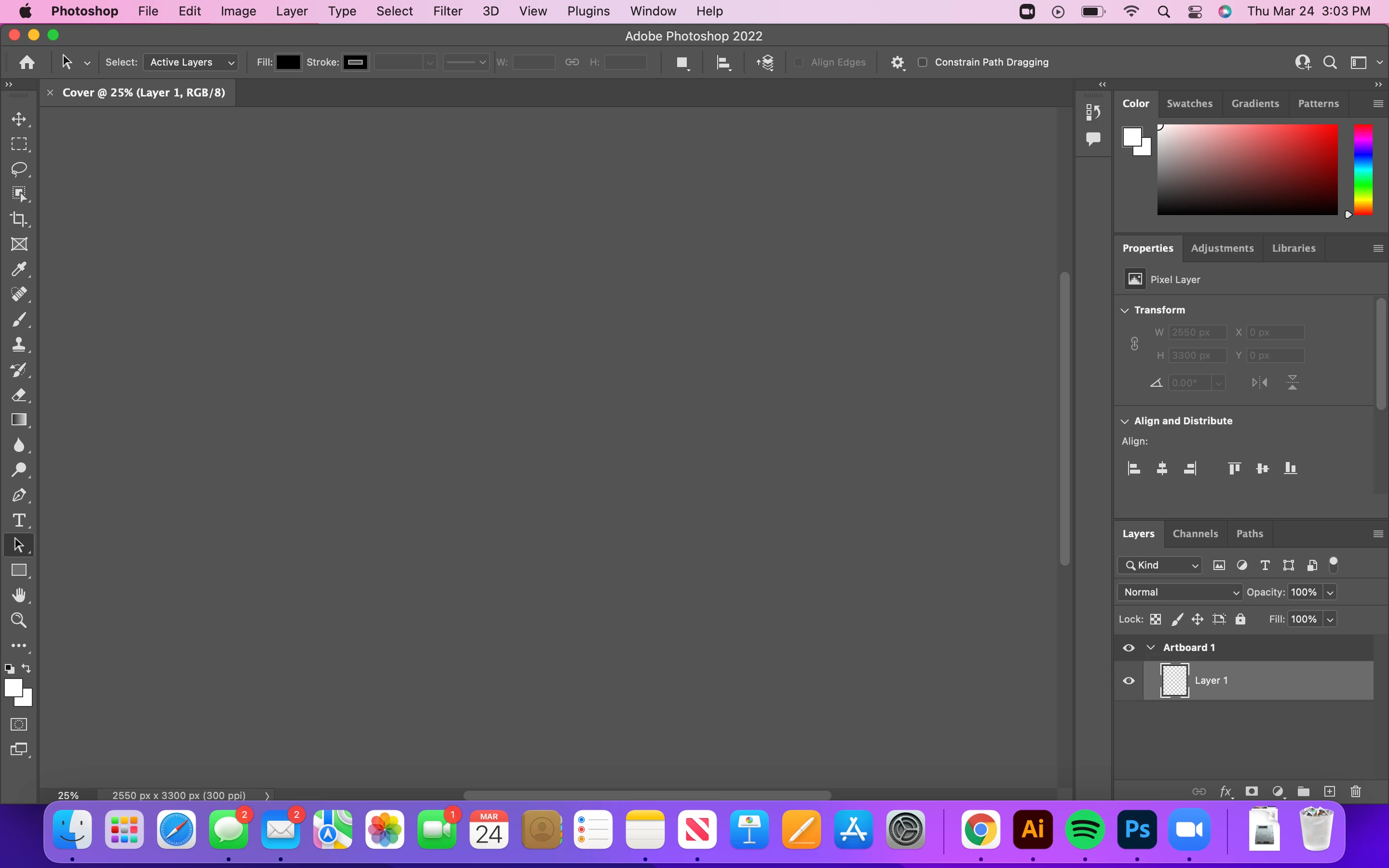
Photoshop artboards not showing

  • March 24, 2022
  • 2 replies
  • 9882 views

I have been experiencing an issue with photoshop, for some reason my artboards won't show and I can't create anything until the artboard is available. This problem just started to occur today after I changed it to 3D workspace  accidentally. I haven't been able to use it since. I also use a macbook air with m1 chip for reference for graphics etc. How can I fix the issue?
Correct answer Kevin Stohlmeyer

Try resetting your PS preferences.

Go to Preferences/General and click "reset preferences upon quit".

Quit PS and relaunch.

2 replies

mglush
Community Expert
Community Expert
March 25, 2022

Hi

What happens if you try changing back from the 3D workspace to essentials? Or what happens when you try resetting your workspace? Windows>Workspace>Reset "   " (workspace you are in)


Kevin Stohlmeyer
Community Expert
Kevin StohlmeyerCommunity ExpertCorrect answer
Community Expert
March 24, 2022

Try resetting your PS preferences.

Go to Preferences/General and click "reset preferences upon quit".

Quit PS and relaunch.

Participant
November 23, 2023

I was facing the same issue and this helped!
Thanks