
Participant
March 2, 2025
Question

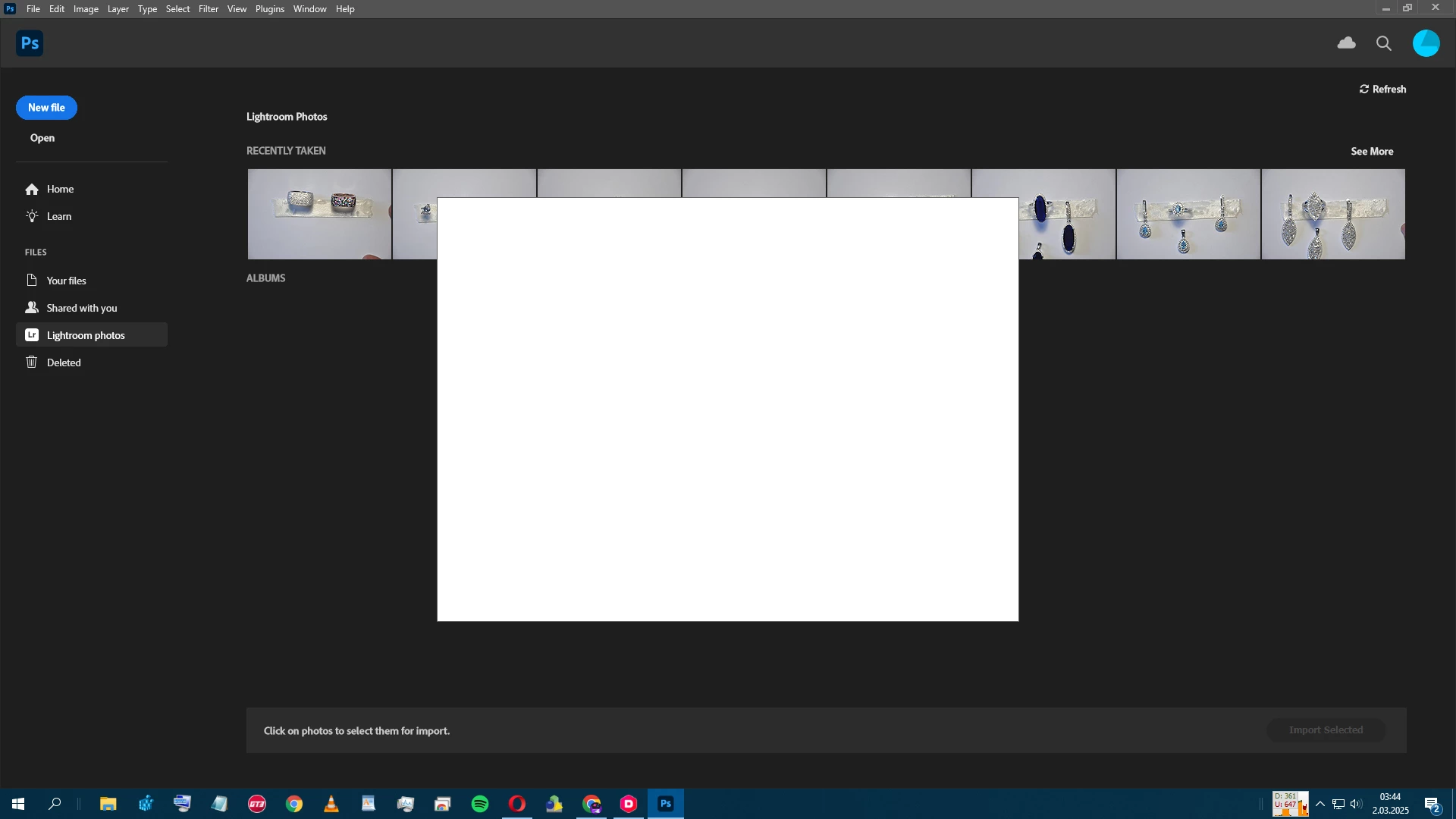
Photoshop automatically creates a rectangle when opening.

  • March 2, 2025
  • 2 replies
  • 264 views

When I open Photoshop, a white rectangle appears without opening a new file and prevents me from using the application. I deleted and reinstalled it, but it did not work. I deleted the cache files, but it did not work. How can I fix this problem?
2 replies

Participant
March 3, 2025

hello,

unfortunately i tried this and many other methods. i tried my own trial and error methods that are not here but it didn't work. sometimes the white screen doesn't come until the application or the working window opens but then it definitely comes and the whole photoshop freezes. when it didn't solve the problem i finally formatted the computer. this solved the problem.

c.pfaffenbichler
Community Expert
Community Expert
March 2, 2025

Does turning off »Use Graphics Processor« in the Performance Preferences (Photoshop > Preferences > Performance > Graphic Processor Settings) and restarting Photoshop have any bearing on the issue? 
https://helpx.adobe.com/photoshop/kb/troubleshoot-gpu-graphics-card.html


Do you use the Homescreen?