


Ali Teshnizi
Participating Frequently
April 25, 2019
Question

Photoshop brush size is smaller than painted area

  • April 25, 2019
  • 3 replies
  • 4161 views

Hello,

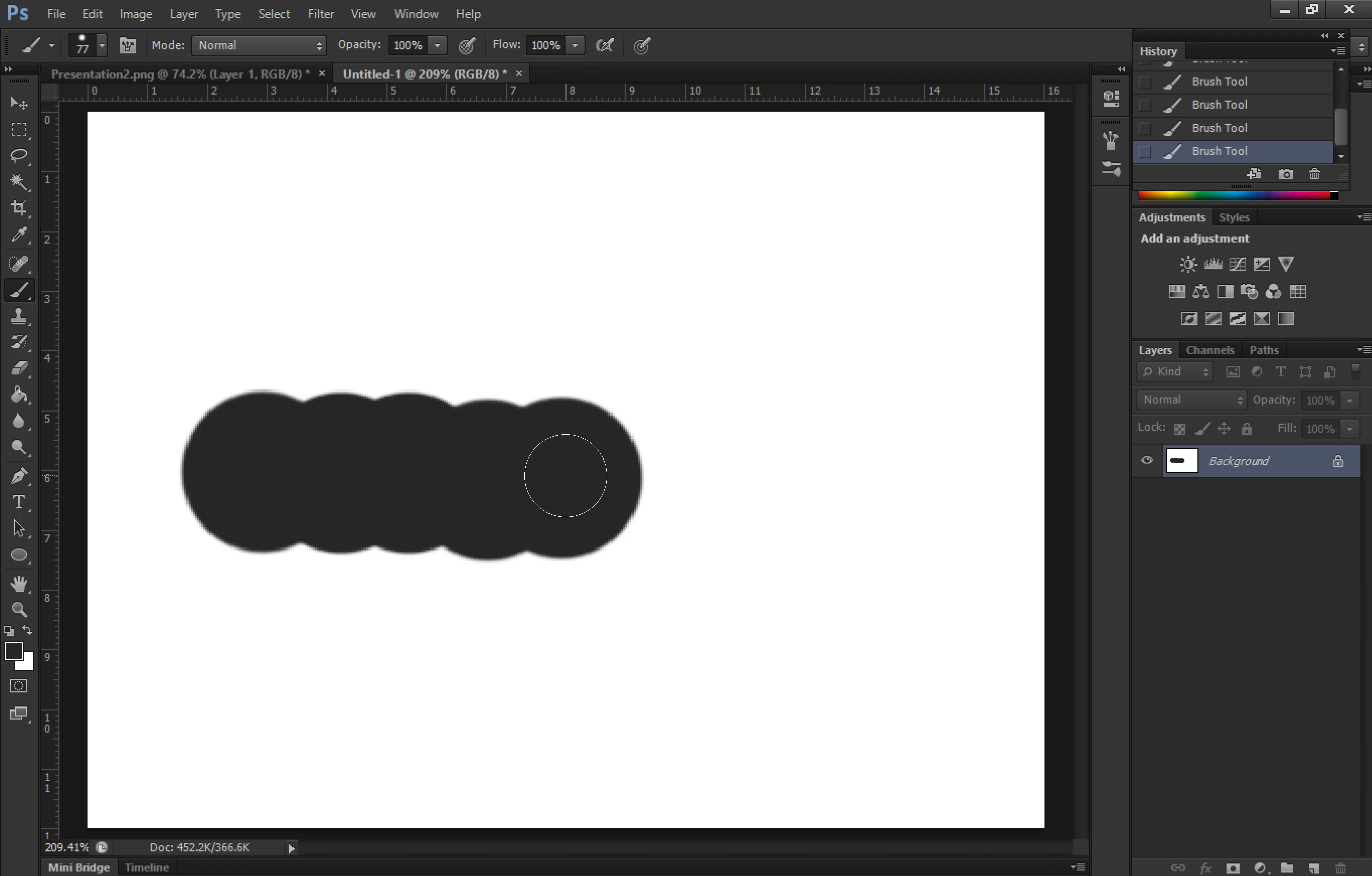
problem: my brush size (cursor) is smaller than the area that is beeing painted.

I have already tried to fix it under edit -> prefrences -> cursors. Apparently both options "full size brush type" and "normal brush type" are the same for me.
i am using photoshop CS6 on windows 10
 

This topic has been closed for replies.

3 replies

Ali Teshnizi
Participating Frequently
April 25, 2019

My screen resolution is:

1368x912

Screen Width: 1368 pixels

Screen Height: 912 pixels

I had the "photoshop cs6 small interface" problem. So I replaced the manifest folder of Photoshop with a downloaded program.

April 25, 2019

That could be your issue, in Windows 10 you can right click on Photoshop.exe or the shortcut and select properties > compatibility > change high DPI settings and select these settings

You may need to undo the manifest thing first

Ali Teshnizi
Participating Frequently
December 9, 2019

I have done this already. Unfortunatelly the problem is still unsolved!

c.pfaffenbichler
Community Expert
Community Expert
April 25, 2019

Did you employ any »hack« to have CS6 display less small on a hires display?

Are there any OS-side settings with regard to the cursor in effect?

Ali Teshnizi
Participating Frequently
December 9, 2019

Yes, I used this hack:


April 25, 2019

Hi

You mention Photoshop 6.2, do you actually mean CS6, what's your monitor screen resolution set to

jane-e
Community Expert
Community Expert
April 25, 2019

https://forums.adobe.com/people/Ged+Traynor  wrote

You mention Photoshop 6.2, do you actually mean CS6, what's your monitor screen resolution set to

Ged, the Mini Bridge panel is at the bottom. That might be our clue! I think it came out in CS5?