
Participating Frequently
October 14, 2025
Answered

Photoshop Brushes

  • October 14, 2025
  • 11 replies
  • 307 views

Hello, 

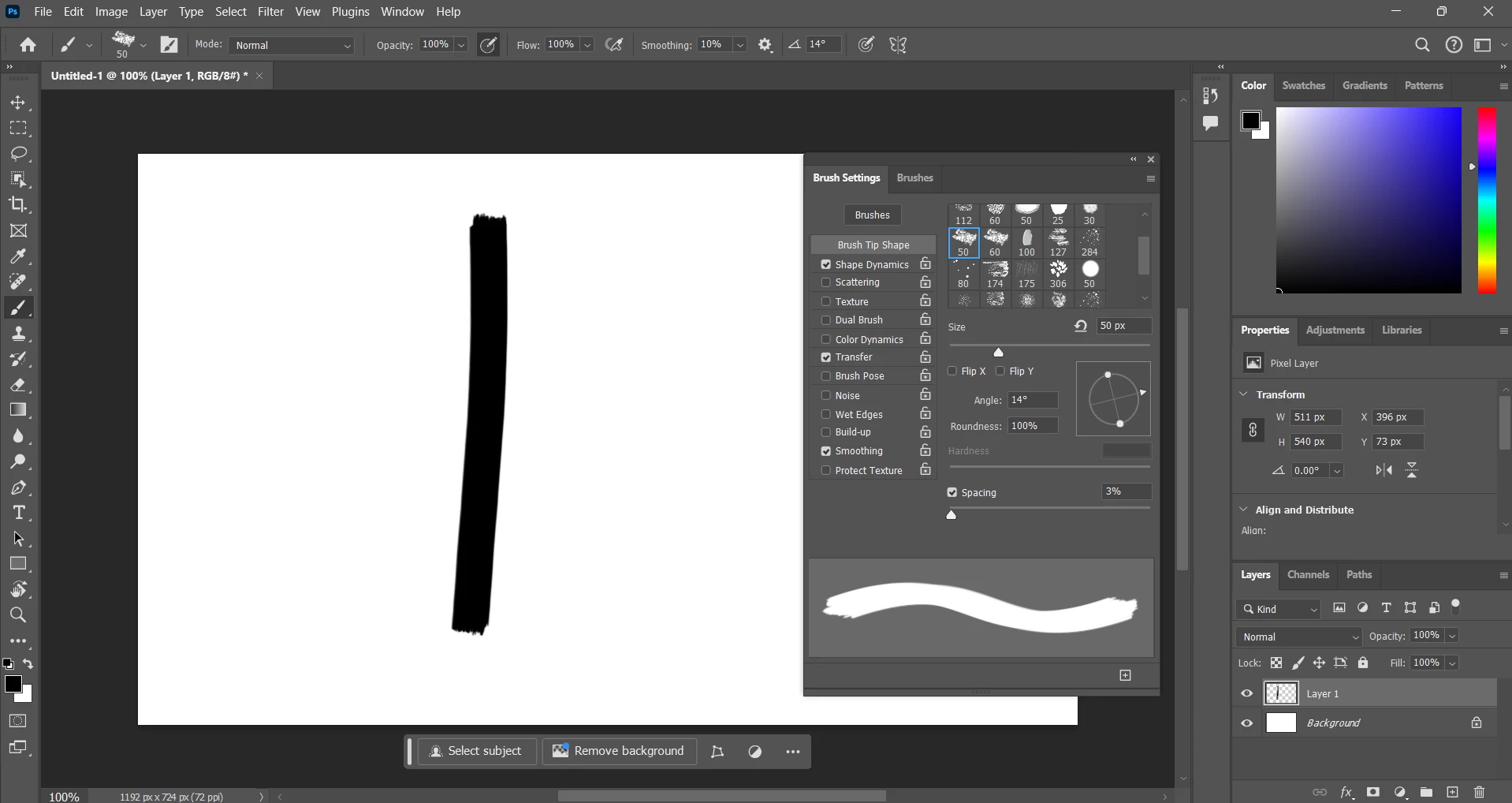
I am having problems with Photoshop 2025, all of the brushes. A few days ago, I updated from Windows 10 to Windows 11 and that is where the issue started. The brushes were working perfectly fine on Windows 10 but when I updated Windows 11, the brush 50 chalk 2 that I use with opacity at 100%, it gives me a solid stroke when it isn't suppose to be a solid stroke as it is suppose to be chalky, I have tried using another brush with opacity at 100%, it is giving the same result.

 

Correct answer barbara_a7746676

There may be something wrong with the installation of Photoshop.

You could try using the Adobe Cleaner tool. The process involves uninstalling and reinstalling Photoshop, but it is different from a regular uninstall/reinstall.

https://helpx.adobe.com/creative-cloud/apps/troubleshoot/diagnostics-repair-tools/run-creative-cloud-cleaner-tool.html


11 replies

Ged_Traynor
Community Expert
Community Expert
October 14, 2025

@tori_9195 try manually resetting your Photoshop preferences
https://helpx.adobe.com/ie/photoshop/using/preferences.html#Manually
Remember to back up your settings before doing the preference reset
https://helpx.adobe.com/ie/photoshop/using/preset-migration.html

If that doesn't help, can you post your Photoshop system info, in Photoshop go to Help > System Info, hit the copy button and paste the entire thing into this thread