
November 4, 2010
Question

Photoshop Can't Open .png Files

  • November 4, 2010
  • 2 replies
  • 38377 views

Hey, I'm having a bit of trouble here with Photoshop CS5. When I drag & drop/open a .png picture in Photoshop, it gives me the following error:
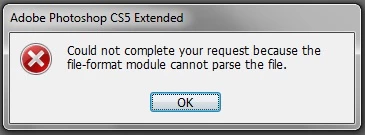
I can open .jpeg files all good, and I'm not too sure about.gif or any others, cause I only use Photoshop mainly to do graphics and such. I did some research and other people insisted that is was a corrupted file within the Photoshop directory. Any help with this would be greatly appreciated!

    This topic has been closed for replies.

    2 replies

    Participating Frequently
    November 8, 2010

    My png files appears to be bmp files, looking at the header, and open as bitmap worked. Anyway, other programs does not need to force the file with "open as...".

    Chris Cox
    Legend
    November 5, 2010

    The file probably isn't a PNG, just an image with the wrong file extension.

    Yes, it could be a corrupt file as well, but not likely for many files.

    November 5, 2010

    I can't save an image in any other format, the only one available is .png. I can convert it, but it's taking me more time to do things. If I could just open it in Photoshop as it is, it would be a lot easier. Any suggestions with what I should to then?

    Chris Cox
    Legend
    November 5, 2010

    email me a couple of files, and I'll see what's wrong with them.

    ccox {at] adobe [dot) com.