

Photoshop cannot open any files or create a new file
Hello,
I am experiencing a serious problem with Adobe Photoshop on Windows 11.
The issue started after Photoshop froze during normal use. The program became completely unresponsive, and I had to force close it through Task Manager. Since that crash, Photoshop has not been working properly.
The application itself launches, but when I try to open any file, the workspace appears for a fraction of a second and then immediately returns to the home screen. Photoshop does not open any PSD files, and it also does not allow me to create a new file. In many cases, I get a general “program error” when trying to open a PSD. At one point, Photoshop also displayed an error saying it could not load default keyboard shortcuts and suggested reinstalling the application.
This issue affects all PSD files, not just one file. Even after reinstalling Photoshop, the same problem continues. I also tested an older version of Photoshop, but it did not help.
Here is what I have already tried:
-
Restarted the computer
-
Reinstalled Photoshop
-
Tested older Photoshop versions
-
Checked multiple PSD files; none of them open
-
Tried to reset Photoshop preferences
-
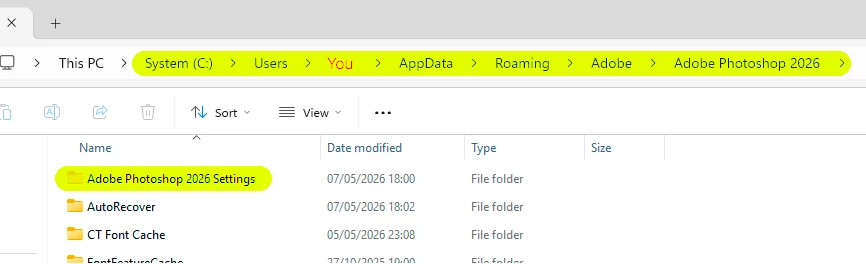
Removed leftover Photoshop files from AppData
-
Updated graphics card drivers
-
Restored Windows to an earlier restore point
-
Reinstalled Microsoft Visual C++ Redistributables and restarted the computer
-
Used the Adobe Creative Cloud Cleaner Tool to remove Creative Cloud apps and associated files
-
Reinstalled Adobe Creative Cloud and Photoshop again after cleanup
System details:
-
OS: Windows 11
-
Problem: Photoshop launches, but cannot open any files and cannot create a new file
-
Behavior: when opening a file, the workspace flashes briefly and immediately returns to the home screen
-
Additional errors seen: general “program error”; error saying Photoshop could not load default keyboard shortcuts
This issue has persisted even after a full Adobe cleanup and clean reinstallation, so the standard troubleshooting steps have not resolved it.
At this point, I suspect either a deeper Photoshop installation issue, a corrupted Adobe-related component, or a system-level compatibility problem caused by the initial crash.
Please let me know:
-
What logs or diagnostic files you need from me
-
Whether this is a known issue on Windows 11
-
Whether there is a full manual cleanup procedure beyond the Creative Cloud Cleaner Tool
-
Whether this behavior may indicate corruption in Photoshop user data, Adobe services, or system dependencies
-
Whether there is a specific known fix for this type of startup/file-opening failure after a crash
Thank you.


 AdChoices