Participant
June 12, 2014
Question

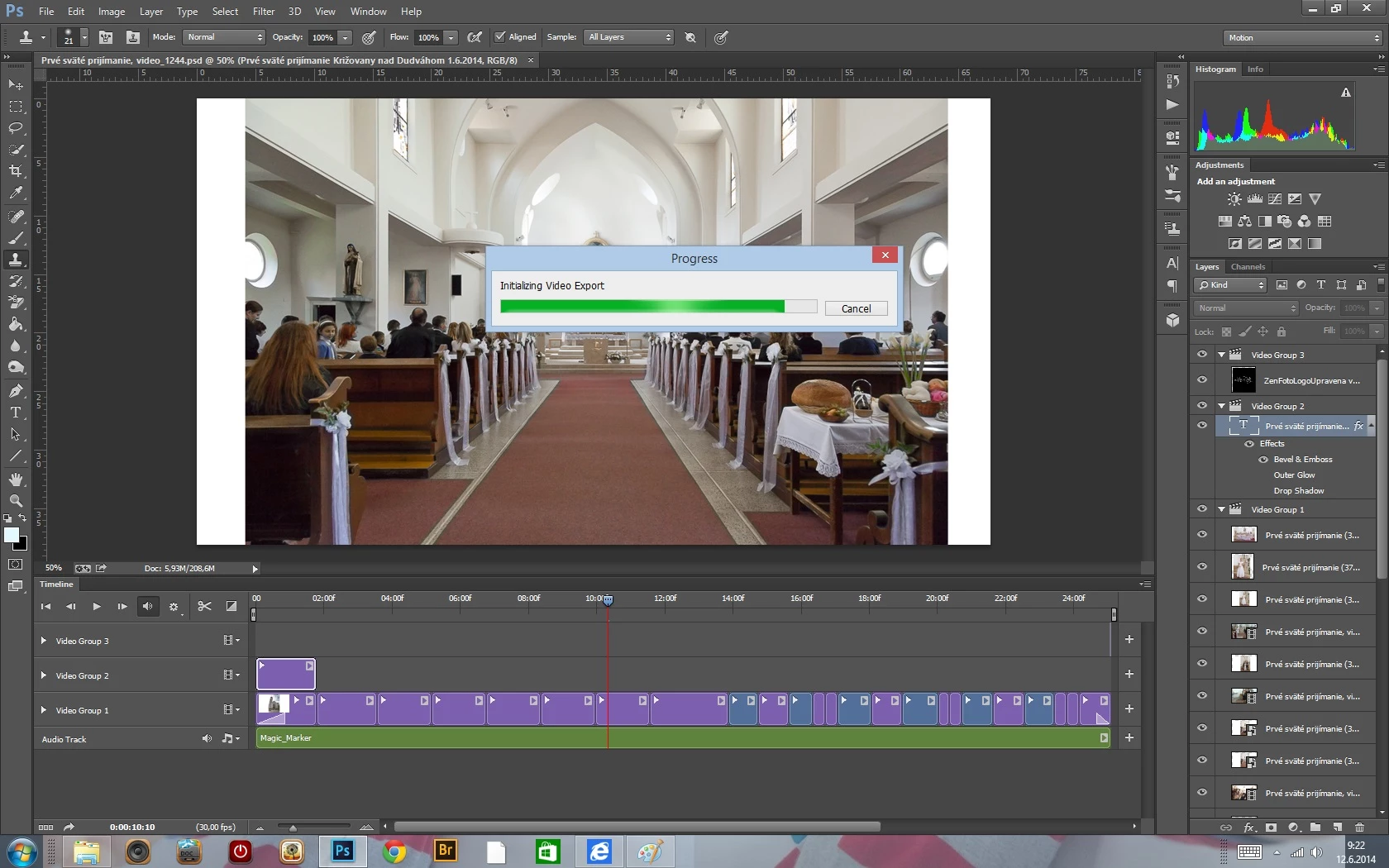
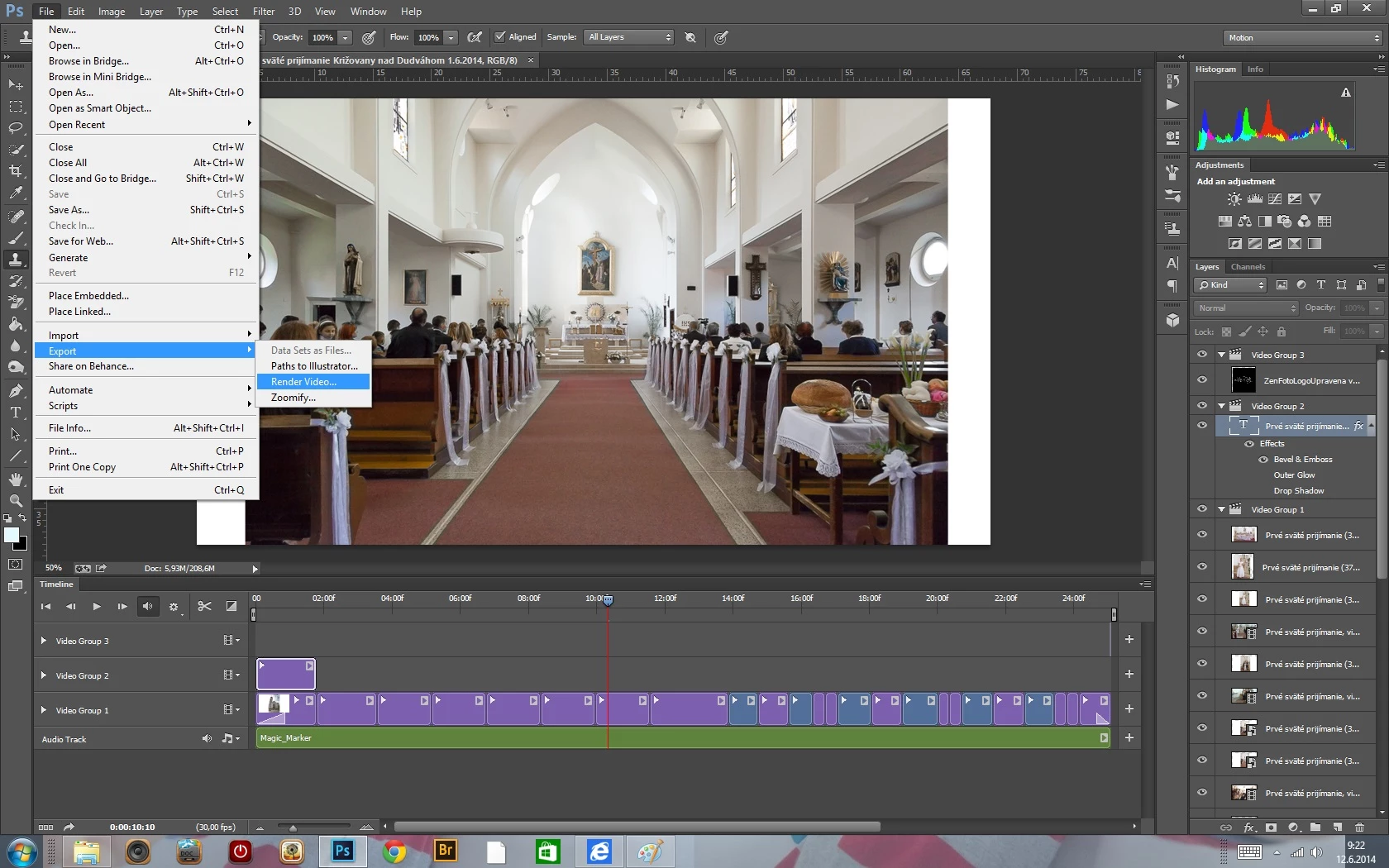
Photoshop CC - EXPORT - RENDER VIDEO issue, screenshots included
  • June 12, 2014
  • 7 replies
  • 17939 views

Hi there,

I´ve created a 25seconds long video in Photoshop CC. When I tried to export it, after I hit Export-Render Video, no dialog box open, it only shows progress bar sayin: Initializing Video Export" and there it stops. My Photoshop and Pc are working fine, nothing is frozen. Im using Windows 8. How can I fix this issue?

Thank you for your help in advance.

Zdenka

7 replies

Participant
October 14, 2023

The same issue with my computer. It is only a 5 second video, one photo, pan and zoom effect. I was able to convert to mp4 in 41 seconds using Adobe Media Encoder. Save Psd file and open Adobe Media Encoder software, Open psd file in Adobe Media Encoder, move psd to queue (Drag and Drop) press play green arrow and it converted to MP4.

byrogerlima
Participant
April 4, 2018

Tips:

> Finish you job and save your PSD file

> If you try to render a video PS will crash

> Before this try disable timeline view (window > timeline)

> If the steps above don't work, force quit and open the file again. Try to export.

> Try disable the use of your graphic processor (preferences > performance)

> Try to export.

Some of this things should work.

Good Luck!

whiteboard animator
Participant
September 10, 2017

Hi Everybody!

I am just facing a problem in photoshop when I try to render a video  a pop-up window come up and it says exporting image sequences but I have actually created a video timeline. I am facing this problem from the start.

my photoshop version is Cc 2017.

thanks

davescm
Community Expert
Community Expert
September 10, 2017

Hi whiteboard animator.

In the Render video dialogue did you choose Adobe Media Encoder or Photoshop Image Sequence (you want the former for a video format output)?

Dave

nicholasb75073568
Participant
November 17, 2017

I can't get the render video dialogue to even come up in order to choose Media Encoder. Still stuck on "Initializing Video Export".

Mac OSX 10.13.1 Photoshop CC 2018 v.19.0

Nicholas

Famekrafts
Participant
April 6, 2016

This is happening to me as well in just installed updated adobe cc suite.

Some times it works and some times it is stuck like that.

Any one has any solution to it?

Cyril500
Known Participant
July 19, 2017

In my case, it always stuck. I cannot "render video" at all - Photoshop just freezes. That is why I am trying to find a way to convert image sequence to any video format.

That is why I am trying to find a way to convert image sequence to any video format.

Participating Frequently
June 6, 2015

I'm on mac and have experienced the dreaded Photoshop CS6 'Initializing Video Export" problem when it stops/stalls. Very frustrating.

I upgraded my operating software to OS X Yosemite and also my Font management software (Suitcase Fusion 6) and the issue disappeared. I have no firewalls – just a home computer. Good luck.

Participating Frequently
August 6, 2014

I sometimes get this problem then if I kill Photoshop and try again everything goes smoothly and it renders.  There is something wrong in Photoshop video rendering module - when it fails it seems to get in an endless goto loop or so I guess as it is only using one of the eight cores and hyperthreads available to it, when working properly it uses all eight.  Exactly the same file with exactly the same edits hang without even getting to the stage you illustrate, hang as you illustrate, open the render box and then hang rendering or renders the video perfectly.  Something needs investigating by Adobe.

Mylenium
Legend
June 12, 2014

That usually means some external process or security setting is blocking the required components, so turn off your Virus scanner and firewall and make sure that e.g. Adobe Media Encoder is actually installed correctly.

Mylenium

Participant
June 12, 2014

Hi Mylenium, thank you for your reply, I think the problem may be in Adobe Media Encoder - I get this message - Adobe Media Encoder CC 7.2 Update

Installation failed. Error Code: U44M2P7