June 24, 2013
Answered

Photoshop CC miss Left-to-Right paragraph direction buttons

  • June 24, 2013
  • 4 replies
  • 33984 views

What happens? I can't type.

This topic has been closed for replies.
Correct answer Jeff Arola

When change type engine to middle eastern or asian nothing happens
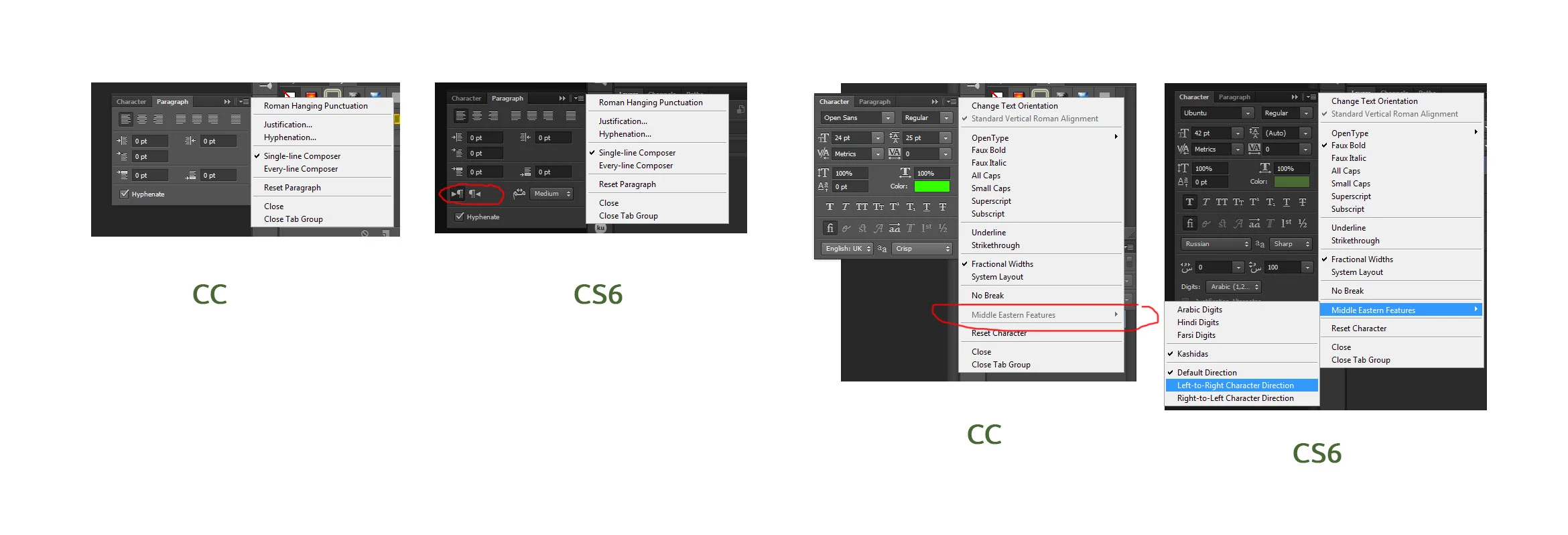

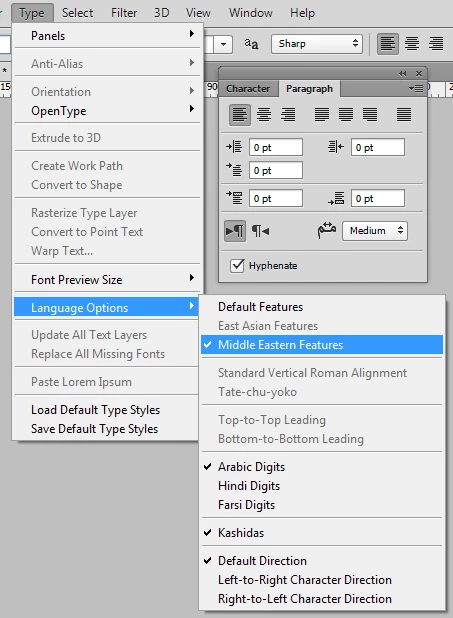
After you change the text engine to Middle Eastern and South Asian, create a new document and then under Type>Language Options

click on Middle Eastern Features and see if that makes a difference.
4 replies

MAHMOUDSAYED
Participant
July 13, 2019
Participant
July 17, 2016

WOW! This solved my issue!

Participant
May 16, 2016

Go to:

Type   Language Options   >   Middle Eastern Features

Once you click on (Middle Eastern Features) you will fine the text direction buttons in the Paragraph tab.

Participant
January 13, 2022

hello, but the middle asian option on my cc can't be clicked


D.A.R
Legend
June 25, 2013

Are they missing in th Paragraph Panel AND the Options Bar?

June 25, 2013

Sorry, but what is this means Options Bar? It's menu File Edit ..... Help?

Miss icons in the Paragraph Panel. And havent this options in Type menu.

D.A.R
Legend
June 25, 2013

Im sorry, there must be something getting lost in translation.

The Options Bar is at the top of the screen.

I thought you were suggesting the Left / Right paragraph alignment buttons were missing - shown here.

But it seems from your screenshot that you have them available to you in the Paragraph panel.
