


Participant
September 5, 2026
Question

Photoshop closes when trying to print

  • September 5, 2026
  • 4 replies
  • 21 views

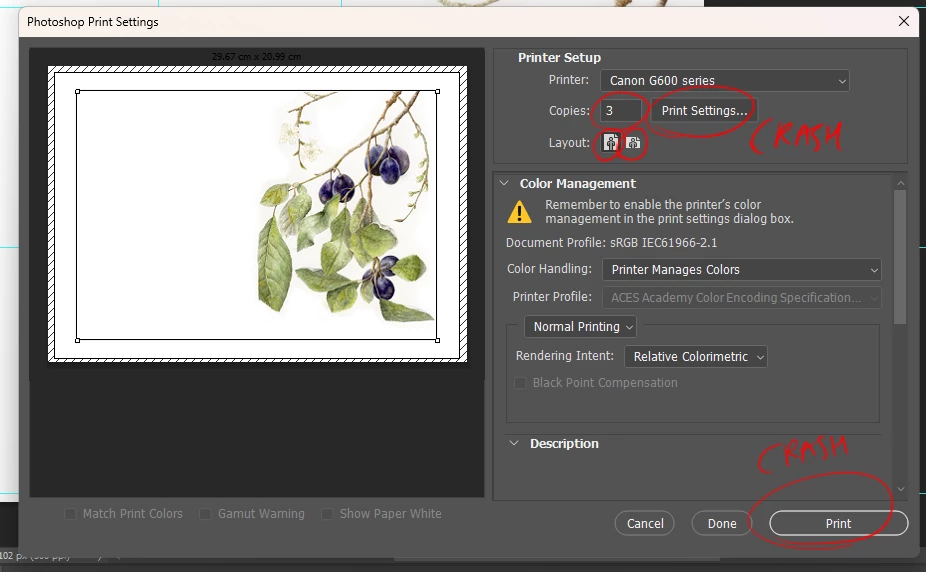
I use Photoshop 2025 and I have a Pixma Canon G650 printer. I’m unable to print with it. Once I reach the print screen, it closes itself down. Even touching any of the setting buttons on the print screen causes it to close. I’ve installed the latest drivers for the printer but nothing. This is very frustrating as I rely on it for printing often. Any help would be appreciated? 
 

    4 replies

    D Fosse
    Community Expert
    Community Expert
    September 5, 2026

    First of all, try to hold the spacebar when you click Print. Print metadata is stored in the file, and this will clear out corrupt or incorrect print metadata. If, say, you replace the printer, it may be necessary to do this with every file that has previously been printed with a different printer.


    Other than that, reset Photoshop preferences. Preferences contain more than just your own user settings - it’s the full application configuration, including lots of hidden and system-dependent parameters.

    Participant
    September 5, 2026

    Tried the space bar technique, didn’t change. I’ll try the preferences reset, that sound like it may do the trick. 

    c.pfaffenbichler
    Community Expert
    Community Expert
    September 5, 2026

    Have you tried Photoshop 2026? 

    (If you upgrade to Photoshop 2026 make sure not to uninstall Photoshop 2025 in case the new version does not meet your needs or suffers conflicts with the OS/hardware/…) 


    What have you done for all-purpose trouble-shooting so far?

    Restoring Preferences after making sure all customized presets like Actions, Patterns, Brushes etc. have been saved might be a good starting point:

    https://helpx.adobe.com/photoshop/using/preferences.html

    https://helpx.adobe.com/photoshop/kb/basic-trouble-shooting-steps.html

    Participant
    September 5, 2026

    Looks like upgrading to 2026 has done the trick, thank you for the help!