
Photoshop crashes when typing any text & this is the only solution worked for me, hope it help you
I SOLVED it this way, I had the same problem on photoshop 2023(V.24.7), Tried all solution on the internet, and I couldn't find working solution for me.
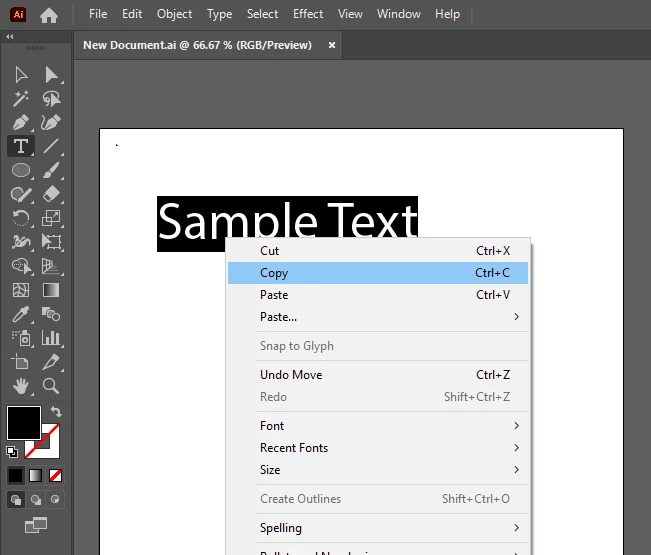
1. Type anything in the Adobe illustrator and copy (Ctrl+C) that text, (this text can be change later in photoshop).
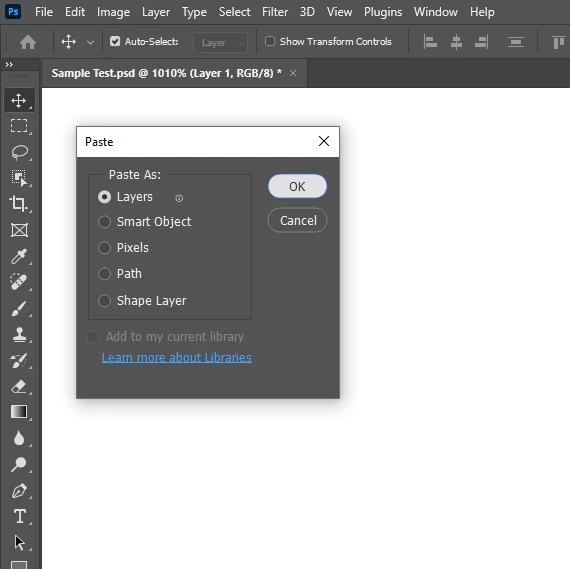
2. Open Photoshop and paste (Ctrl+V) the text, and there will be a popup menu asking how you want to paste the copied content, select the first option named 'Layers' and press OK.
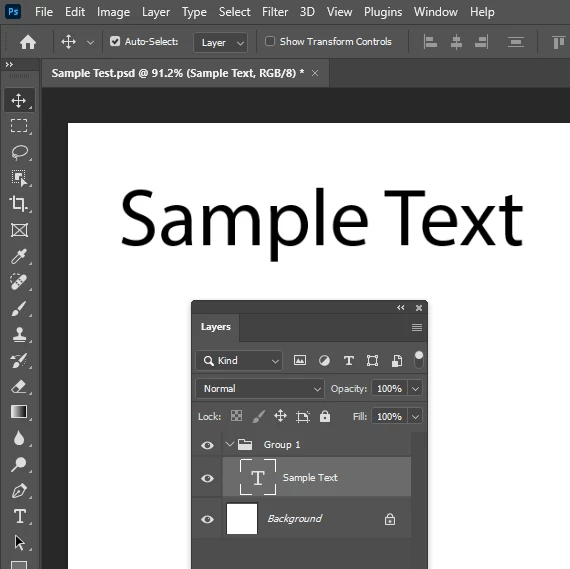
3. Open the layer panel (Window > Layers) You'll see a folder with the text that we copied from illustrator.
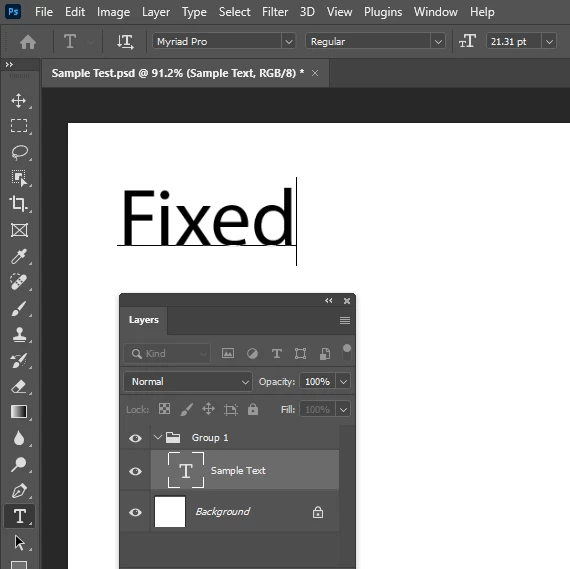
4. Pick type tool (ShortCut is T) or double click on the text, it can be edited to any text.
5. If you need more text layers, just duplicate the current layer by pressing shortcut Ctrl+J, or going to the top menu layer > New > Layer Via Copy.
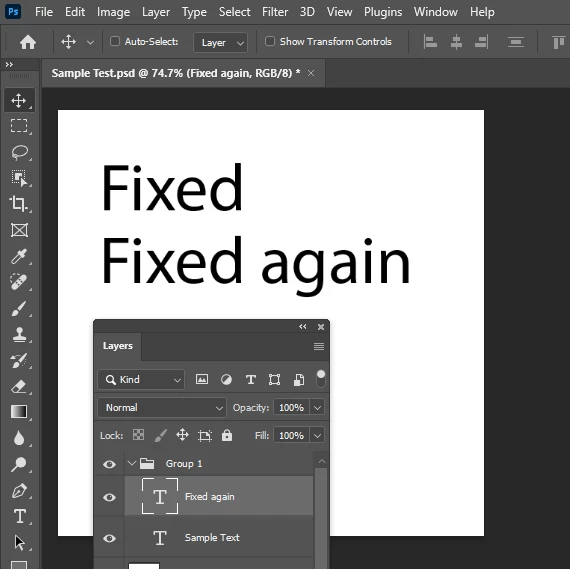
For the future use, you may use an old Photoshop PSD file to copy the text layer in to the new document, or repeat the process again.
I hope it helps

Thank you!
May be Adobe will fix this issue on the new update.
 AdChoices