

FedericoAmante
Participating Frequently
January 8, 2023
Answered

Photoshop crashing when using Camera Raw or a filter (windows NVIDIA driver issue)

  • January 8, 2023
  • 18 replies
  • 20836 views

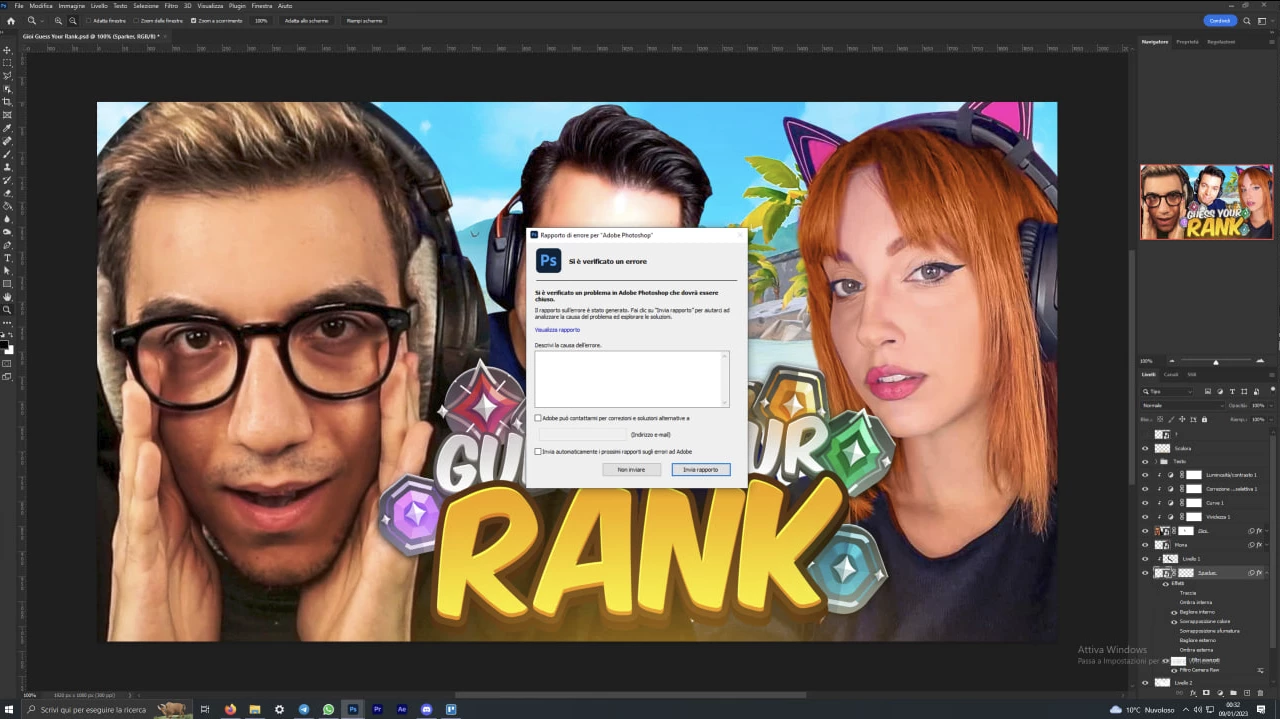
Every time i use camera raw, or a filter in photoshop 2023 (24.1) crush
I tried to unistall, to re-download the old version, but nothing seems to work

 

Correct answer D Fosse

Ok, good to know - but the general advice is to use the studio driv.er, not the game driver. The GeForce Experience app is also known to cause problems. You don't need it.


But as long as it works... 😉

18 replies

MissVantaBlack
Participant
August 2, 2023

In case anyone else runs into this (I am running an NVidia), because some of the newer updates cause the NVidia drivers to not cooperate with Photoshop....

Go to Edit > Preferences > Performance... and uncheck "Use GPU". Then restart Photoshop.

It may be slower but so far has not yet crashed for me since.

Participant
February 8, 2024

IT Tech here. We had a user with this issue. 

We did a lot of texting (rolling back version ect). 

The main fix for us was the NVIDA drivers for this user were miles out of date. 

We downloaded the GeForce app and installed all the drivers it suggested (basically the 'gaming' ones). 

It then all worked as it should. 


D Fosse
Community Expert
D FosseCommunity ExpertCorrect answer
Community Expert
February 8, 2024

Ok, good to know - but the general advice is to use the studio driv.er, not the game driver. The GeForce Experience app is also known to cause problems. You don't need it.


But as long as it works... 😉

Participant
July 1, 2023

I have the same problem with camera raw, I edit 10-20 pictures and then it freezes and takes me out. I tried uninstalling and re-installing photoshop and re-installing the drivers but I still have the same problem. did you somehow manage to solve the problem? 

Jeremy de Souza
Inspiring
July 2, 2023

Not yet... 😞 
I am looking to see if a DNG file converter works (I think Adobe does a free one), as my PS seems to open them OK for RAW editing as before.

D Fosse
Community Expert
Community Expert
July 2, 2023

See your other thread. It's probably not DNG in itself that matters here, but the type of data contained within that DNG.


I'll just come right out and say it: Ryzen systems have for a long time seemed to me over-represented in this type of problems. I don't have any hard statistics to back that up, just a subjective impression. But there are very few cases on Intel systems.


Some Ryzen users have reported that a BIOS update corrected these crashing problems.

Participant
April 25, 2023

Did This problem ever get resolved for you because I am having the same issue

FedericoAmante
Participating Frequently
April 25, 2023


FedericoAmante
Participating Frequently
January 11, 2023

32 GB RAM
RTX 3080
AMD RYZEN 7 5800x

Bojan Živković11378569
Community Expert
Community Expert
January 11, 2023

No problem on my side running Ps 24.1.0. Studio driver 528.02 released 01/05/2023.


How much RAM memory you have installed?

Kevin Stohlmeyer
Community Expert
Community Expert
January 10, 2023

Other posts have noted that downgrading to previous Nvidia drivers resolved the issue. Don't update, downgrade.

FedericoAmante
Participating Frequently
January 10, 2023

I always had the latest version

Participant
April 25, 2023

Did This problem ever get resolved for you because I am having the same issue


Legend
January 10, 2023

Thanks for the crash report. The internal record for this suggests that older NVIDIA GPU drivers are causing the crash. Please go directly to the NVIDIA and install the latest drivers from there.

FedericoAmante
Participating Frequently
January 10, 2023

Sent

Legend
January 9, 2023

I'm not seeing any submitted crash reports from you in our system. If you haven't done so already, please submit all Crash Reports along with your email address. Instructions here: https://helpx.adobe.com/photoshop/kb/submit-crash-reports.html That will help us diagnose the crash.
