


Inspiring
December 19, 2025
Question

Photoshop does not append file extensions

  • December 19, 2025
  • 5 replies
  • 797 views

Photoshop 2026 27.2

macOS Tahoe 26.2


Photoshop does not automatically append file extension when saving.


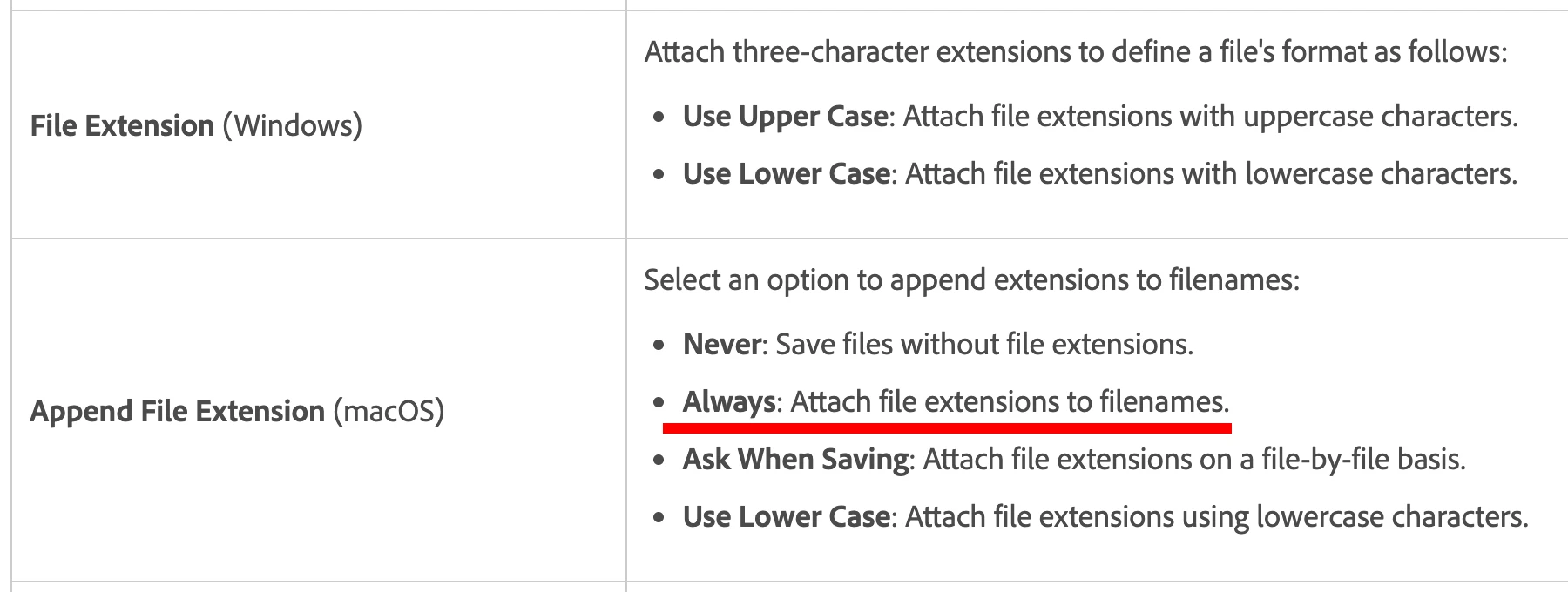
According to this help article there are supposed to be options.
Untitled-1.jpg

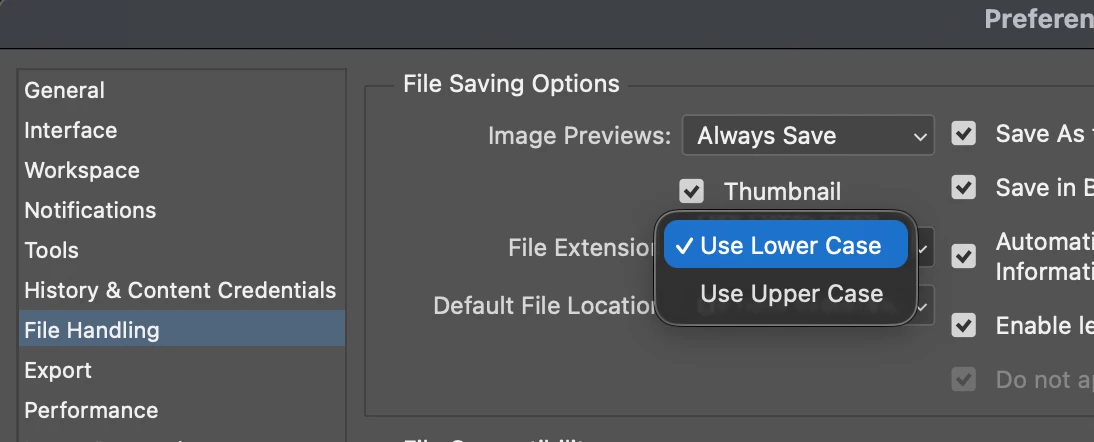
And those options are missing, not sure since when.
Untitled-2.jpg


Previously in version 27.1 (and macOS Tahoe 26.1), even if I deliberately remove .jpg from the filename when I save, Photoshop would append .jpg, and would ask whether to overwrite if file already exists.

5 replies

Participant
January 19, 2026

I have this same issue as well. If I accidentally rename the entire filename with saving, it removes the .psd and it does not appear. I've had issues sending the file with the missing psd extension

LEMONardoAuthor
Inspiring
December 19, 2025

Adobe, care to comment?


After upgrading to macOS Tahoe 26.2 today I am having the same problem.

And I am surprised/confused to find that the option to "Always Append File Extension" is gone.

LEMONardoAuthor
Inspiring
December 19, 2025

@ExUSA 


Are those Tahoe 26.1 or 26.2?


I have been using Photoshop 27.2 for several days, and I just upgraded to Tahoe 26.2 yesterday.

And I am 99.9% sure this problem did not exist before I upgraded to Tahoe 26.2.


I also have multiple Photoshop 27.2 and macOS Tahoe 26.2 behave the same.

Legend
December 19, 2025

Both, I have two machines (one Intel, one AS) running Tahoe. I'm actually working on photos right now and file extensions are being appended. Make sure you show them in the Finder settings.

LEMONardoAuthor
Inspiring
December 19, 2025

Could you please try this on a Tahoe 26.2:


1. Create an image

2. ⇧⌘+S to Save as

3. Remove ".psd" from the filename, leaving only "Untitled-1" or whatever the name is

4. Go to Finder and see if ".psd" is appended anyway.


Thank you.

Legend
December 19, 2025

Its working here on multiple Tahoe Macs.

D Fosse
Community Expert
Community Expert
December 19, 2025

Do you have extensions visible or hidden in the operating system settings?

jane-e
Community Expert
Community Expert
December 19, 2025

@LEMONardo 


Can you show a screenshot of your setting for "Show all filename extensions"? It's possible that the new macOS update changed the setting and it only takes a minute to confirm.


  1. In the Finder on your Mac, choose Finder > Settings, then click Advanced.

  2. Select “Show all filename extensions.”

https://support.apple.com/guide/mac-help/show-or-hide-filename-extensions-on-mac-mchlp2304/mac


Jane


LEMONardoAuthor
Inspiring
December 19, 2025

@jane-e 


“Show all filename extensions” is disabled.


I already investigated this, tested both before I posted.

It does not matter whether it's enabled or not.


The problem is that Photshop won't append file extensions.

It's not that Photoshop appends file extensions and I don't see them because they're hidden.