Participant
April 16, 2025
Answered

Photoshop does not recognize alpha in After Effects stills

  • April 16, 2025
  • 5 replies
  • 486 views

I am exporting stills from After Effects via Composition/Save Frame As/File. This allows me to render the frame in Photoshop format. If there is transparancy in the still it works correctly in Premiere Pro; however, if I open the file in Photoshop it shows as a flattened file with a black background. If I export from After Effects as Photoshop layers it open in Photoshop as a mix of transparent and black layers.

Correct answer Jeff Arola

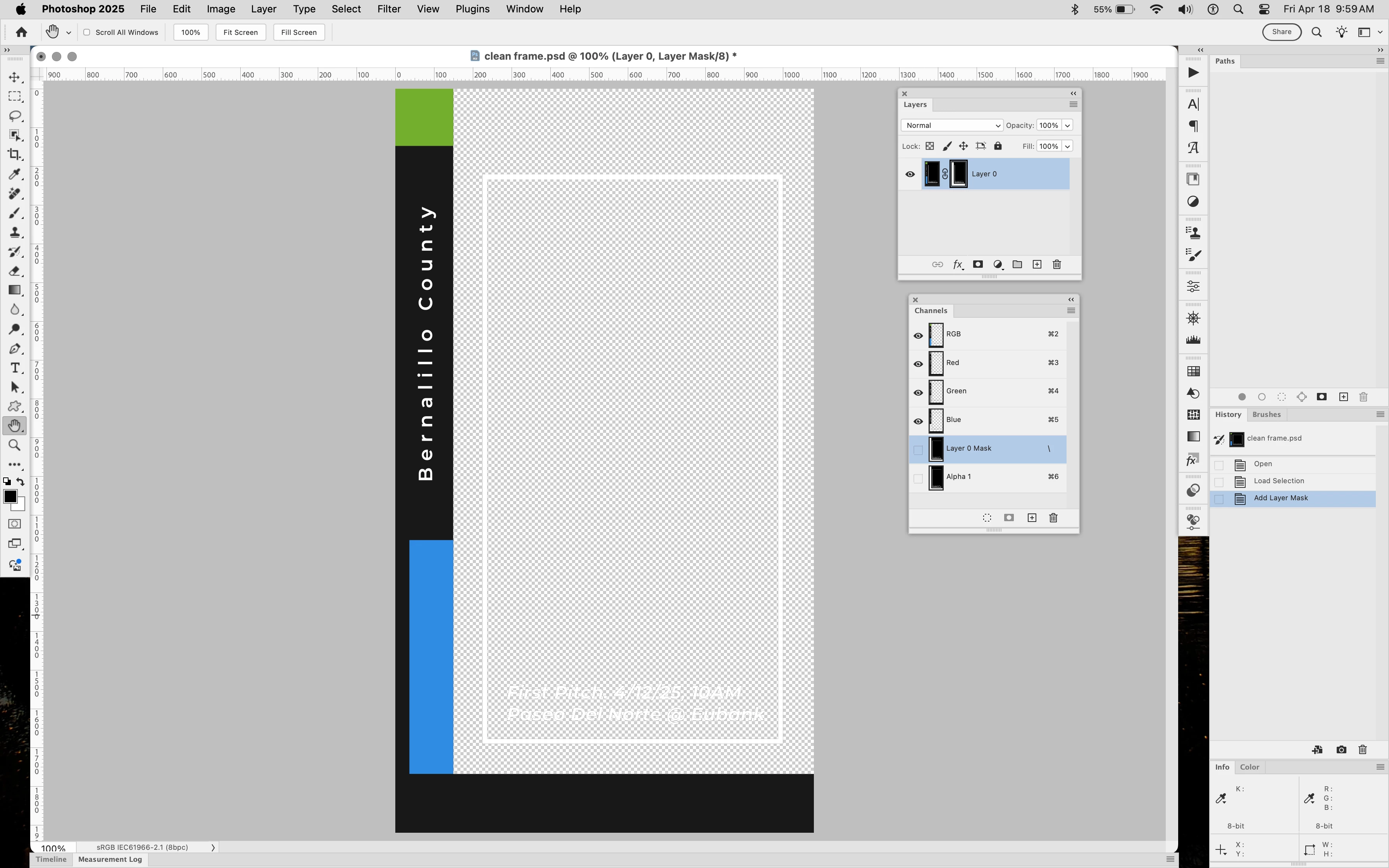
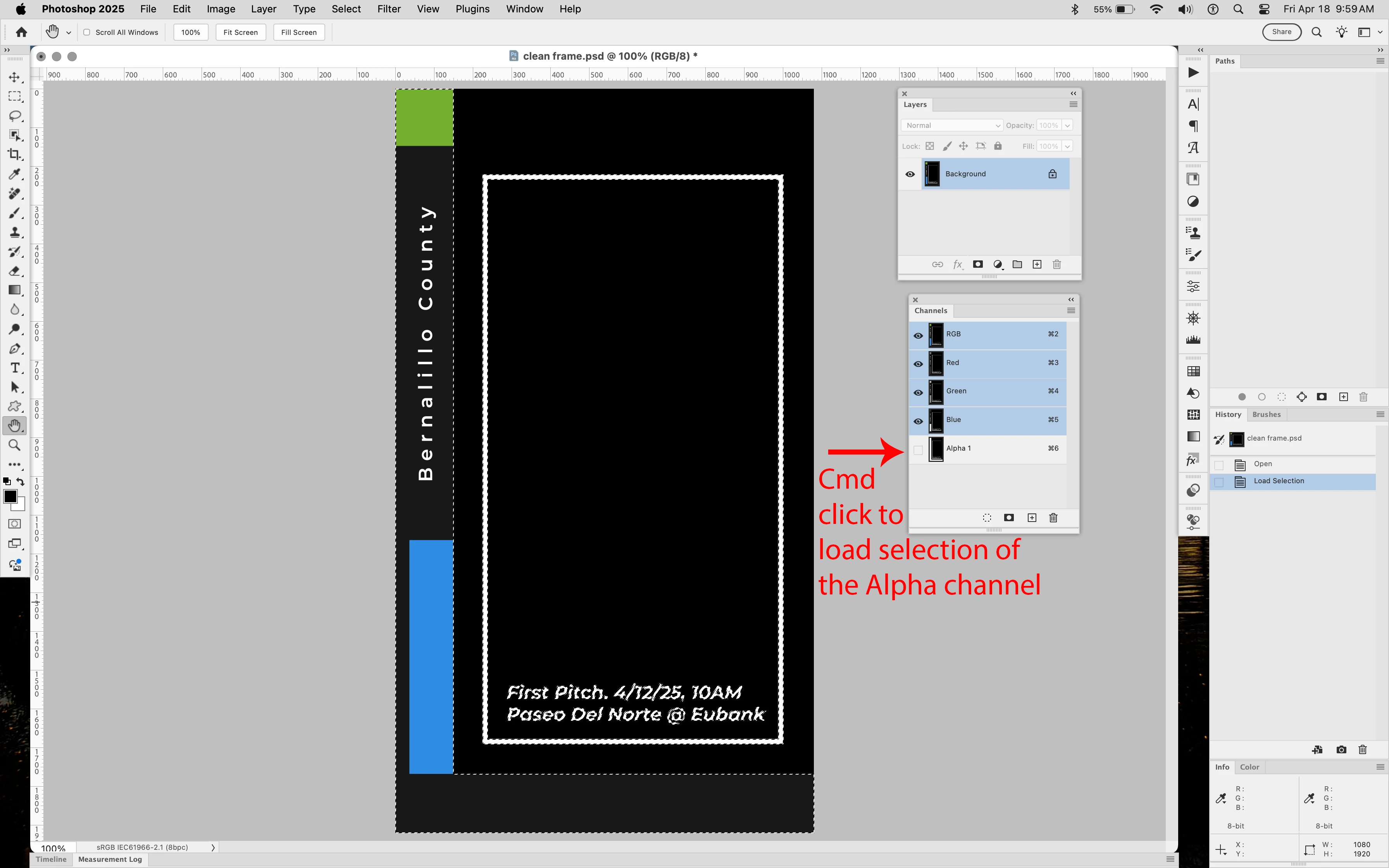
In Photoshop with the clean frame psd you can load the Alpha channel selection, then add a layer mask to the Background Layer to show the transparency.


5 replies

c.pfaffenbichler
Community Expert
Community Expert
April 18, 2025

Then the edge pixels appear to be »dirty«, though. 

Jeff Arola
Community Expert
Jeff ArolaCommunity ExpertCorrect answer
Community Expert
April 18, 2025

In Photoshop with the clean frame psd you can load the Alpha channel selection, then add a layer mask to the Background Layer to show the transparency.


c.pfaffenbichler
Community Expert
Community Expert
April 18, 2025

If the After Effects team is incapable of having After Effects create proper psd-files you might want to post an After Effects-bug report – after inquiring on the After Effects Forum if there may be some way of achieving the correct result after all. 


In Photoshop an Alpha Channel simply does not equal transparency. 

If you have to handle a lot of such files you could use Actions or Scripts to process the files, you could even link a Script to the open-event on Script Events Manager to have it run automatically whenever you open a file. (In this case a Script would seem necessary in order to check if the file meets the expectations [background layer and alpha channel and nothing else]). 

Participant
April 16, 2025

And yet it does! Try bringing it into Premiere.

Bojan Živković11378569
Community Expert
Community Expert
April 16, 2025

I opened the first file in Photoshop, a clean frame. That file contains a Background layer, so it cannot have transparency regardless of file format.