Participant
April 10, 2025
Question

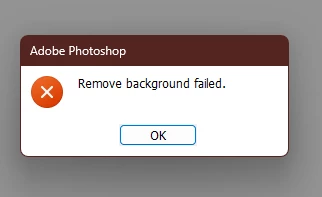
PHOTOSHOP ERROR
  • April 10, 2025
  • 2 replies
  • 346 views

I got this error message while trying to remove a background 

2 replies

AxelMatt
Community Expert
Community Expert
April 11, 2025

Do you have try to reset the preferences of Photoshop using the steps described here:

https://helpx.adobe.com/photoshop/using/preferences.html#reset-preferences

It's recommended to backup your settings before resetting the preferences.

See here:  https://helpx.adobe.com/photoshop/using/preferences.html#backup-photoshop-preferences


If this doesn't help please check your system if it's up-to-date. Do you have installed all recent updates and patches for the operating system and the device drivers, especially the graphic driver? If you have a NVidia graphic card installed, make sure that you are using the recent Studio version of the driver, not the Game Ready version.


Please provide a copy of your 'System Info'. This can be get from the Photoshop menu item Help > System Info. There's a copy button in the System Info dialog. Press this button and paste the info into your next forum post.


My System: Intel i7-8700K - 64GB RAM - NVidia Geforce RTX 3060 - Windows 11 Pro 25H2 -- LR-Classic 15 - Photoshop 27 - Nik Collection 8 - PureRAW 6 - Topaz Photo AI
Claire H.
Community Manager
Community Manager
April 10, 2025

Hi @DEF CONCEPTS, Welcome to the Photoshop forum! We need a few more details to better assist you with this issue.  

  • Issue - a short description of the problem. 
  • Steps to reproduce - a numbered list of the exact steps needed to replicate the issue.
  • Expected result - what should happen after executing the last step.
  • Actual result -  what actually occurred after the previous step 
  • Adobe Photoshop version
  • Operating System - specify Windows or macOS, along with the version

Any screenshots or screen recordings of the issue would greatly help as well. Thanks! ^CH

Participant
May 7, 2025
THESE ARE THE MESSAGES THAT I RECEIVE WHEN I TRY TO USE
GENERATIVE FILL
AxelMatt
Community Expert
Community Expert
May 8, 2025

Which steps you've tried to solve the issue?

Do you have try to reset the preferences?

Check if the active layer is locked or not. If it's locked unlock it.

Is the background clearly identifiable?  If possible please show us a screenshot of the appropriate image. 

Do you have check another image?


My System: Intel i7-8700K - 64GB RAM - NVidia Geforce RTX 3060 - Windows 11 Pro 25H2 -- LR-Classic 15 - Photoshop 27 - Nik Collection 8 - PureRAW 6 - Topaz Photo AI