
Answered
Photoshop exits after Video Driver Warning
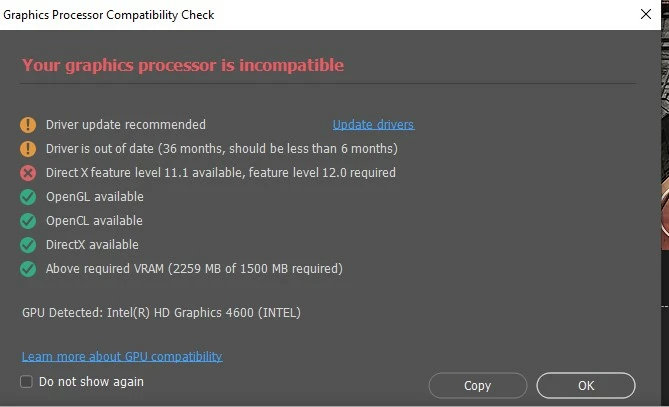
After the most recent update to Photoshop Desktop (Windows 10), the application displays the familiar warning that my video drivers are out of date. Instead of letting me proceed to the Edit Preferences to disable GPU acceleration, the application exits. I've been unable to reset the preferences from the OS as well.
I don't use Photoshop a lot (mostly Lightroom) but I wish I could disable the GPU for a while until I get a new system. The help information at the link wasn't helpful.


 AdChoices