Participant
September 30, 2026
Question

Photoshop Export Issues: JPEG Settings Missing and PNG Transparency Not Working

  • September 30, 2026
  • 3 replies
  • 34 views

Adding to this, since this community forum won’t allow me to post a new bug issue.


We are having exporting issues for both jpeg and pngs.

When exporting jpegs, the box with additional information is not populating and to initiate the export, we’ve discovered we have to manually hit the ‘enter’ button. They are randomly not following the color mode set within the file, too.

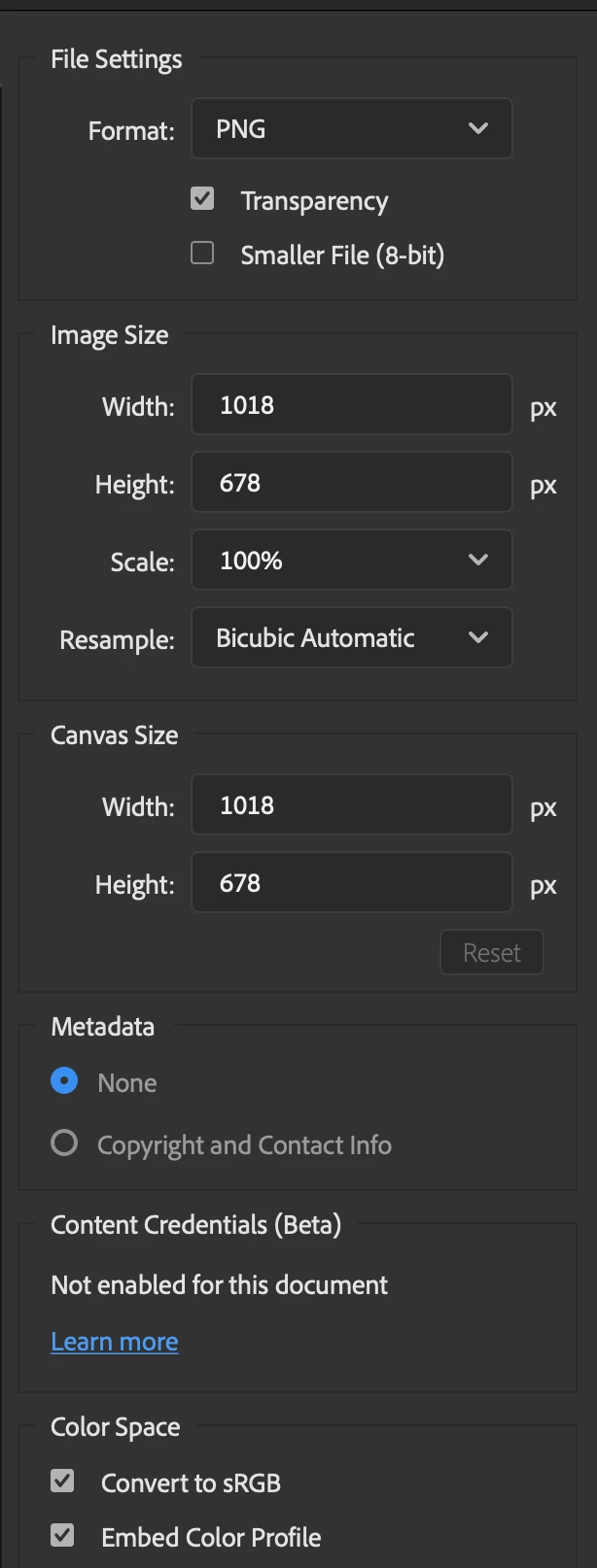
When exporting pngs, we are having issues with what should be a transparent png including a white background.


These are basic functionalities that should not have issues.

    3 replies

    jane-e
    Community Expert
    Community Expert
    October 1, 2026

    ​@amy.hanlon 

    Does it work properly when you use Save As or Save as Copy?

    Jane

    Participant
    October 1, 2026

    We’ll definitely give this a try. But this is happening across multiple computers and software. 🤞 

    justlearnskills
    Community Expert
    Community Expert
    October 1, 2026

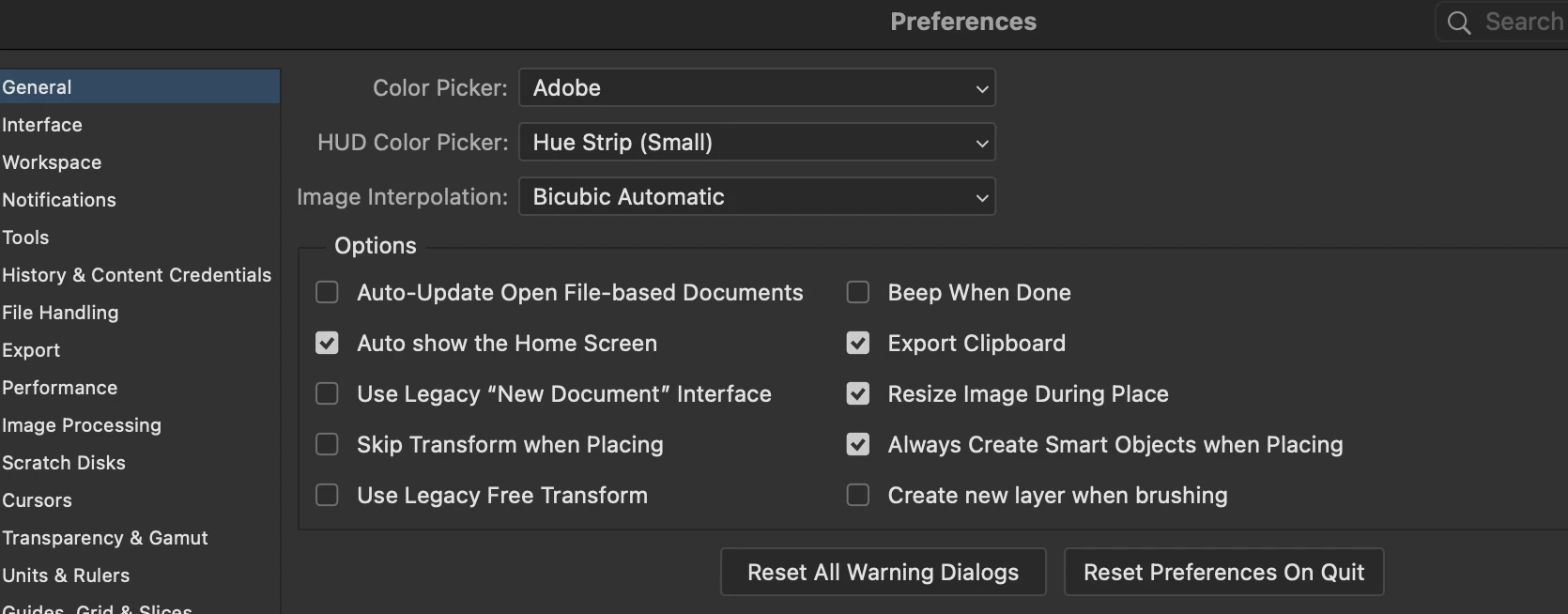
    ​@amy.hanlon Sounds like you preferences are corrupted. I have no issues and not able to replicate your scenarios; Resetting Photoshop’s preferences is the quickest way to clear up all three of these export glitches at once. Command K (MAC) or Control K (PC) 

    Once Photoshop preferences are factory resets and reopens with clean defaults, make sure these two settings are checked on your first export. In the Export As dialog (File > Export > Export As): Convert to sRGB and Embed Color Profile are checked for JPEGs and Transparency is checked for PNGs.


    m