


Daleg94
Known Participant
February 14, 2019
Answered

Photoshop & export to Web look different

  • February 14, 2019
  • 2 replies
  • 1533 views

I'm working on an sRGB photo within Photoshop

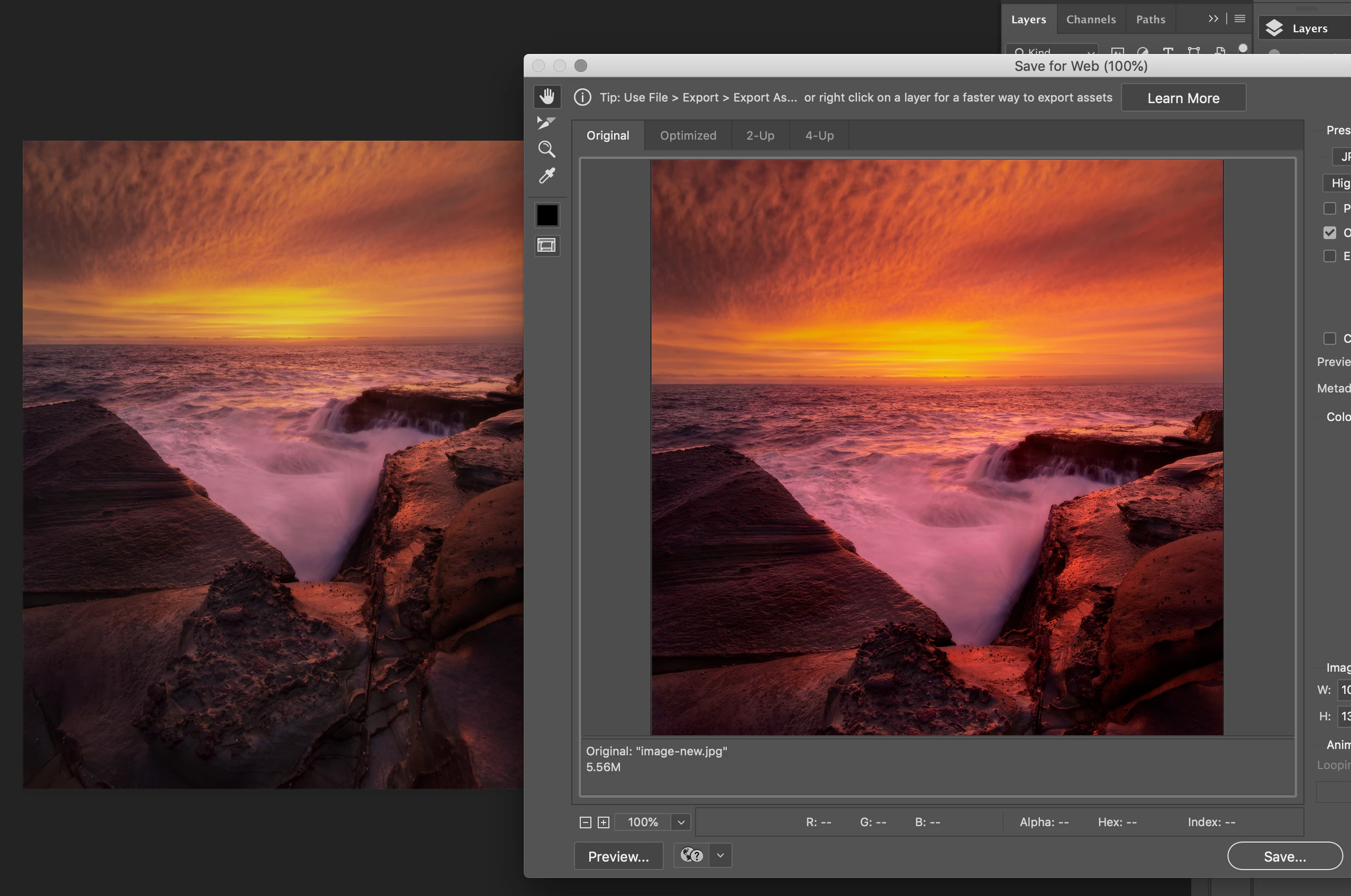
The preview within the export to web is a more accurate representation of how it looks when exported to my phone/other devices however the working file although within the sRGB profile does not do the same

Why's there's such a discrepancy & how can I get the working file looking more accurate so I can work on a picture & know how it'll look

(see below)
Cheers,

Dale
This topic has been closed for replies.
Correct answer D Fosse

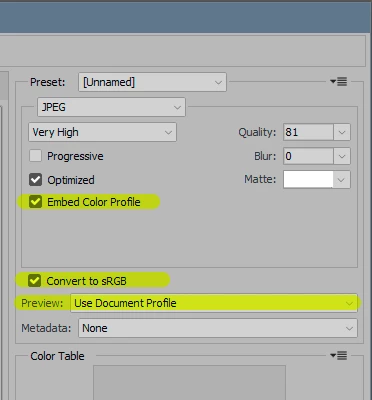
Save For Web has - for some reason - all color management disabled by default.

Turn it on here:

The Preview rolldown is often overlooked, but this is where you enable display color management and a match to Photoshop. It's set to "Monitor Color" by default.

2 replies

davescm
Community Expert
Community Expert
February 14, 2019

wi1dtree  wrote


.............. how it looks when exported to my phone/other devices...............

Dag's answer above is spot on but also be aware that if the other devices and applications use proper colour management then they will use the embedded sRGB profile and display your image correctly. However phones, iOS or Android, are not currently color managed so will never match. Just accept that your color managed image in Photoshop is correct (provided your system has the correct monitor profile) and your phone display of sRGB is what it is.

Dave

D Fosse
Community Expert
Community Expert
February 14, 2019

That's right.

The OP has a DCI-P3 display (wide gamut), which means unmanaged sRGB gets severely oversaturated. Yes, it's "prettier" if you like unrealistic color, but don't expect everyone else to see the same on their units.

Better to do it right, and let everyone else take responsibility for how their screens display.

davescm
Community Expert
Community Expert
February 14, 2019

I am currently looking to replace my phone and am amazed at the maketing *&^&^&&^& that makes a feature of selling a phone with a wide gamut of colours on a system with no colour management capability.

More honest wording would be - "In order to compete with other phone manufacturers, we have fitted the latest phone with a screen which displays a higher pixel resoloution than the last model, although your eyes cant see it on a 6 inch screen, and a wider range colours than the last model but which will never display correctly as the phone is incapable of managing colour in the industry standard way."

I'll never get a job in marketing

Dave

D Fosse
Community Expert
D FosseCommunity ExpertCorrect answer
Community Expert
February 14, 2019

Save For Web has - for some reason - all color management disabled by default.

Turn it on here:

The Preview rolldown is often overlooked, but this is where you enable display color management and a match to Photoshop. It's set to "Monitor Color" by default.