
nv79797637
Known Participant
June 3, 2018
Question

Photoshop - Fill pattern script (all pattern turn black)

  • June 3, 2018
  • 1 reply
  • 2277 views

hi, new to photoshop, learning how to fill a pattern on a doc.

I made a pattern with a PINK heart. but after I filled it, it becomes all black. how come?

tried different patterns and different scripts (brick wall, symmetry, random etc.), even the window of setting up the spacing, scale etc.....the prevew and the final result - they all become black.

no problem when I use "new fill layer" function (the color is right but they all line up in the same row) but I want to use the scripts as there are more variations.

Did I do anything wrong? thanks for your help.
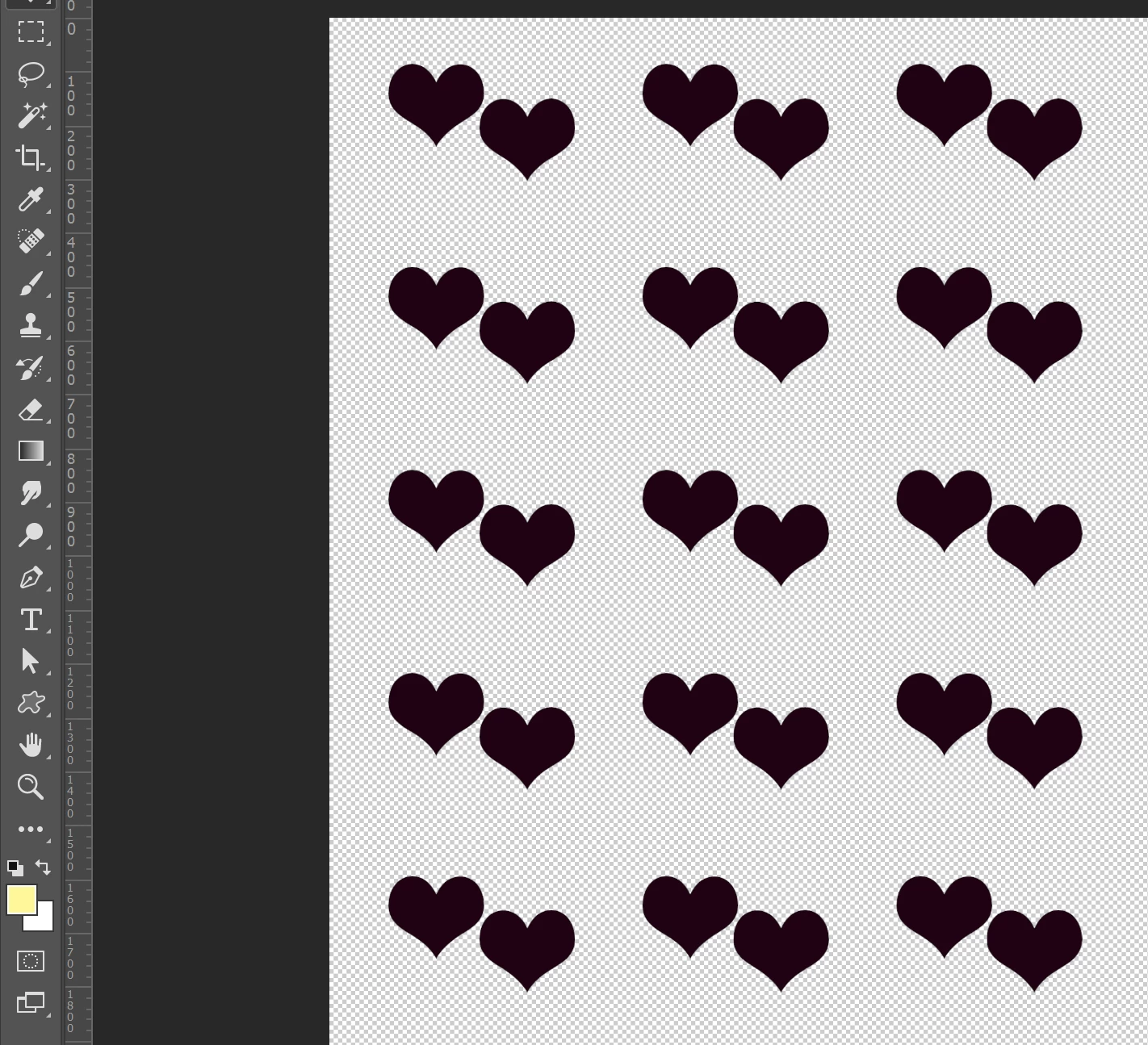
    This topic has been closed for replies.

    1 reply

    c.pfaffenbichler
    Community Expert
    June 3, 2018

    Good on you to post a screenshot, but in my opinion the screenshot you posted is pretty much clipped to meaninglessness.

    Please clarify the settings you used in the Scripted Pattern Fill dialog.

    nv79797637
    Known Participant
    June 3, 2018

    oopps...ic

    here is the screenshot of the setting. the pattern all turn black once the window pop up.... even though I didn't change anything.

    try to change settings - the distribution of the pattern change but they still all black. Thanks.

    c.pfaffenbichler
    Community Expert
    June 4, 2018

    Why Mode »Overlay«?

    Please try »Normal«.