
Participant
October 29, 2017
Beantwortet

PHOTOSHOP FILTERS NOT WORKING CORRECTLY

  • October 29, 2017
  • 2 Antworten
  • 11007 Ansichten

I've no idea what has happened to my photoshop filters - none of them are working correctly.

With this image for instance:
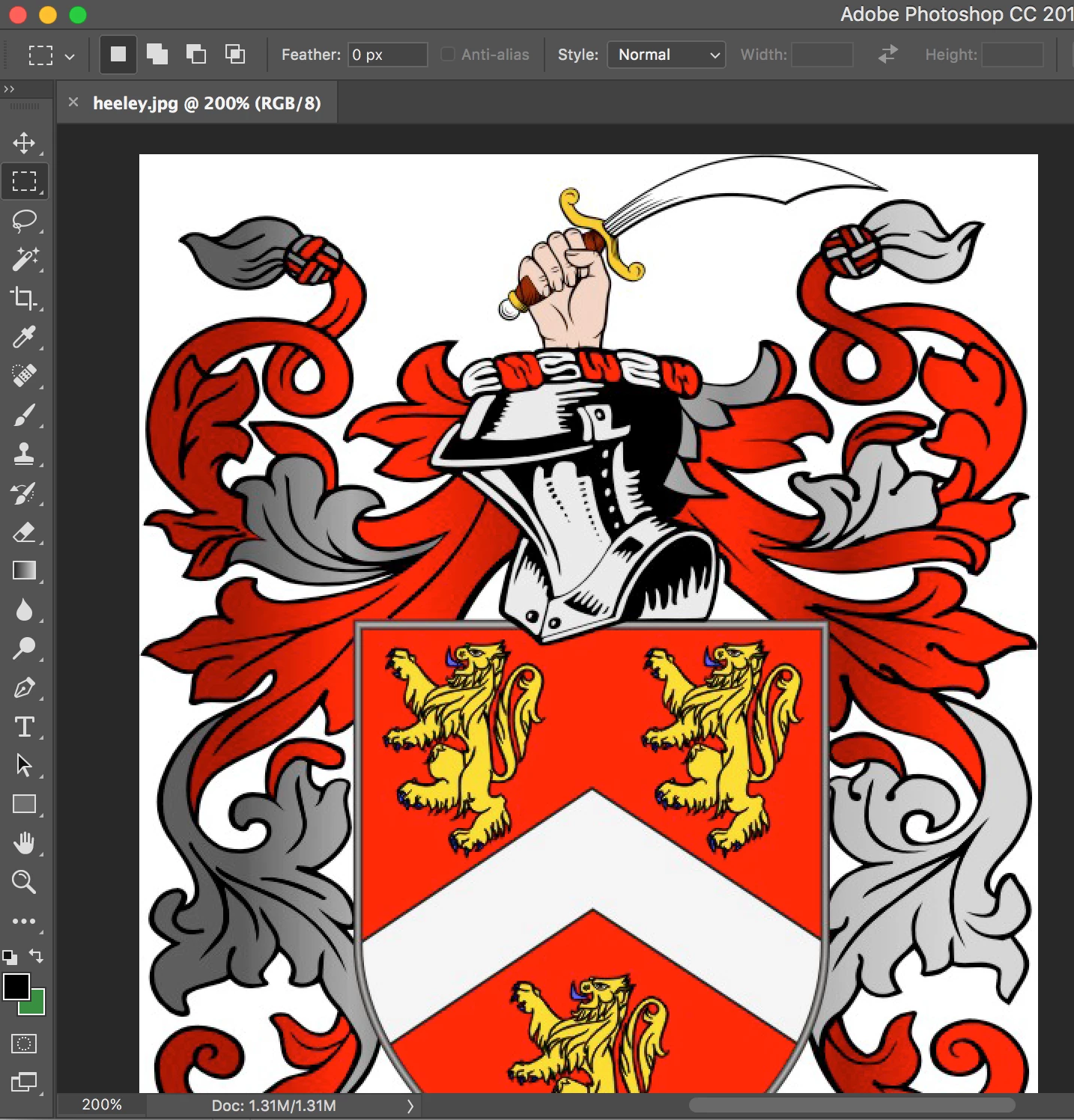
You wouldn't expect the CUTOUT panel to look like this would you?
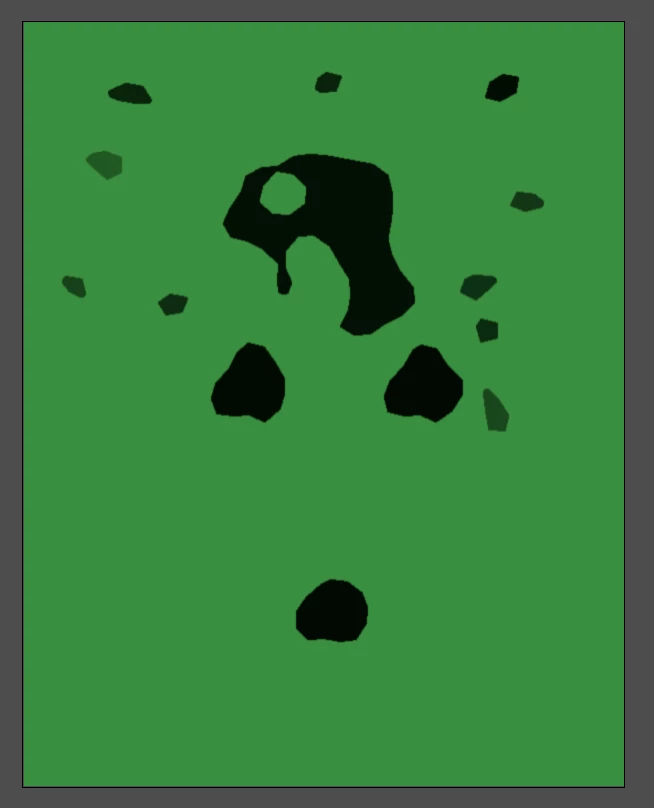
I've tried everything my 20 years knowledge will allow me to do, including turning off the Graphics Processor....

I'm totally in the dark on this one.

Please help!

Jon

    Dieses Thema wurde für Antworten geschlossen.
    Beste Antwort von M Shaw

    All sorted.  Apparently it was bad preferences settings.

    Adobe remotely accessed my computer and changed a folder to read ".old" and all was solved.

    Great service!


    As Noted in this thread the filters use the Foreground and Background colors. Resetting prefs is going to set the Foreground and Background color back to Black and white. a less obtrusive way would be to type "D" to set the FG/BG back to default or click on the small black and white icon above the FG/BG swatches on the Tool Bar.

    2 Antworten

    Participant
    November 1, 2017

    I'm having the same issue. Applied a quick charcoal filter to a photo last night, just to be sure it would work the way I wanted. Then closed out and figured I'd do the real work in the AM.

    Opened it this morning, applied the same filter, and it came out almost inverted—grey blobs, with white lines, rather than sketchy black/grey on white background. Re-did another image I'd done the night before, with similar results: same photo, same filter, same settings, totally different results. Rebooting doesn't help. Other filters seem to be OK, but I can't seem to get the ONE filter I need to use to work properly! If I can't find a solution, I'll try uninstalling and reinstalling, but came here first to see if I could find a less pain-in-the-butt solution.

    Adobe Employee
    November 1, 2017

    The first example looks like the Stamp filter instead of the Cutout filter. The filters in the Sketch listings use the Foreground and Background colors. The example posted has black Foreground and green Background.

    Brad Lawryk
    Legend
    October 29, 2017

    Which filters are you using? Are they greyed out? Also what are your image settings? RGB, CMYK, etc.?

    Participant
    October 29, 2017

    All settings are fine (RGB, 8 bit etc).

    It just seems to have messed up over night.

    Nothing greyed out, just not working correctly.

    I've even upgraded to 2018 to see if that helped but it didn't.

    Jon Henderson

    Artwork-King.co.uk