
Known Participant
March 27, 2026
Answered

Photoshop for ipad how to use drawling as template

  • March 27, 2026
  • 2 replies
  • 29 views

This pertains to photoshop for ipad. I want to use a tonal drawing as a template for a line drawing. The ideal would be to be able to make the template disappear from time to time (or better yet become white) so I could see the line drawing against a white background until I am happy with it. Then I would just want to delete the original. Do I need 3 layers or just 2? 
    Correct answer Conrad_C

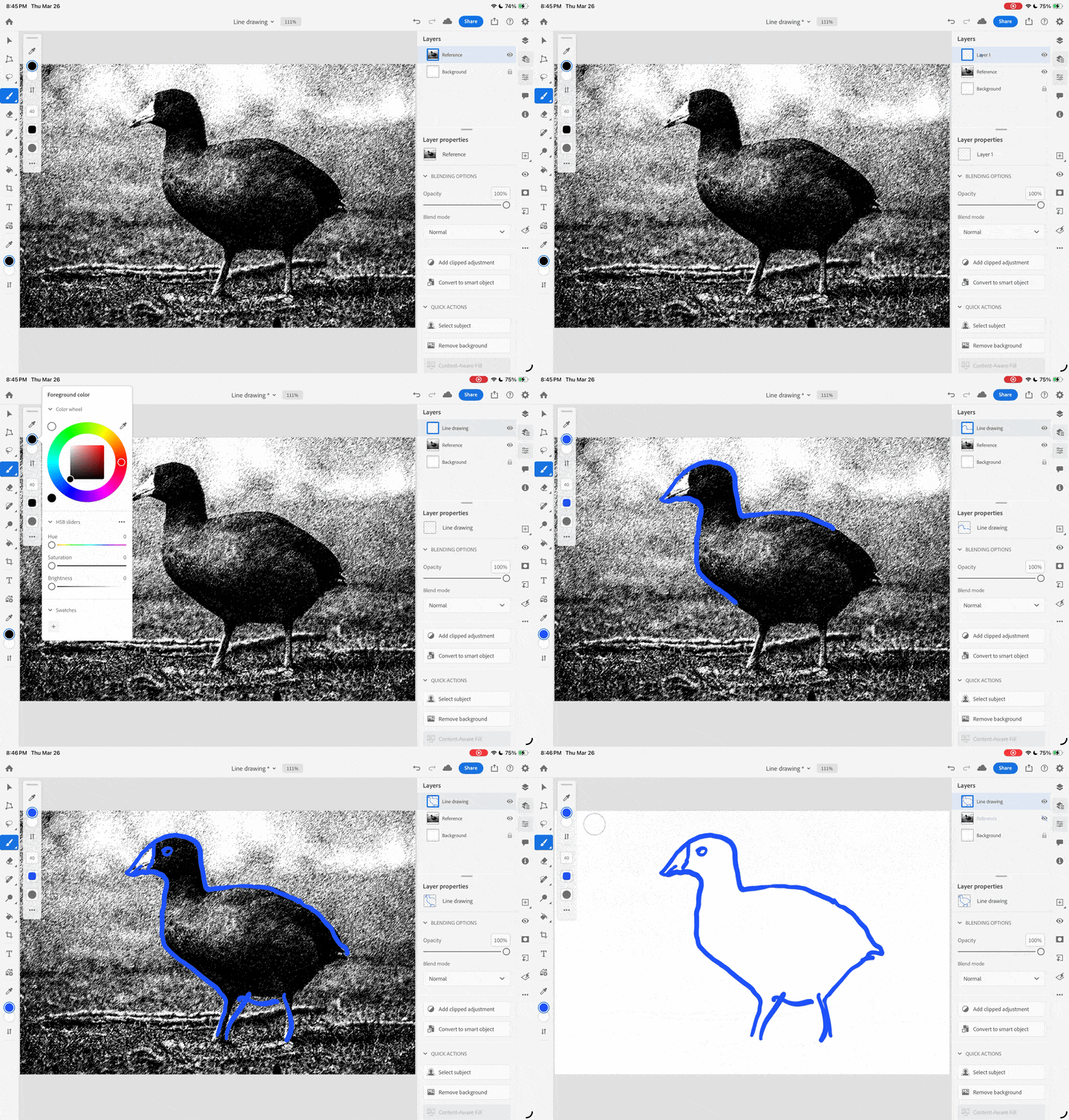
    You might need three layers, as shown in the demo below.


    The frontmost layer should be a transparent layer for your line drawing.

    Your tonal drawing for reference should be the middle layer. At any time you can hide this layer, or change its layer Opacity. When you’re finished, you can delete this layer.

    The last layer can be an empty white Background layer.


    2 replies

    jonbark
    Participant
    March 27, 2026

    Thank you that is clear and just what I needed. 

    Conrad_C
    Community Expert
    Conrad_CCommunity ExpertCorrect answer
    Community Expert
    March 27, 2026

    You might need three layers, as shown in the demo below.


    The frontmost layer should be a transparent layer for your line drawing.

    Your tonal drawing for reference should be the middle layer. At any time you can hide this layer, or change its layer Opacity. When you’re finished, you can delete this layer.

    The last layer can be an empty white Background layer.