


Participant
February 23, 2023
Answered

Photoshop for iPad - Most preset canvas options are missing

  • February 23, 2023
  • 5 replies
  • 800 views

Hi,


I wonder if anyone can help. I can't find anyone else with this issue after searching everywhere.

On Photoshop for iPad on my iPad Pro, the preset canvas options for Screen, Film, and Video categories are all missing. They used to be there until recently but now all I have is Recent, Social and Print (see image). I've tried an app reset and reinstalling the app to no avail. I'd love to know how to get them back. Thanks in advance.
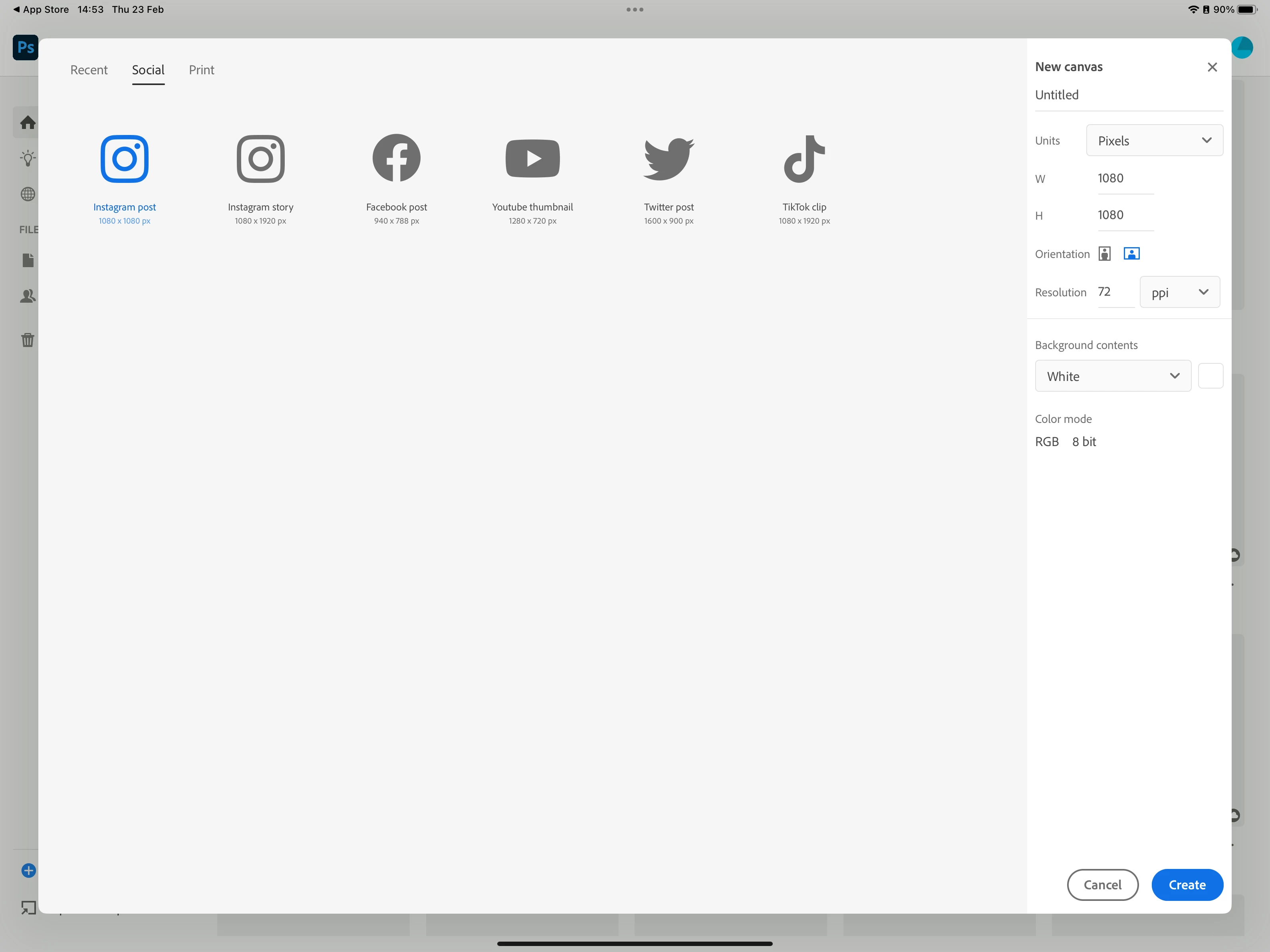
Correct answer ekimwahs

The modification of presets shown, which added social presets and removed video presets was intentional. Of the presets that were removed, which specifically do you use and how often do you use those presets?

5 replies

Participant
April 22, 2025

Hello ! I too have exactly the same problem as you! I'm a motion designer and I'd so love to make beautiful movies on my Photoshop iPad, but I've never had the Movie/Video feature. Please help me! Thank you so much!

ekimwahsCorrect answer
Adobe Employee
February 27, 2023

The modification of presets shown, which added social presets and removed video presets was intentional. Of the presets that were removed, which specifically do you use and how often do you use those presets?

Participant
March 9, 2023

Hi, I use the Screen presets all the time as it's useful when designing things for various common devices. I know recents helps but it's nice to just click on an icon and start a new canvas. It seems a little unnecessary to remove those options. You can ignore them if you don't want to use them and it keeps it similar to the desktop version.


Thank you 🙂


Thank you.

jane-e
Community Expert
Community Expert
February 23, 2023


@Lucien25427566q1wx wrote:

...the preset canvas options for Film, and Video categories are all missing. They used to be there until recently but now all I have is Recent, Social and Print.


It's the same for me, so it must be a change from Adobe, possibly it's intentional. I would also like to see a return to the previous settings and have clicked the Upvote button.


Version 4.3 (20230125.452)


Jane


Participant
February 23, 2023

Hi Kevin, I have version 4.3 (20230125.452) and I've reinstalled, signed out and in again and reset prefs.

Kevin Stohlmeyer
Community Expert
Community Expert
February 23, 2023

Hi @Lucien25427566q1wx what version of the app do you have installed and have you tried signing out and back into it?

Participant
April 24, 2024

Hi Lucien, 


did you fix it? I'm having the same issue and I just paid the membership. Please help! I have an iPad 8th, everything it's updated but nothing works.