Participant
May 13, 2021
Answered

Photoshop freezes on selection tool

  • May 13, 2021
  • 1 reply
  • 1433 views

After updating Photoshop, it suddenly freezes when I try to clear(delete) the selection area or cancel the selection.

Rebooting or re-installation didn't work fo me.

Any solution please?


OS : Windows 10

Version : Photoshop 2021 (ver 22.3.1)

This topic has been closed for replies.
Correct answer Ged_Traynor

Hi

A lot of people are having issues with version 22.3.1 at the moment, a couple of things to try

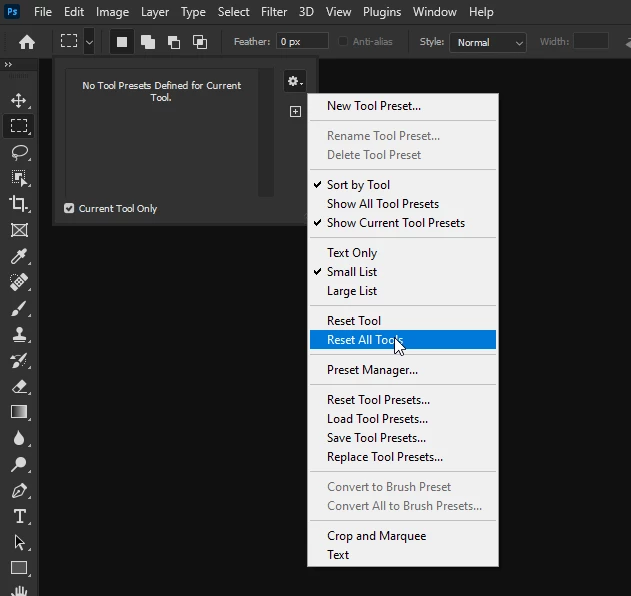
Resetting the Tools

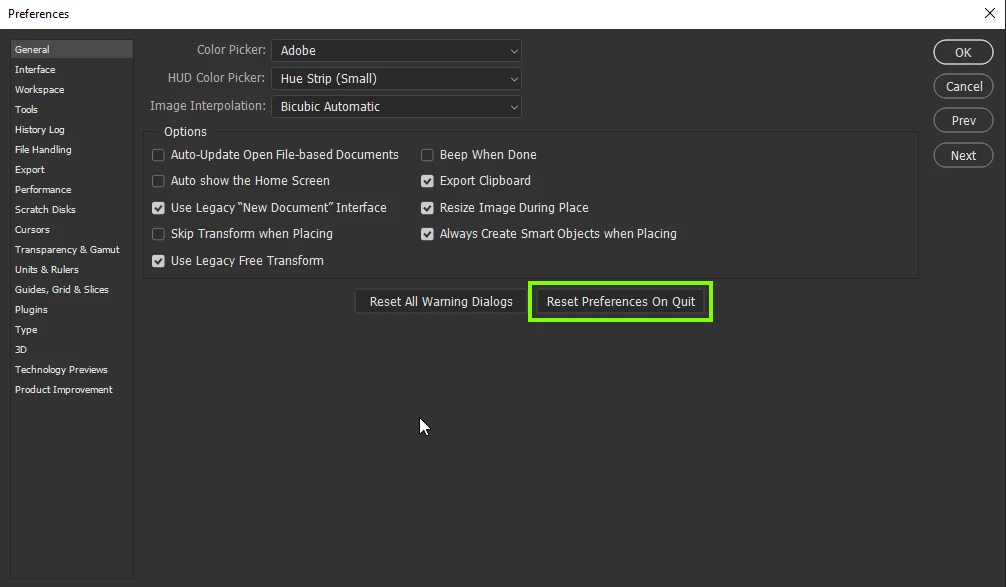
Resetting the preferences

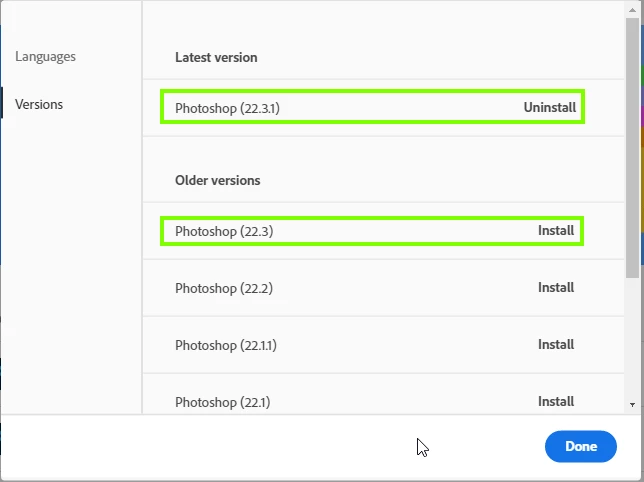
If none of the above help try reverting back to version 22.3 from the Creative Cloud app

1 reply

Ged_Traynor
Community Expert
Ged_TraynorCommunity ExpertCorrect answer
Community Expert
May 13, 2021

Hi

A lot of people are having issues with version 22.3.1 at the moment, a couple of things to try

Resetting the Tools

Resetting the preferences

If none of the above help try reverting back to version 22.3 from the Creative Cloud app

Angie12
Participant
November 23, 2021


Photoshop freezes when using the crop tool, absurd!
My conclusion was that I have to have a VIDEO CARD to CROP in photoshop CC 23.0.2, 
but in photoshop C6 with less memory I never had this problem. User is forced to install a video card. 
If there is another solution to the problem I would like to know.
reset tools on a fresh install ??! this is not the solution