



Trevor.Dennis
Community Expert
Community Expert
January 15, 2026
Question

Photoshop GPU Usage

  • January 15, 2026
  • 5 replies
  • 355 views

I'm in the early stages of researching my next build, and trying to catch up with the tech. (I don't tend to follow developments between builds).  @D Fosse often stresses the GPU, but I don't think I had a handle on the GPU's precise place when it comes to Photoshop.  I am a hug fan of Google's new(ish) Ai Overview, and it turns out it is incredibly useful at doing this soprt of research for you.


I asked:

'RTX508 vs RTX5090 for Photoshop?'

AI Overview
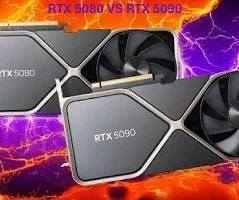
874774iF2B273C69AB312B5.jpg


For Photoshop, the RTX 5080 offers excellent high-end performance, but the RTX 5090 provides flagship power with double the VRAM (32GB vs. 16GB) and significantly more CUDA cores, making it superior for extremely large files, complex AI filters (Neural Filters), and heavy multitasking, though its massive power draw (575W) and cost are much higher; the RTX 5080 is often the better value sweet spot for most creators, balancing power and efficiency. 
 
Key Differences for Photoshop:
  • VRAM (Memory): 32GB (5090) vs. 16GB (5080). More VRAM is crucial for large, layered PSDs and AI features in Photoshop.
  • CUDA Cores: ~21,760 (5090) vs. ~10,752 (5080). More cores mean faster processing for GPU-accelerated tasks.
  • Bandwidth: ~1792 GB/s (5090) vs. ~896 GB/s (5080). Faster bandwidth helps move data quicker.
  • Power (TDP): 575W (5090) vs. 360W (5080). The 5090 demands much more power and cooling. 
When to Choose the RTX 5090:
  • You work with extremely high-resolution photos (8K+) and massive, multi-layered files.
  • You frequently use AI-powered features like Neural Filters or Generative Fill, which heavily leverage GPU power and VRAM.
  • You also do intensive video editing (Premiere Pro) or 3D rendering alongside Photoshop. 


You get slightly different information if you simply ask Photoshop GPU useage


I have also been looking at what mainboards support the most M.2 NVMe slots with full bandwidth (lanes) and found that you can absolutely have four or more uber fast NVMe drives with chipsets like Z890 (for Intel Gen 15 Ultra 9 285K).  I have two 2TB Samsung 980 Pro drives in my current system, and thought that the 990 Pro was current state of the art.  I was wrong.  I had not even heard of the Samsung 9100 Pro drives. They are PCI 5.0 and significantly faster than the 990 Pro.


Samsung 990 Pro vs Samsung 9100 Pro (Note: You are goping to need a PCI 5.0 MB for the 9100 Pro)


The Samsung 9100 Pro is a newer, significantly faster PCIe 5.0 drive for professionals with double the speeds (up to 14,800/13,400 MB/s read/write) and better efficiency than the 990 Pro, a high-end PCIe 4.0 drive for gaming/prosumers (up to 7,450/6,900 MB/s). Choose the 9100 Pro for maximum future-proofing and demanding tasks on a PCIe 5 system, or the 990 Pro for excellent performance on current PCIe 4 systems, often at a better value if prices are close and your workload doesn't max out PCIe 4. 
 
Samsung 990 Pro (PCIe 4.0)
  • Best For: High-performance gaming, graphic design, everyday power users on PCIe 4.0 systems.
  • Speeds: Up to ~7,450/6,900 MB/s sequential read/write.
  • Interface: PCIe Gen 4.
  • Key Feature: Excellent performance for most current workloads, often at a lower cost than Gen 5. 
 
Samsung 9100 Pro (PCIe 5.0)
  • Best For: AI content creation, 8K video editing, high-end professional tasks, future-proofing.
  • Speeds: Up to ~14,800/13,400 MB/s sequential read/write (double the 990 Pro).
  • Interface: PCIe Gen 5.
  • Key Feature: Class-leading speed, higher IOPS, and better power efficiency for its performance, but requires a compatible Gen 5 motherboard for full benefit. 
 
Which to Choose?
  • If you have a PCIe 5.0 motherboard (e.g., Intel 700/800 series, AMD 7000 series): The 9100 Pro is the clear choice for unlocking its immense speed, especially if you handle massive files or intense applications.
  • If you have a PCIe 4.0 motherboard: The 990 Pro offers fantastic, near-maximum PCIe 4.0 speeds and is usually more cost-effective. The 9100 Pro will work but will be limited to PCIe 4.0 speeds, making the price difference less justified unless you plan to upgrade your motherboard soon.
  • For Value: If you find the 990 Pro significantly cheaper, it's still a top-tier drive. If the price difference for the 9100 Pro is small, especially during sales, its Gen 5 capabilities and efficiency make it a better long-term investment if your system supports it. 


To summarize, Google's Ai Overview feature is a hugely useful tool for doing your research, and computer performance has taken quite a leap in the last couple of years.  I'm looking at the end of this year (2026) to replace my i9-13900K system.  

5 replies

Trevor.Dennis
Community Expert
Community Expert
January 16, 2026

I think I mentioned, that it wouldn't be till the end of this year.  I've had some bad experiences with a local company doing builds for me (PC Media) but my current box was built by Compulsion Tech, and I could not be more happy with that entire process, so I'll be using them again.  They sent out a warning about the memory price hike just before Christmas with a price hold till 1st January.  If I was buying now I'd use this box as a base.  Swap the RTX5090 to an RTX5080, and get a second 2TB 9100 Pro.  My last tow systems have 64GB memory, and I have never seen Photoshop use all of its alocated RAM, so I might drop the specified 128GB down to 64GB.  Who knows where we'll be by the end of 2026.


The gains I am hoping for a going from PCI 4.0 to PCI 5.0

I'll buy the new box with two Samsung 2TB 9100 Pro drives. My current box came with two Samsung 980 Pro drives.

874945i3DB4D18D69D11EFB.png874947i7DA4AE57AE3C8936.png874953i6210EA42EB282FA0.png

I'll keep one of the 980 Pro drives and the 8TB HDD.  I am not sure about the other drives.  I've had a lot of mchanical HDDs die over the years, but never lost an SSD.  I'll probably retire the 512GB drive, and give my wife one of the 1TB SSDs.  She also has several drives, about half of which need retiring.

874945i3DB4D18D69D11EFB.png874947i7DA4AE57AE3C8936.png874953i6210EA42EB282FA0.png

Faster memory with DDR5 compared to DDR4

More PCI bandwidth.  This something that Dave helped me out with on my current build which has an Asus ROG MAXIMUS Z790 HERO MB.  It has three M.2 slots, but one of them shares bandwidth with the CPU and chipset.  I think the MSI Z890 TOMAHAWK  MB in the Compulsion Tech workstation also shares lanes depending on configuration, but from my limited research to date, I think I can find a MB that will give me at least three, and possibly four, full speed PCI 5 m.2 slots. 

I think connectivity will be much the same (I already have USB 3.2 but my wifes nine year old system is not flash in that respect, so I'd be looking at faster networking.  We moved from VDSL2 with 72MBS down and 12MBS up (we are about 1000 metres from the cabinet, that has fibre connection) to Starlink just before Christmas.  It's only slightly more expensive than the old ISP (Spark) and way faster.   If you live in NZ check it out. In fact PM me for a referal and we'll both get a free month, and you'll get the dish and installation for free.  I get the same speed with wifi as my wife who has cable to the router, so I don't think there'll be any advantage.  OK, just checked and they both have the same spec.

874945i3DB4D18D69D11EFB.png874947i7DA4AE57AE3C8936.png874953i6210EA42EB282FA0.png


This thread has vered away from my main intention, which was to give folk a heads up as to how useful the Google Ai Overview is for finding this information.  I absolutely love it!!


Legend
January 16, 2026

You can probably talk to Boxx or Puget Systems and as long as your credit card is mighty, they can put you into a system that will do everything you want. Although a $40,000 engineering workstation and $8,000 data-grade displays might be overkill.

davescm
Community Expert
Community Expert
January 16, 2026

Ah, who doesn't like a new build 🙂

I would not go over the top with RAM, particularly given the current prices which only seem to be rising further at present as data centres snap up the RAM. My current system, now 5 years old and built when the shortage was PSUs not RAM, has 256GB RAM. That was built though for 3D physics simulation, Photohop barely touches it. 64GB would appear be a sweetspot for Photoshop and you can always add more later if required.
I would put the fastest NVMe drives in, as this will affect scratch disk performance.
As far as GPU is concerned, either of the two you mention will work well with Photoshop, my NVidia RTX 3090 24GB still performs well with Photoshop and all the Adobe Substance apps. But the last 5 years has seen more and more core functionality pushed toward the GPU, and there is no reason to think the next will 5 years will not be the same. On that basis, if you can find one which keeps the costs reasonable, I would go for the more powerful GPU which should give you a little more future-proofing.


Dave

Community Expert
January 16, 2026
quote

...

I'm looking at the end of this year (2026) to replace my i9-13900K system.  


By @Trevor.Dennis


I'm also curious why you feel the need to upgrade. What are your reasons for updating and where do you expect to gain advantages?


I'm personally still on the 8th Gen Intel i7 CPU, an RTX 3060 GPU and 64 GB of DDR4 RAM and I don't feel the need to upgrade. The size of my RAW files from the Canon R5 are between 50 and 60 MB. I work intensiv with Lightroom Classic, Photoshop and the Nik Collection.


My System: Intel i7-8700K - 64GB RAM - NVidia Geforce RTX 3060 - Windows 11 Pro 25H2 -- LR-Classic 15 - Photoshop 27 - Nik Collection 9 - PureRAW 6 - Topaz Photo AI
Ged_Traynor
Community Expert
Community Expert
January 16, 2026

@Trevor.Dennis I'm curious as to why you feel the need to upgrade, as far as I remember you have a good high spec system with a decent GPU, I don't think upgrading your current system will benefit you much in relation to performance with Photoshop, RAM prices have gone through the roof at the moment.

https://eu.crucial.com/catalog/memory/ddr5

I'm still on the 11th Gen Intel i9 CPU, an RTX 3090 GPU and 64 GB of DDR4 RAM.

Trevor.Dennis
Community Expert
Community Expert
January 16, 2026

It's mostly because my wife wants my current system Ged. She is using my previous build which is getting on for nine years old.  I was going to leave it another couple of years at least, but I'm 76 now, and I'm lucky in that the cost is not really a factor, so I might as well enjoy a new build.   My system is not as responsive as when it was new, but I strongly suspect that a clean OS reinstall would win that back.  I'll be doing the reinstall before passing it on to Chris, so I guess I'll find out then.  

Ged_Traynor
Community Expert
Community Expert
January 16, 2026

Ah, that makes sense, I was thinking about upgrading until I saw the price of DDR5 RAM, €900 for 64 GB 😒