


Participant
May 6, 2025
Question

Photoshop Image Processor "Missing" Access Rights

  • May 6, 2025
  • 3 replies
  • 296 views

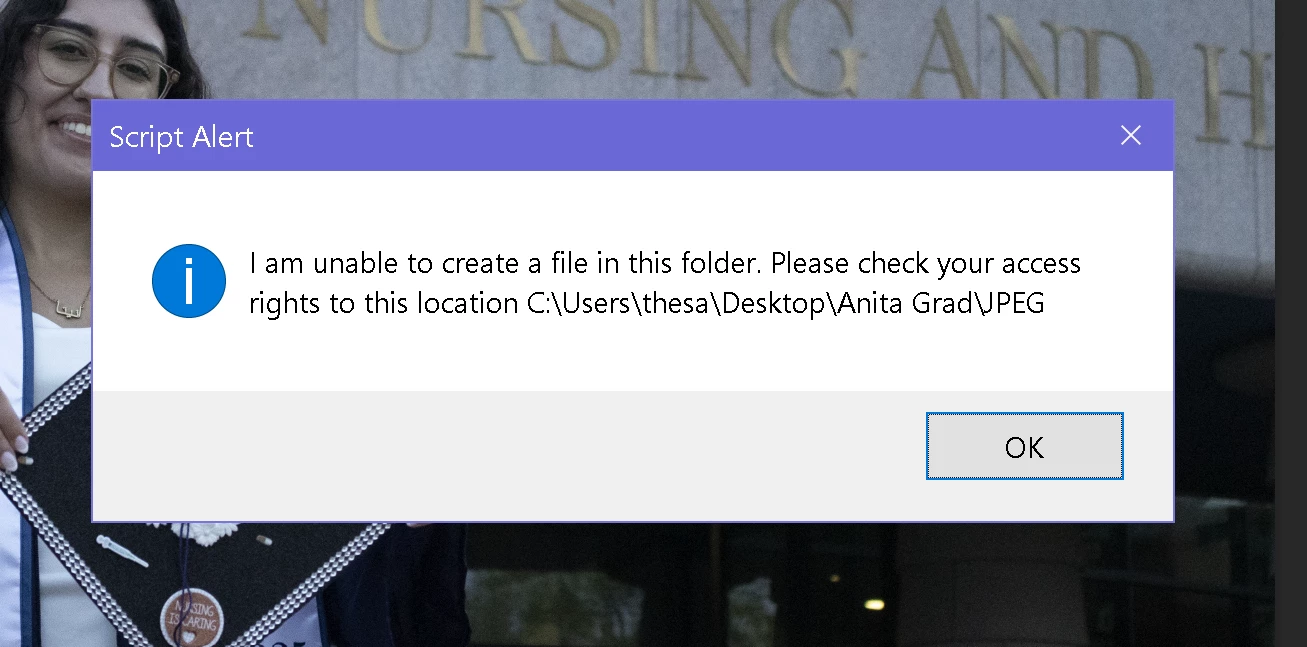
When using Photoshop's Image Processor on my RAW files from Bridge (.CR2 files), every 2-5 photos (so far maximum ~12) I get an error telling me to check my access rights to the folder. 


I made sure there were no outstanding Adobe updates, restarted my computer (Dell XPS 15, Windows 10), waited a whole day, tried new folders in various locations, checked security permissions for the folders involved and security permissions for all Adobe program folders (i.e. Program Files, App Data, etc.). 


I have no idea how to fix this. I've tried Googling, but I can't seem to figure this out. Below is the error I am getting, which is for the JPEG folder the program itself created. 
 

3 replies

Participant
June 29, 2026

I am having this exact same problem, and don’t see a solution posted here?  I use Bridge to batch convert the .CR2 and .CRW files to JPGS. It’s been working fine for years, and all afternoon today. Now suddenly getting this error!  I’ve rebooted, and did a s/w update, and tried to create the output onto a different drive, confirmed the scratch disk, and administrator permission, but still get the error. I’m on a Windows 10 PC using current version of PS and Bridge as of 6/28/26. ​@Aleke 

Sameer K
Community Manager
Community Manager
July 20, 2026

Hey, @socalken. When we visited this thread months ago, we requested that whoever sees this issue can also add their System Info from Photoshop > Help > System Info. Please share the system info, and we'll look into this.


Thanks!
Sameer K
(Type '@' and type my name to mention me when you reply)

Community Manager
May 6, 2025

Hi @Sam_DeFusco9554! Welcome to the community!

Are you using version 26.6 of Photoshop? Does the behavior change if you run Photoshop as an administrator? Also, could you double-check in Edit > Preferences > Scratch Disks to ensure your Scratch Disks have enough space?

Thanks a bunch!

Alek

*(If you mention me with an @, like @Aleke, I’ll get a notification and can respond faster.)*
Participant
May 7, 2025

Yes, it worked fine for a while after using it that way and then started having the error again, it says there are over 200GB available

Participant
September 2, 2025

Did you resolve this? I started having this issue today, and the image processor and batch scripts on bridge have not worked since thursday.

Participant
May 6, 2025

Quick note: I have the most recent updates for all apps, including Adobe Cloud.