
Answered
Photoshop Import PDF Mode options
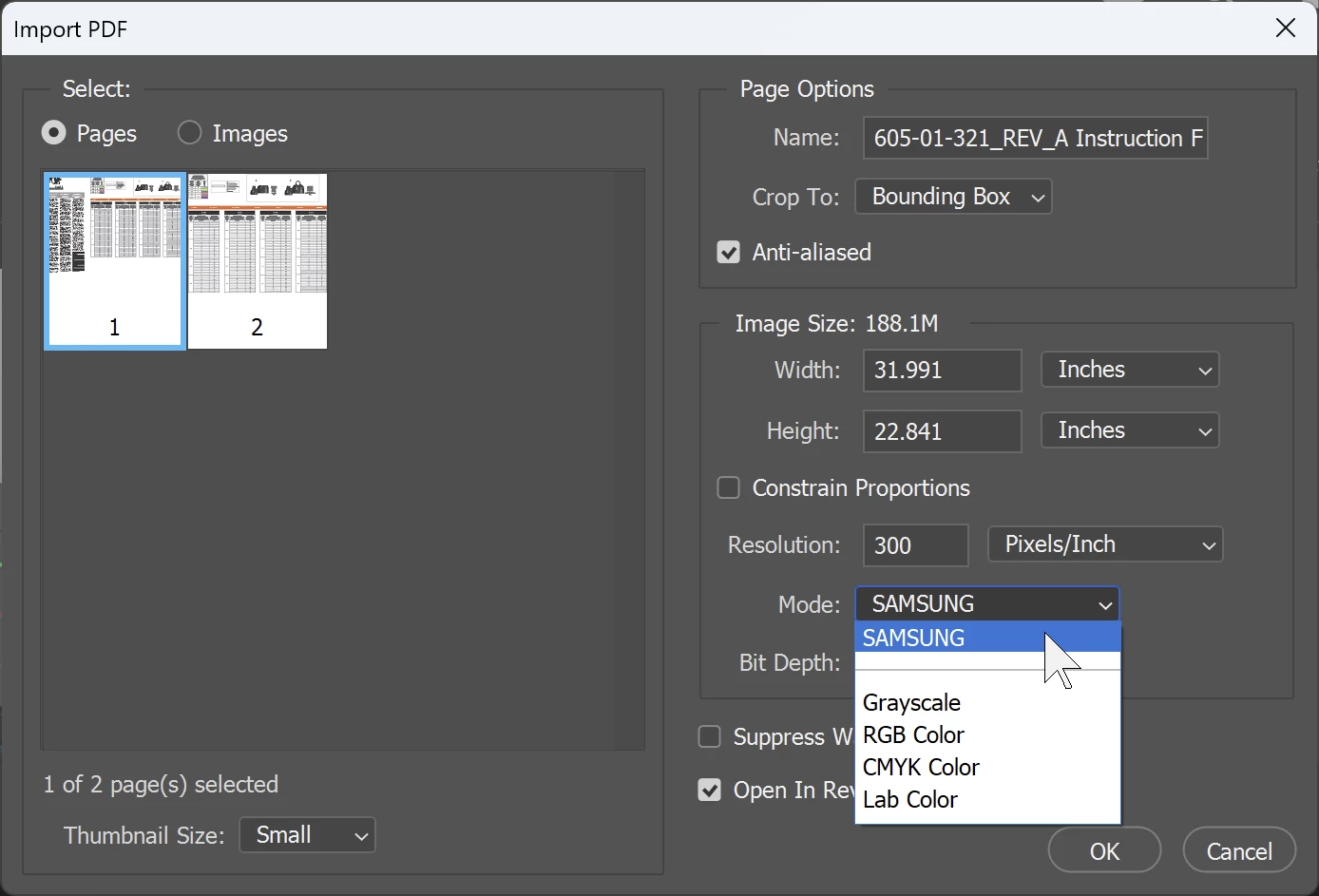
Opening ([Ctrl][O]) a PDF brings up the "Import PDF" dialogue. There is a
"Mode" selection dropdown which usually contains color mode options like "Grayscale", "RGB", "Lab" and "CMYK". When I open one particular PDF that option defaults to "SAMSUNG". The normal options are still shown in the dropdown. What is "SAMSUNG"? Is that a custom color mode embedded in this PDF? Should I be using the embedded option versus the others?


 AdChoices