
Photoshop Issue "Incompatible Graphics Driver" solved
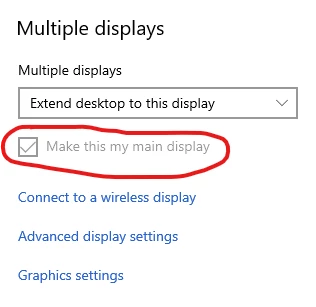
I recently updated my photoshop version to the latest build only to be greeted by the Incompatible driver warning below. After a few hours of troubleshooting with junior and senior support staff at Adobe we finally discovered what the problem was. It seemed to be an issue with the way the app recognizes your display settings in windows. My work setup consists of a laptop connected to two external displays through an USB-C display dock. To get my desktop icons on my external display and have it behave as my default desktop when loading app screens I set my external display as my "Main Display" in the windows display settings. This caused photoshop not to recognize my graphics card, therefore photoshop's "Graphics Processor Settings" in the app preferences were not accessible. Changing my main display settings in windows fixed the issue with the app. I hope this help the next person running into this issue.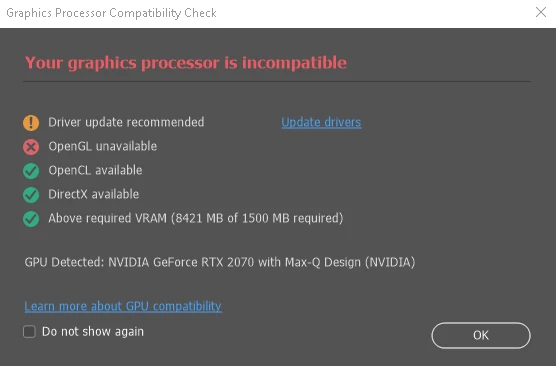


 AdChoices