
Participating Frequently
January 30, 2025
Question

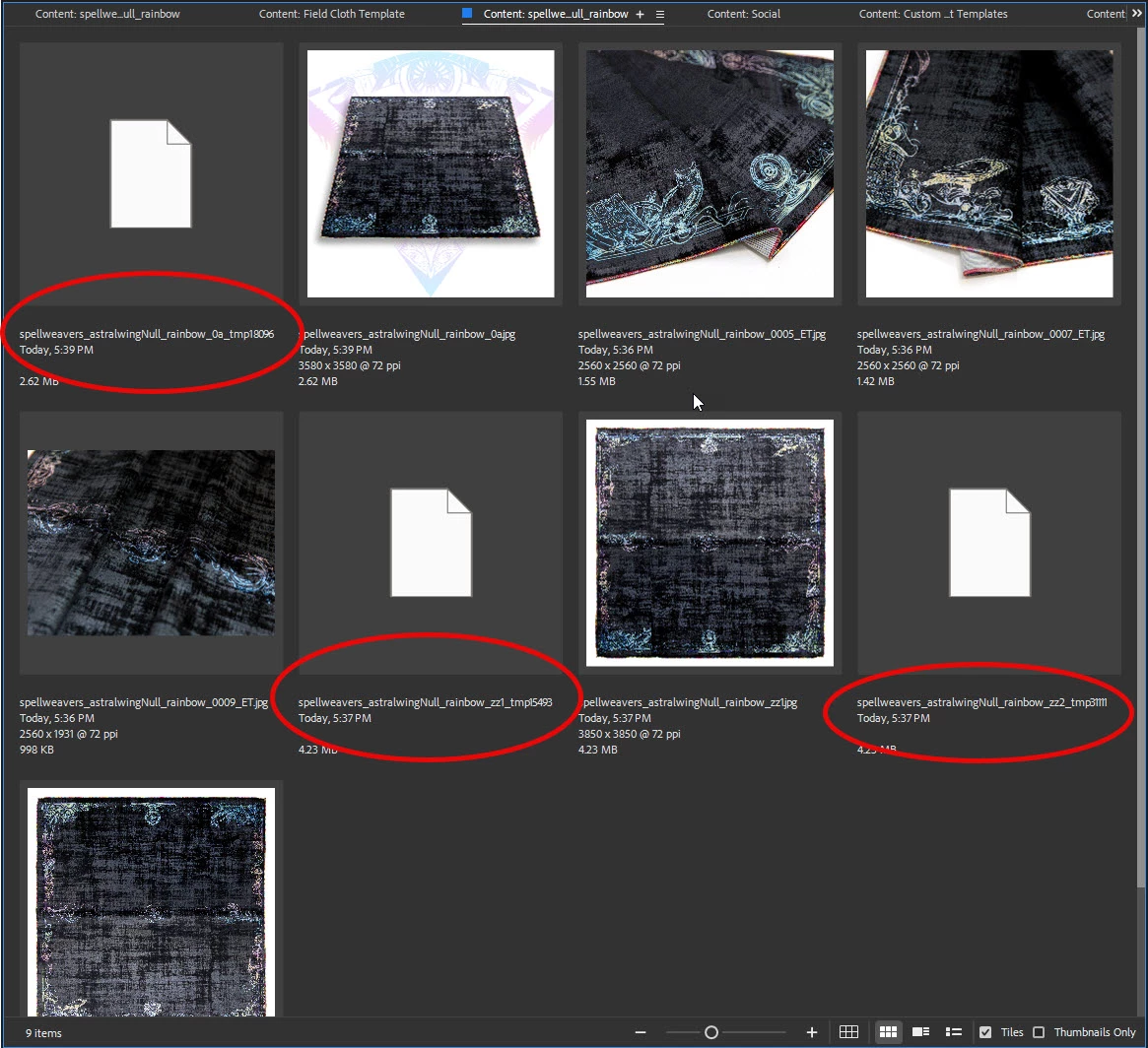
Photoshop keeps creating these TMP files that won't delete on close. It's driving me nuts.

  • January 30, 2025
  • 2 replies
  • 451 views

Anyone else having this issue? I made sure the drive the files are in is checked ON in the scratch disk preferences but it still keeps happening. What is going on here?
2 replies

Participant
February 1, 2025

Photoshop sometimes leaves TMP files due to crashes or improper shutdowns. Try clearing your temp folder manually and ensure Photoshop is updated. Adjust scratch disk settings to a different drive if space is an issue. If the problem persists, reinstall Photoshop or check for background processes keeping the files open..

Participant
February 1, 2025

Photoshop creates TMP files as temporary storage for unsaved work, but they can sometimes persist due to crashes, forced shutdowns, or insufficient disk space. To resolve this, navigate to your system's temp folder and delete unwanted files. Additionally, check for conflicting software, update your graphics drivers, and ensure your scratch disk has enough free space to prevent future issues..

D Fosse
Community Expert
Community Expert
January 30, 2025

These aren't scratch files. This is Photoshop "safe save" where it creates a temp copy first and then overwrites the original.


You can see this process in real time when you save - but the temp file is normally deleted immediately when the save is complete. I have no idea why that doesn't happen here.


I'd do a complete reset of preferences first (move the whole Settings folder to the desktop so a new one is created), and if that doesn't help, uninstall and reinstall.


It's possible that this is a glitch in file/folder permissions. I have no experience with that so can't be specific. Does this happen consistently wherever you save, or is it restricted to a certain folder?

TrizzayAuthor
Participating Frequently
February 1, 2025

Thanks for the insight! It happens consistently where I save, and it's to a live Dropbox folder. But I've been doing this exact process for 10+ years and it's never happened before, so I think you're right about it being a settings or permissions thing. Will troubleshoot more and report back.