Participant
May 8, 2021
Answered

photoshop keeps resetting my keyboard shortcuts

  • May 8, 2021
  • 3 replies
  • 6167 views

just like the title says. whenever i update the programme/reopen it, my keyboard shortcuts and other preferences get reset. i've tried saving over the default shortcuts, making my own separately named shortcut list, etc, and yet my shortcuts keep getting overridden every time i reopen the programme. i make sure that i save my settings every time i adjust my preferences so it can't be that i just "forgot", and it's impossible that i'm forgetting to save my preferences every time i use photoshop when i use it almost daily. it's very annoying to re-do all my preferences whether i want to doodle or do my homework. and it's not reasonable to keep photoshop open forever because having it open in the background while i'm using other heavy programmes like maya or unity makes my laptop turn into the sun. if anyone has advice to prevent this from happening again or any reasons why this is even happening, please let me know. 

Correct answer JJMack

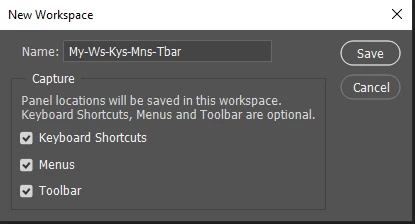
Do you switch between Workspaces?  Some workspace may be changing your shortcuts.


3 replies

Morazan
Known Participant
August 20, 2025

Oh great. Yet another glaring (cursing removed) from Adobe that they've yet to address. And of course, their first line of defense is always "Well, you must be doing something wrong." Yes, remember Adobe's philosophy: the software doesn't fail us, we fail the software.

JoseGIHP
Participating Frequently
July 5, 2024

I am so exhausted by this program. This is the 2nd time this week I closed Phostoshop, only to have all my tool keystokes reset to default 🙎
This is becoming more and more of a time suck.

Participant
August 24, 2024

Yup, I am so exhausted, like Adobe stop adding features and just fix what you have for now!

D Fosse
Community Expert
Community Expert
August 25, 2024

If any part of your preferences and settings are reset, the machine is either not shutting down properly, or there is an issue with permissions in your user account.


Preferences are rewritten on every application exit, as opposed to read-only program files.

JJMack
Community Expert
JJMackCommunity ExpertCorrect answer
Community Expert
May 8, 2021

Do you switch between Workspaces?  Some workspace may be changing your shortcuts.


JJMack
rabukaAuthor
Participant
May 10, 2021

not at all. my custom workspaces just reset to default.

jane-e
Community Expert
Community Expert
May 10, 2021

Hi @rabuka ,


Most often when we see this, it is due to a Permissions issue on the Preferences folder.


If it's a work computer, you may have to get assistance from IT. If it's personal and you need more assistance, give us your OS and version.


~ Jane