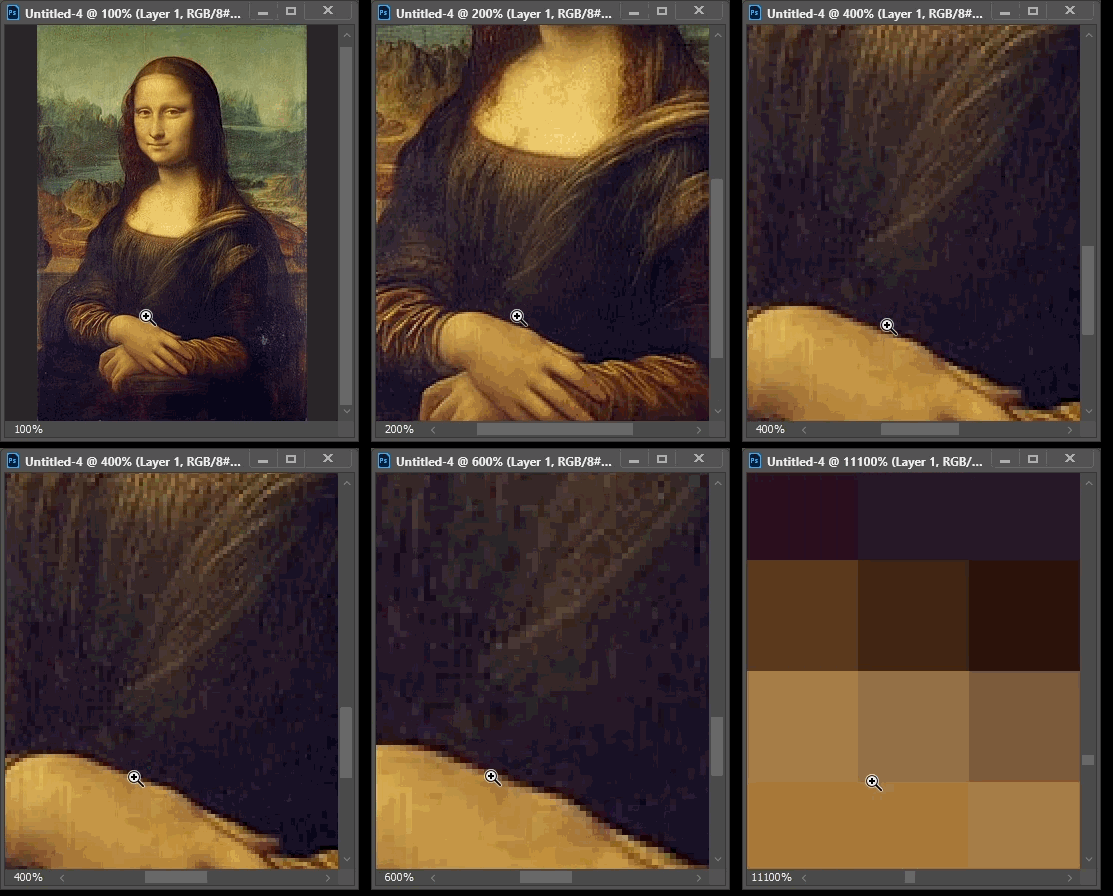
I think the problem is cause by a slight movement on the magnifying tool on a click and it uses that vector as a magnification level - even though I've got Flick Panning, Zoom with Scroll Wheel, animated Zoom, Zoom resises Window and Zoom clicked Point to Centre turned off.
By @Ghoul Fool
The one Zoom tool option you didn’t list is Scrubby Zoom.
I played around with it and found that the problem seems to be possible if Scrubby Zoom is disabled, because then zooming in Photoshop works in its old, original way (circa 1990): The zoom is set by the size of the rectangular region you drag. So if the input device accidentally drags across two pixels, Photoshop thinks you want to magnify two pixels to fill the screen, so it snaps to maximum magnification.
The problem does not seem to happen if Scrubby Zoom is enabled, because with Scrubby Zoom, the farther you drag the more it magnifies, and it does it interactively. The only way to zoom a long way is to drag a long way. If the input device drags across just a few pixels, magnification will only increase by a percent or two. So, try having Scrubby Zoom on.
Because Scrubby Zoom is interactive (you can precisely zoom to any magnfication percentage in just one try), it’s a lot easier to control, so it is now the default zoom method in many modern graphics applications.
If you don’t see Scrubby Zoom in the options bar for the Zoom tool, make sure your GPU is enabled and working because I think it requires GPU acceleration.
Another potential solution: Some input devices, like some graphics tablets, have a threshold setting for drags. This is for if the device or operator can be a little twitchy and you want it to filter out micro-drags that might cause problems like this.
The reason this is not considered a bug is because, as mentioned, many graphics apps worked this way in the beginning, some still do, and this problem hasn’t come up very often on forums going back over a third of a century. Because of the problem’s rarity, you probably won’t find a drag-zoom sensitivity option in any photo software (even by other companies) that still uses “drag a rectangle” magnification. It might be because typical mice are not prone to accidental micro-drags. As I mentioned, when a sensitivity option appeared it was in the software for other types of input devices such as graphics tablets, not in the photo applications. Which leads to the question, what type/model of input device are you using?



 AdChoices