
Participant
June 29, 2018
Answered

Photoshop not giving the option to save as a psd

  • June 29, 2018
  • 2 replies
  • 5941 views

I am having this problem more and more frequently, where photoshop will not let me save as a psd. I get four options up : Large document format, photoshop raw, tiff and png.

Usually for it to resolve I have to save it as a photoshop raw, quit photoshop and re open it, more often than not, my file then won't open and the work is lost.

On top of this I am also having problems with selecting and moving images, it seems that the whole of photoshop just doesn't want to work, even with cmd+T it won't let me move a image around.

Background history - not a novice on photoshop but wondering if the file is too large for it to save as a normal psd? Shouldn't be an issue as its only 20cmx20cm board with 3-4 artworks on the layers panel....
This topic has been closed for replies.
Correct answer

Hi

There is a 2GB limit on saving a PSD so what size is your document

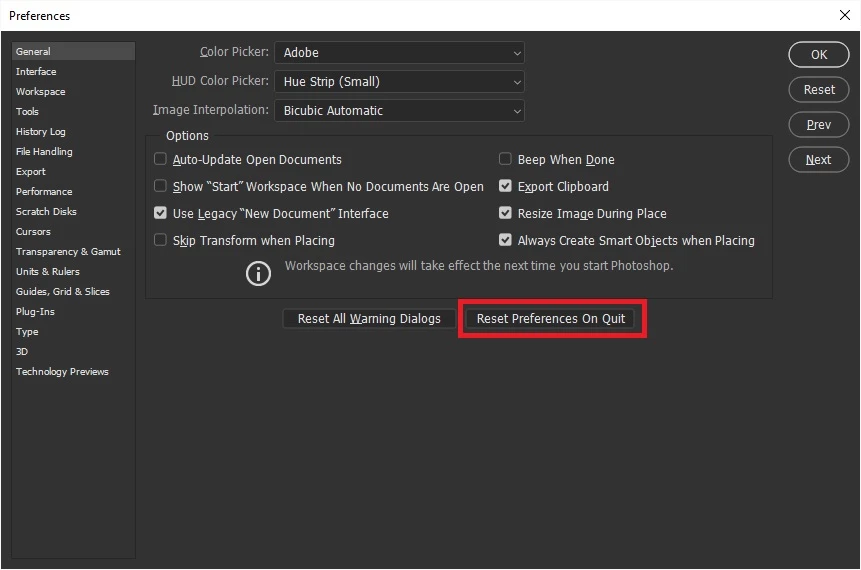
For the other issues have you tried resetting Photoshop preferences, what version of Photoshop and OS do you have

To restore preferences quickly using a keyboard shortcut: Press and hold Alt+Control+Shift (Windows) or Option+Command+Shift (Mac OS) as you start Photoshop. You are prompted to delete the current settings. The new preferences files are created the next time you start Photoshop

2 replies

Correct answer
June 29, 2018

Hi

There is a 2GB limit on saving a PSD so what size is your document

For the other issues have you tried resetting Photoshop preferences, what version of Photoshop and OS do you have

To restore preferences quickly using a keyboard shortcut: Press and hold Alt+Control+Shift (Windows) or Option+Command+Shift (Mac OS) as you start Photoshop. You are prompted to delete the current settings. The new preferences files are created the next time you start Photoshop

Participant
March 23, 2024

THANK YOUUU SOOOOOO MUCHHHH!!!!!!!!!!!!!!!!!!!

WILDCAT54
Inspiring
June 29, 2018

What version of Photoshop are you using and on what OS?