

iShootRAW
Participating Frequently
April 10, 2026
Answered

Photoshop not starting properly
  • April 10, 2026
  • 3 replies
  • 54 views


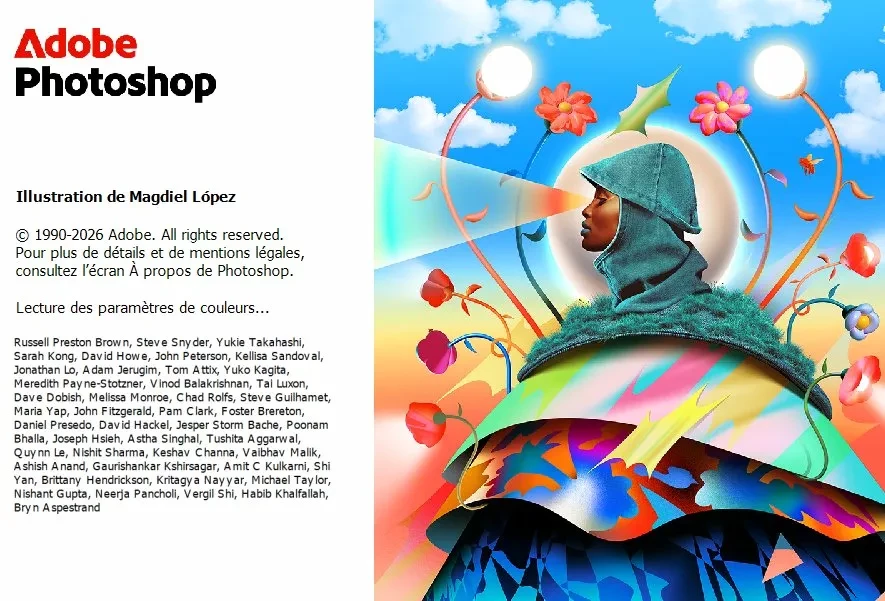
Hello, my Photoshop crash after “reading color parameters”, tried to fix for days without success.
All the other apps I’m using (Acrobat, Premiere, Illustrator) work flawlessly.
Tried older version of Photoshop, same issue.

I’m thinking of compatibility issue with recent NVIDIA drivers ?
NVIDIA GeForce RTX 5080 32.0.15.9597


Already removed preferences, reinstalled multiple times, even using Adobe cleaner tool.

Opening this discussion as I cannot find anything to solve this.

    Correct answer @mj

    K,

    Let’s try resetting Windows default color profile
        1.    Open Control Panel
        2.    Go to Color Management
        3.    Select your monitor from the dropdown
        4.    Tick:  Use my settings for this device
        5.    Remove all listed profiles
        6.    Click Add
        7.    Select: sRGB IEC61966-2.1
        8.    Click: Set as Default Profile
        9.    Restart your computer
        10.    Launch Photoshop

     If Photoshop opens now, the issue was a corrupted display profile. You can enable custom profiles one at a time to determine which one is corrupt.

    hth

    mj

    3 replies

    @mj
    Community Expert
    Community Expert
    April 10, 2026

    Hi ​@iShootRAW ,


    You can determine if the NVidia driver is the problem by:

    1. Launch Photoshop Without GPU
    2. Hold Ctrl + Shift + Alt while launching Photoshop.
    3. When Photoshop opens, go to Edit → Preferences → Performance
    4. Uncheck: Use Graphics Processor
    5. Restart Photoshop normally.

    If this  fixes it, GPU driver conflict confirmed.

    If not, we’ll need to dig elsewhere


    Let us know how you go.

    mj

    iShootRAW
    iShootRAWAuthor
    Participating Frequently
    April 10, 2026

    Already tried various ways to launch without GPU, didn’t solve the issue.

    @mj
    Community Expert
    @mjCommunity ExpertCorrect answer
    Community Expert
    April 10, 2026

    K,

    Let’s try resetting Windows default color profile
        1.    Open Control Panel
        2.    Go to Color Management
        3.    Select your monitor from the dropdown
        4.    Tick:  Use my settings for this device
        5.    Remove all listed profiles
        6.    Click Add
        7.    Select: sRGB IEC61966-2.1
        8.    Click: Set as Default Profile
        9.    Restart your computer
        10.    Launch Photoshop

     If Photoshop opens now, the issue was a corrupted display profile. You can enable custom profiles one at a time to determine which one is corrupt.

    hth

    mj

    davescm
    Community Expert
    Community Expert
    April 10, 2026

    @iShootRAW Have you tried renaming any saved Color settings file (csf) to xxx.old ? They are usually saved in C : Users > username > AppData > Roaming > Adobe > Color > Settings 

    If it doesn’t help just rename it back to xxxx.csf and load it from the color settings menu.

    Dave

    iShootRAW
    iShootRAWAuthor
    Participating Frequently
    April 10, 2026

    No file in this folder sadly.

    Ged_Traynor
    Community Expert
    Community Expert
    April 10, 2026

    @iShootRAW  “I’m thinking of compatibility issue with recent NVIDIA drivers”

    Did this issue occur after installing the Nvidia driver, if that’s the case try reverting to an older version, install the studio version rather than the game ready one

    iShootRAW
    iShootRAWAuthor
    Participating Frequently
    April 10, 2026

    No, it used to work but I don’t know where to go now.

    Tried to install beta version also. Not working
    Tried NVIDIA Studio drivers, same, no success.

    Ged_Traynor
    Community Expert
    Community Expert
    April 10, 2026

    Have you tried logging onto the PC with another user account to see if Photoshop will open under another user profile