Participant
December 6, 2019
Question

Photoshop random 3D reflection after rendering

  • December 6, 2019
  • 4 replies
  • 1549 views

{Thread renamed by moderator}


I was trying to render an object, but every time creates a random reflection of the main image on it, with poor dimensions.

I tryed to change light, all aspects of the object, like matalness, but keeps rendering this reflection.

Anyone could help me?

Look:
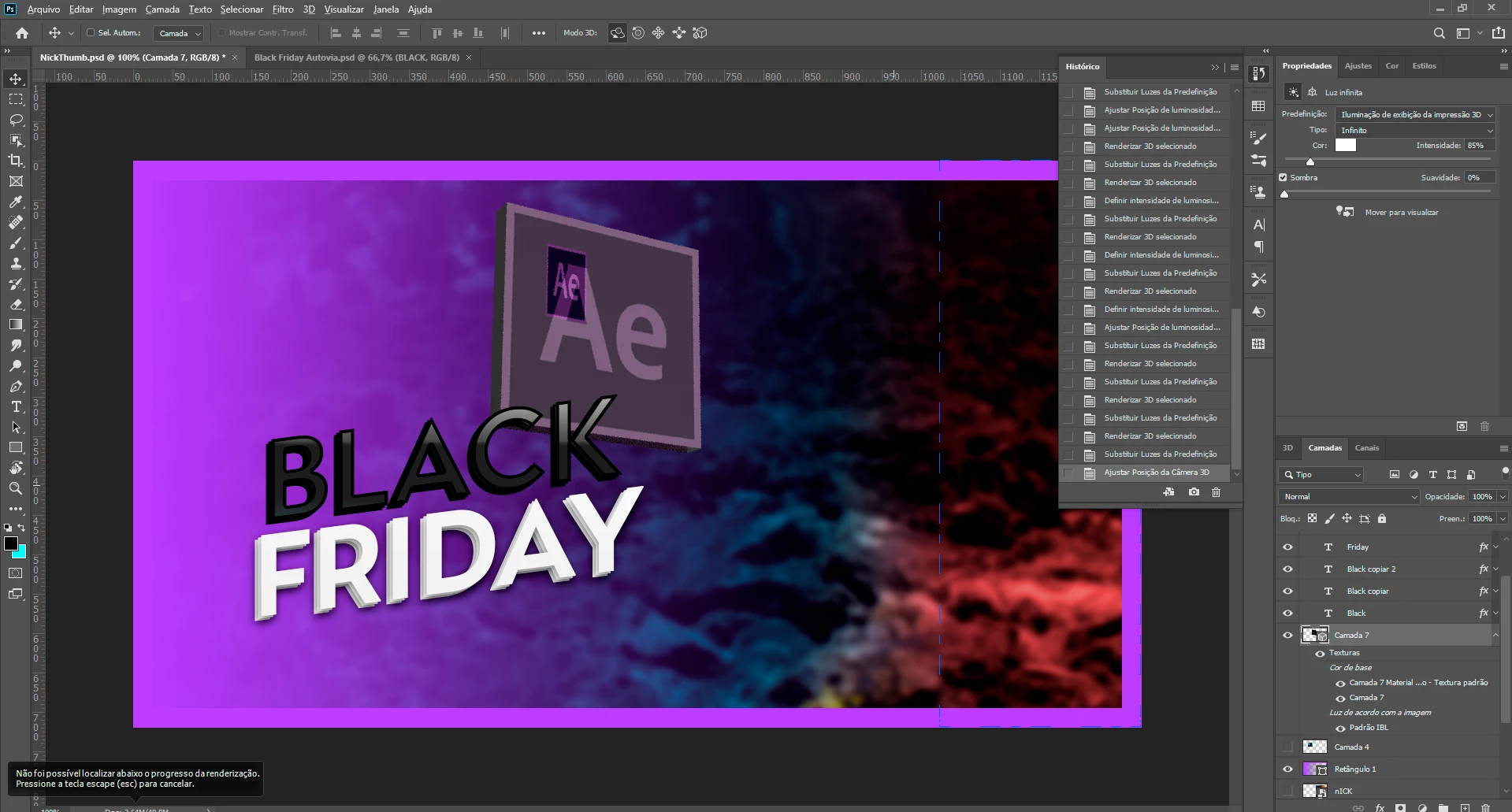


This topic has been closed for replies.

4 replies

davescm
Community Expert
Community Expert
February 15, 2020

I can replicate this and have posted a bug report below which you may wish to add a comment to:

https://feedback.photoshop.com/photoshop_family/topics/cc-v-21-0-3-3d-uv-scaling-results-in-incorrect-rendering


The workaround is to :

a. Select the front material and Edit UV Properties to set scaling to 100% and offset to 0
then
b. Edit Texture and use transform to adjust the image to match the rescaled UV map


Dave

Participant
February 15, 2020

Hi, I'm having the same issue, too.

Participating Frequently
February 11, 2020

Was this ever resolved? I'm having the same issue.

Sahil.Chawla
Adobe Employee
Adobe Employee
December 6, 2019

Hi there,


That does not look right, could you please let us know the version of Photoshop you're working with?


Also, what operating system are you using?

Does it happen with every file or just this specific file?


Have you tried re-creating the Logo layer again and see if it works?


Regards,
Sahil

LuizJapaAuthor
Participant
December 7, 2019

Hello, thanks for your help

I'm using the last version of Ps20

Windows 10 last build

It happens with a lot of files, specific adobe logos (quad) 

yes, I rasterize it, Smart object...