

Photoshop scaling issue 5k monitor
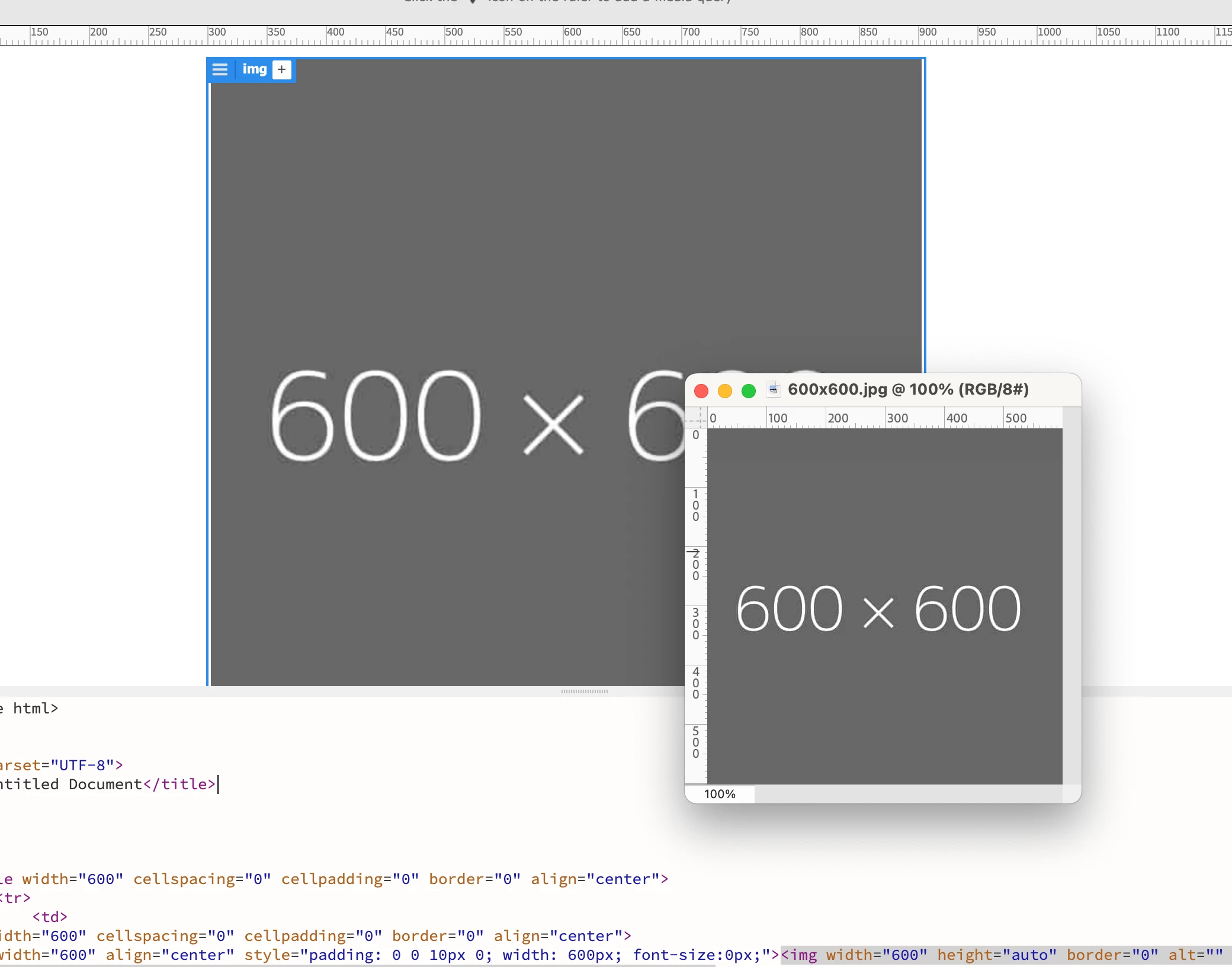
So my old work Mac was running on it's last legs. Finally got money in the budget to upgrade to the new Mac Studio and Studio Display 5k. When I attempted to open a PDF in Photoshop at 600pixels wide at 300ppi, it's opening at about 1/2 the size that it should be when I compare my two computer/monitors side-by-side. An image that reads 600pixels wide looks like the correct width in my gmail in Chrome, looks correct in Dreamweaver, but in Photoshop, even though it says 600px wide, it's looking like it's 300px wide. A screenshot on my Mac cmd+shft+4 dragged over the Photoshop image confirms that it's measuring 300px wide. I've attached an image placed in Dreamweaver at 600px wide viewed at 100% next to the exact same image viewed in Photoshop at 100%. Not even close. I've tried a couple different versions of Photoshop and they're doing the same thing...
I'm sure there's some setting I'm missing or something very simple that I've overlooked?
 AdChoices