Inspiring
December 9, 2019
Beantwortet

Photoshop: Spherical panoramas 3D view low quality - in the new updates!

PS version 21.0.1

opening a panorama image in 3D view shows a low quality, pixelated image.


method:

open equirectangular panorama image - 3D - Spherical Panorama - New Panorama Layer From Selected Layer(s) ---> at this point i can only see the pixelated image


and so if i edit the image:
create new layer - Healing brush tool (replace mode) - (copying the roof line, the cupola, etc) - merge down - Export Panorama.

Now. As for the resolution:
imported image size: 6720x3360 px
exported image size: 6720x3360 px
so no issue there!

As for the quality though:
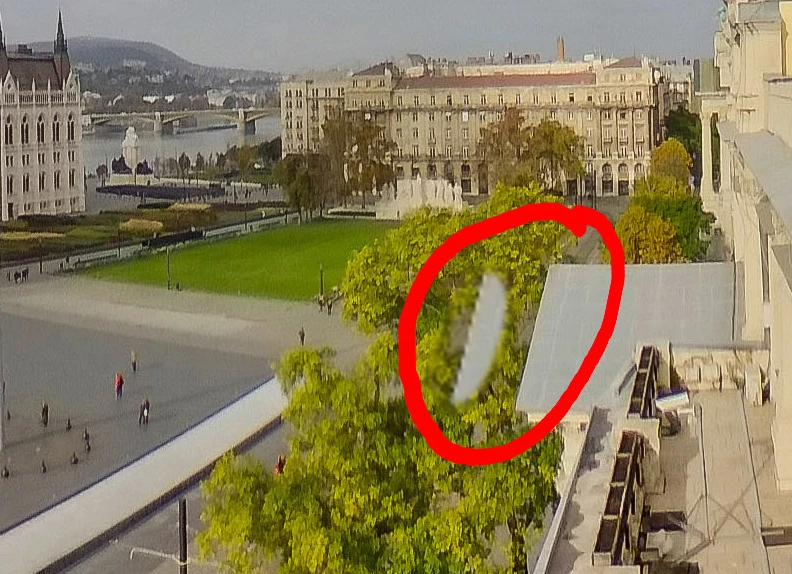
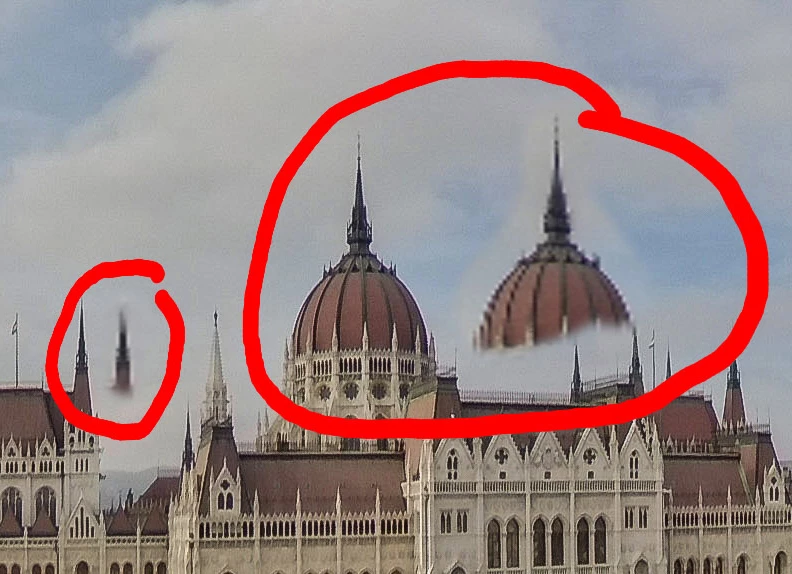
the copied parts are blurry, pixelated (as copied from the blurry 3D view), the rest of the image is just like the imported image, sharp.
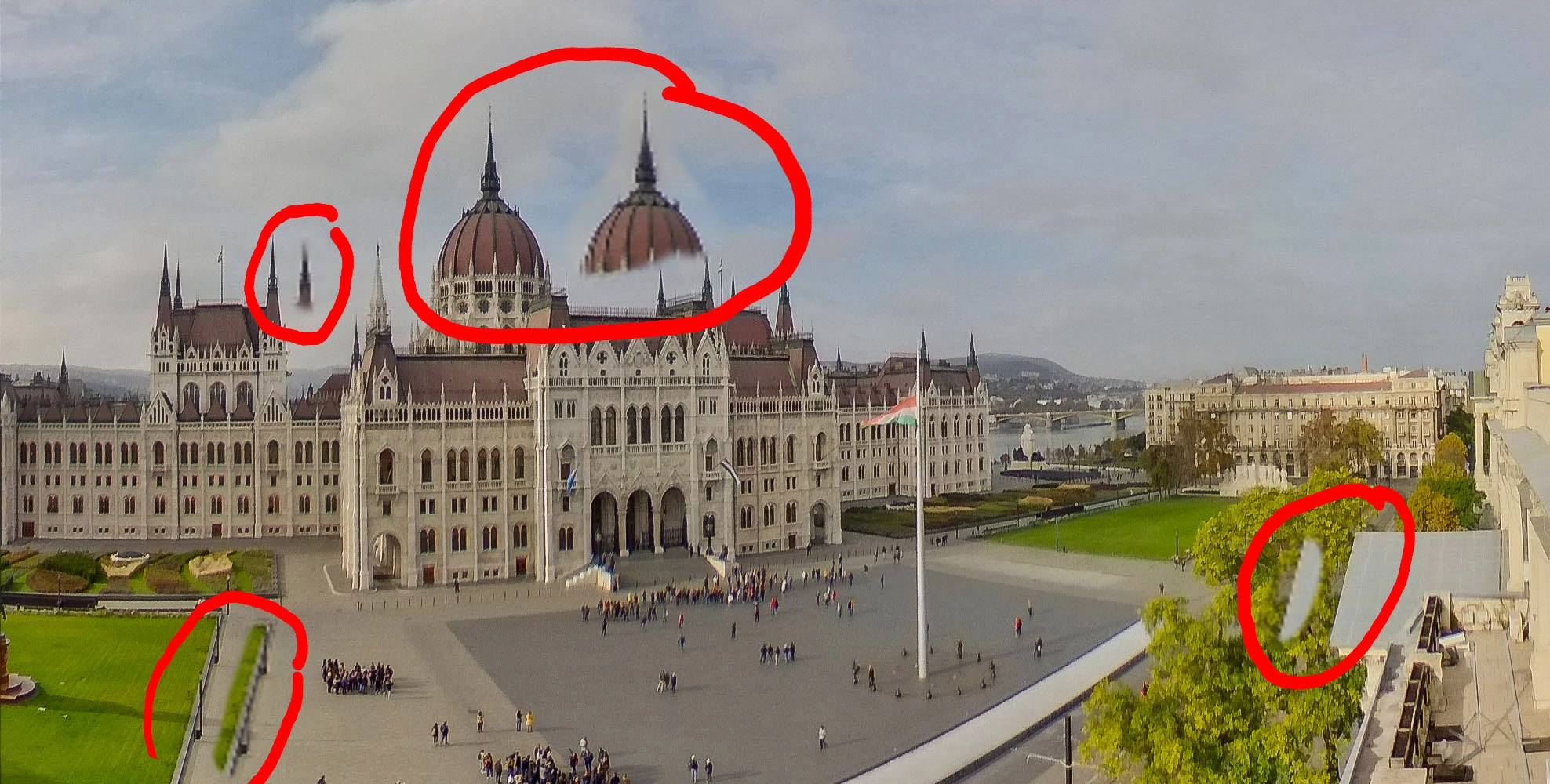
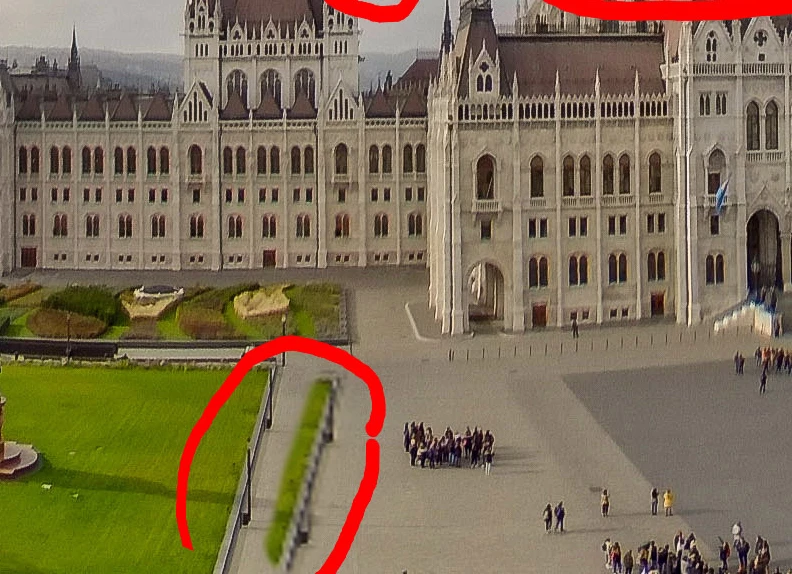


it worked fine f.e. in version 2018.v19.1.2

why did you screw it up, Adobe?

please fix!
Dieses Thema wurde für Antworten geschlossen.
Inspiring
August 17, 2021

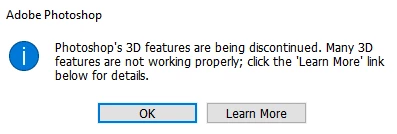
So it's over.


more info here:
https://helpx.adobe.com/photoshop/kb/3d-faq.html

36 Antworten

kerenyizoltanAutorAntwort
Inspiring
August 17, 2021

So it's over.


more info here:
https://helpx.adobe.com/photoshop/kb/3d-faq.html

Übersetzen
Andyo867497
Participating Frequently
August 17, 2021

So Adobe throws in the towel. My decision to move to a Capture One and Affinity workflow earlier this year was clearly the correct one. Capture One blows the socks off Lightroom and Affinity offers a very smooth 360 pano editing experience that I can thoroughly recommend. The latest Affinity software release has a new 'engine' and is incredibly fast. 

Übersetzen
Inspiring
May 20, 2021

v22.4.1 still NOT FIXED.

Übersetzen
Participant
August 1, 2021

v22.4.3 still NOT FIXED.


That's just sad. I found this thread as I faced this issue and was thinking if that's just how it generates the 3D view or maybe there are any settings to fix it? And I am surprised that it worked fine before and is not fixed for 2 years. Are there any alternatives, that would not destroy image quality?

Übersetzen
rolandm20406279
Participating Frequently
August 1, 2021

Hello,
The only way I found to deal with the situation is to edit directly the 2D texture on the 3D layer, but not possible to edit zenith or nadir.

Übersetzen
Inspiring
April 15, 2021

v22.3.1 still NOT FIXED.

Übersetzen
Andyo867497
Participating Frequently
April 15, 2021
I've given up on Adobe fixing this. I've been using Affinity to edit 360's and it's absolutely fabulous. Thoroughly recommend.
Übersetzen
Inspiring
February 15, 2021

v22.2.0 still NOT FIXED.

Übersetzen
Participant
February 15, 2021

Does anyone from Adobe even read this thread?..

Übersetzen
Andyo867497
Participating Frequently
February 15, 2021
Clearly not! Adobe Support are a waste of space. Thank goodness Affinity provides a good solution to the problem.Sent from my Samsung Galaxy S10 - Powered by Three
Übersetzen
Inspiring
November 17, 2020

v 22.0.1

and the 3D canvas still NOT FIXED.


see the attached image for easy understanding: 


right click+open in new tab for full res:

Übersetzen
Participant
November 17, 2020


yup! me too..having this issue with 360 preview in PS ever since version 2019!!  I'm on 21.2.4 and still super blurry and pixelated.  and i can't go back to 2018 because I.T sent me a new laptop at work and can't install a previous version.  This is REALLY bad ADOBE.  I've already updated all graphics drivers.

Übersetzen
rolandm20406279
Participating Frequently
January 17, 2021

Seems not fixed with the latest version

Übersetzen
Participant
November 6, 2020

Did anyone ever solve this?

Übersetzen
December 9, 2019

Moving to the Photoshop forum from Get Started

Übersetzen
Inspiring
December 14, 2019

new update: PS version 21.0.2

3D is still pixelated


is Adobe listening to this?

Übersetzen
davescm
Community Expert
Community Expert
December 14, 2019

This forum is answered by volunteer Photoshop users. We don't work for Adobe. You can raise bug reports at the link below , where they will be seen by Adobe staff.
https://feedback.photoshop.com/photoshop_family


Dave

Übersetzen