


Participant
March 24, 2022
Question

Photoshop to PDF quality of text issues

  • March 24, 2022
  • 4 replies
  • 2653 views

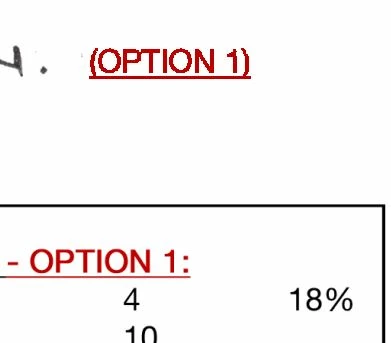
When I PDF from Photoshop, I am getting varying results from different text, some having jagged edges and some not.  (See image with word "Option")

They are the same font settings.

Any ideas to resolve this?
This topic has been closed for replies.

4 replies

Participant
March 8, 2024

I had the same problem and I found the answer in another post. Turns out if you use the "faux italics" in Photoshop it seems to always rasterize the type before exporting to PDF. And it does this for the entire text block even if you only italicized a few words. So, choose a specific typeface like Minion semibold italic, DO NOT choose Minion regular and then click on the italic symbol to italicize it. (I don't know if this is true for "faux bold" as well, but that seems logical.) And, I saved my PDF in version 8. Don't know if this matters. Good luck!

Derek Cross
Community Expert
Community Expert
March 24, 2022

Ensure your text is not rasterised and select PDF/X-4 for the PDF.

c.pfaffenbichler
Community Expert
Community Expert
March 24, 2022

Are you using faux styles? 

Could you please post screenshots with the pertinent Panels (Toolbar, Layers, Character, Options Bar, …) visible? 

MarcspadAuthor
Participant
March 24, 2022

Dont think so.

I have attached one of the files... the title block in bottom of this one has text that is clunky.

PDF attached to show problem...

c.pfaffenbichler
Community Expert
Community Expert
March 24, 2022

But you did apply Faux Bold. (see screenshot)  


D Fosse
Community Expert
Community Expert
March 24, 2022

The short answer is: don't use a raster editor like Photoshop for text. This cannot be emphasized enough.


Photoshop will normally, by its very nature, output everything as pixels. Although it is possible to output live text to PDF from Photoshop in some scenarios, the pixelated text you're seeing is the normal and expected result.


Use InDesign or Illustrator to maintain vector text.

Trevor.Dennis
Community Expert
Community Expert
March 9, 2024

That's not my experience Dag


High Quality Print PDF viewed in Acrobat (PDF file attached.)

I'd say that the OP either had rasterised type layers, or used the wrong pdf preset.