
April 20, 2024
Answered

Photoshop Unresponsive on launch and during use

  • April 20, 2024
  • 5 replies
  • 595 views

Hey there!

I recently started using the whole Creative Cloud suite, and all apps are fine but Photoshop.

Upon launching the software, it becomes completely unresponsive for two good minutes during which I cannot click any button or interact in any way with anything.

Even during use, everything is really sluggish.

I don't have any plugins nor scripts, everything is a default install.

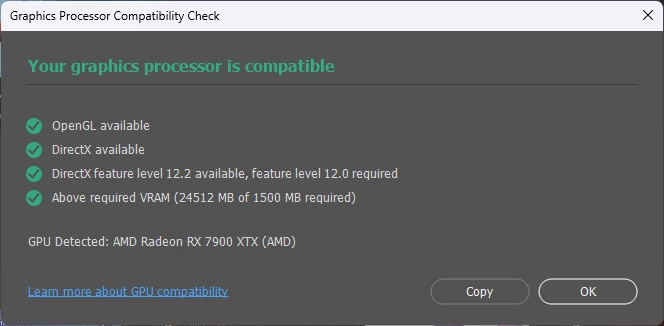
I tried turning on and off the GPU accelleration but same result.

Has anyone any idea how to fix that?

Thanks.


Version: Adobe Photoshop Version: 25.6.0 20240312.r.433 2bfcbf1 x64

OS: Windows 11

GPU: AMD Radeon RX 7900XTX

CPU: AMD Ryzen 9 5950X

RAM: 80G 
 

This topic has been closed for replies.
Correct answer Valentin Kovshik

Try to disable font previews.  Type → Font Preview Size → None

This solved the same problem for me.

5 replies

Valentin Kovshik
Valentin KovshikCorrect answer
Participant
May 19, 2024

Try to disable font previews.  Type → Font Preview Size → None

This solved the same problem for me.

May 19, 2024

Seems that fixed it, thanks!

April 28, 2024

Seems it's gotten a tad better in version 25.7.0 20240415.r.504 130b225 x64, but the issue still persists while other products are fine.


Legend
April 21, 2024

Short of reducing the RAM to 64 Gb I think you will have to contact Adobe customer support. 

April 20, 2024

Alright, I just tried that; I even selected to remove my preferences, and the issue still persists after the reinstall.


Legend
April 20, 2024

Have you tried uninstall and re-installing Ps?