Participant
August 31, 2025
Answered

Photoshop v26.10 filter gallery doesn't work

Photoshop v26.10 , filter gallery doesn't work. How do I solve this?

This topic is closed to new replies. Start a new post to keep the conversation going.
Jeff Arola
Jeff ArolaCorrect answer
Community Expert
September 23, 2025

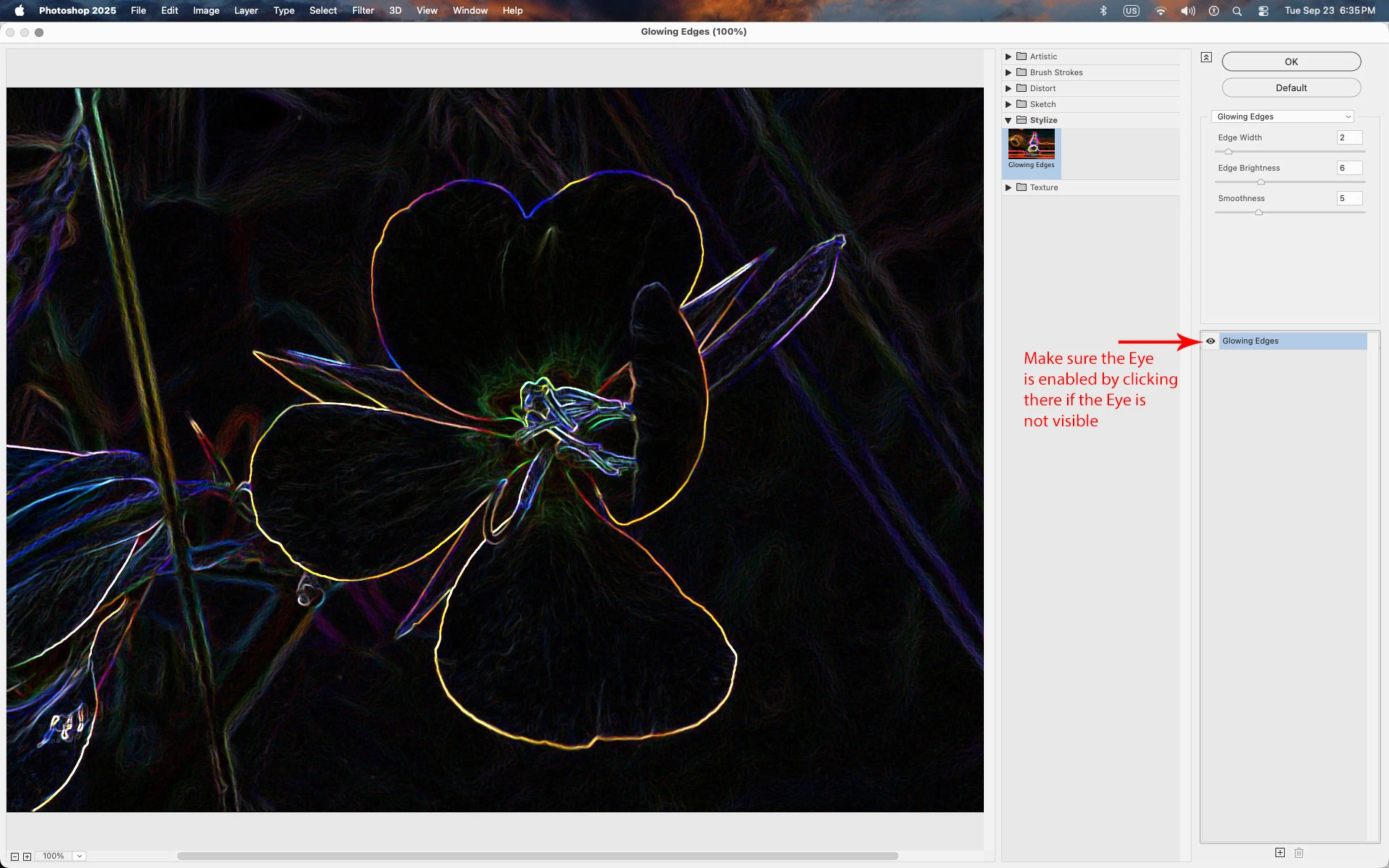
The most common cause is not having the Eye visible to the left of the filter names that you've applied.


6 replies

Participant
November 14, 2025

This was helpful. Thank you.

Translate
Jeff Arola
Community Expert
Jeff ArolaCommunity ExpertCorrect answer
Community Expert
September 23, 2025

The most common cause is not having the Eye visible to the left of the filter names that you've applied.


Translate
iddo_7386Author
Participant
September 24, 2025
Thanks so much! It worked!
Translate
Ged_Traynor
Community Expert
Community Expert
August 31, 2025

@iddo_7386 what exactly doesn't work about it, is it not opening or something else

Translate
iddo_7386Author
Participant
August 31, 2025

It is opening, but nothing happens to the image, even in the highest
values, with all *filters gallery*. Other filters (blur etc..) work OK
Personal details removed by moderator

Translate
MassC
Legend
September 23, 2025

Hey @iddo_7386, 


Thank you for reaching out. If possible, please also share a screenshot of your workspace along with your system info. You can find it by going to Help > System Info, then copying and pasting it into a text file to attach here. This will help us look into it further.


^CM

Translate