

January 6, 2026
Question

Photoshop warning message: Couldn't find a subject to select

  • January 6, 2026
  • 2 replies
  • 179 views

Adobe Photoshop
Couldn't find a subject to select. There might not be prominent objects in the image.

Select to subject
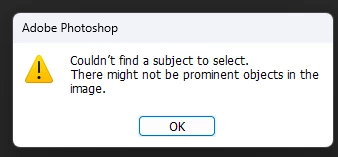
 

{Moved out from an old post and renamed by MOD}

 

2 replies

Community Expert
January 7, 2026

What you're doing before you get this message?

If possible please post a screenshot of the appropriate image.

Please do not use file attachments as many people here will not download them. Instead, use the "Insert Photos" icon and include your screen capture in your message.

AxelMatt_0-1767792797795.png


Please provide a copy of your 'System Info'. This can be get from the Photoshop Help > System Info menu item. There's a copy button in the System Info dialog. Press this button and paste the info into your next forum post.


My System: Intel i7-8700K - 64GB RAM - NVidia Geforce RTX 3060 - Windows 11 Pro 25H2 -- LR-Classic 15 - Photoshop 27 - Nik Collection 9 - PureRAW 6 - Topaz Photo AI
Srishti_Bali
Legend
January 7, 2026

Hi @ashok_patel3869


Thank you for your message. You posted this query on an older thread with a different error message. I have moved your post as a new thread for better visibility. To assist you further, could you please provide additional details, such as the operating system and version of Photoshop you are using? Are you encountering this error when selecting a subject in a specific file or across all files?


I look forward to your response!


Regards,

Srishti