
Participant
January 17, 2021
Question

Photoshop won't create a workspace for a new file

  • January 17, 2021
  • 2 replies
  • 162 views

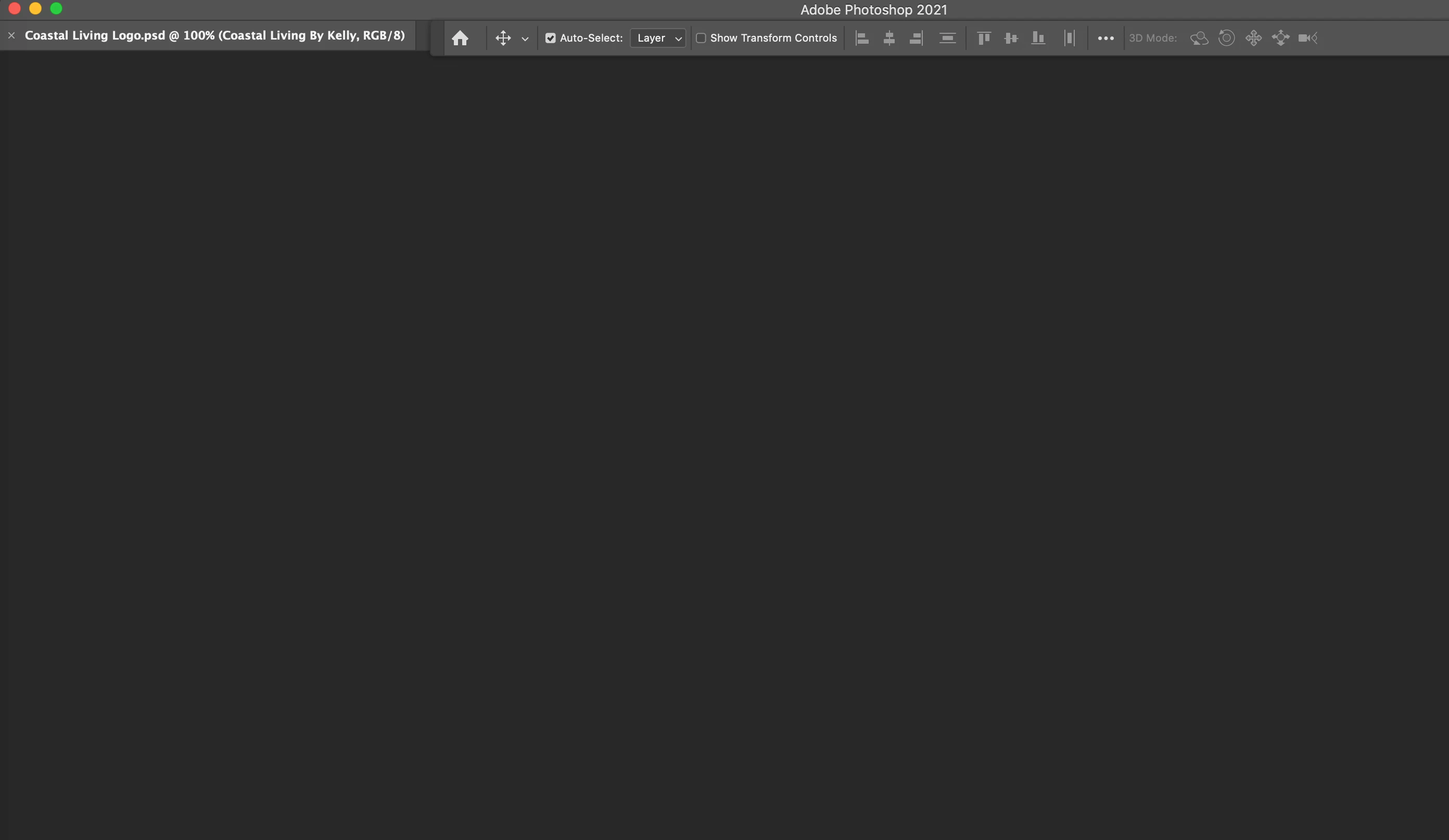
I try to create a file and instead of opening a workspace, it shows the file name (like a tab within photoshop) but no ability to bring it onto the workspace.
I found an article from 2017 on this topic but that fix no longer works.

Thank you for your help!
Kelly
This topic has been closed for replies.

2 replies

AxelMatt
Community Expert
Community Expert
January 18, 2021

I would also try to reset the Photoshop preferences: Preferences in Photoshop (adobe.com)


My System: Intel i7-8700K - 64GB RAM - NVidia Geforce RTX 3060 - Windows 11 Pro 25H2 -- LR-Classic 15 - Photoshop 27 - Nik Collection 8 - PureRAW 5 - Topaz Photo
c.pfaffenbichler
Community Expert
Community Expert
January 18, 2021

»Workspace« has a specific meaning in Photoshop (see Window > Workspace > …). 


Does turning off »Use Graphics Processor« in the Performance Preferences (Photoshop > Preferences > Performance > Graphic Processor Settings) and restarting Photoshop have any bearing on the issue? 

Does changing to another Workspace or resetting the Workspace make a difference?