
Participant
March 6, 2025
Question

Photoshop won't load on IPad and corrupted files on desktop

  • March 6, 2025
  • 2 replies
  • 179 views

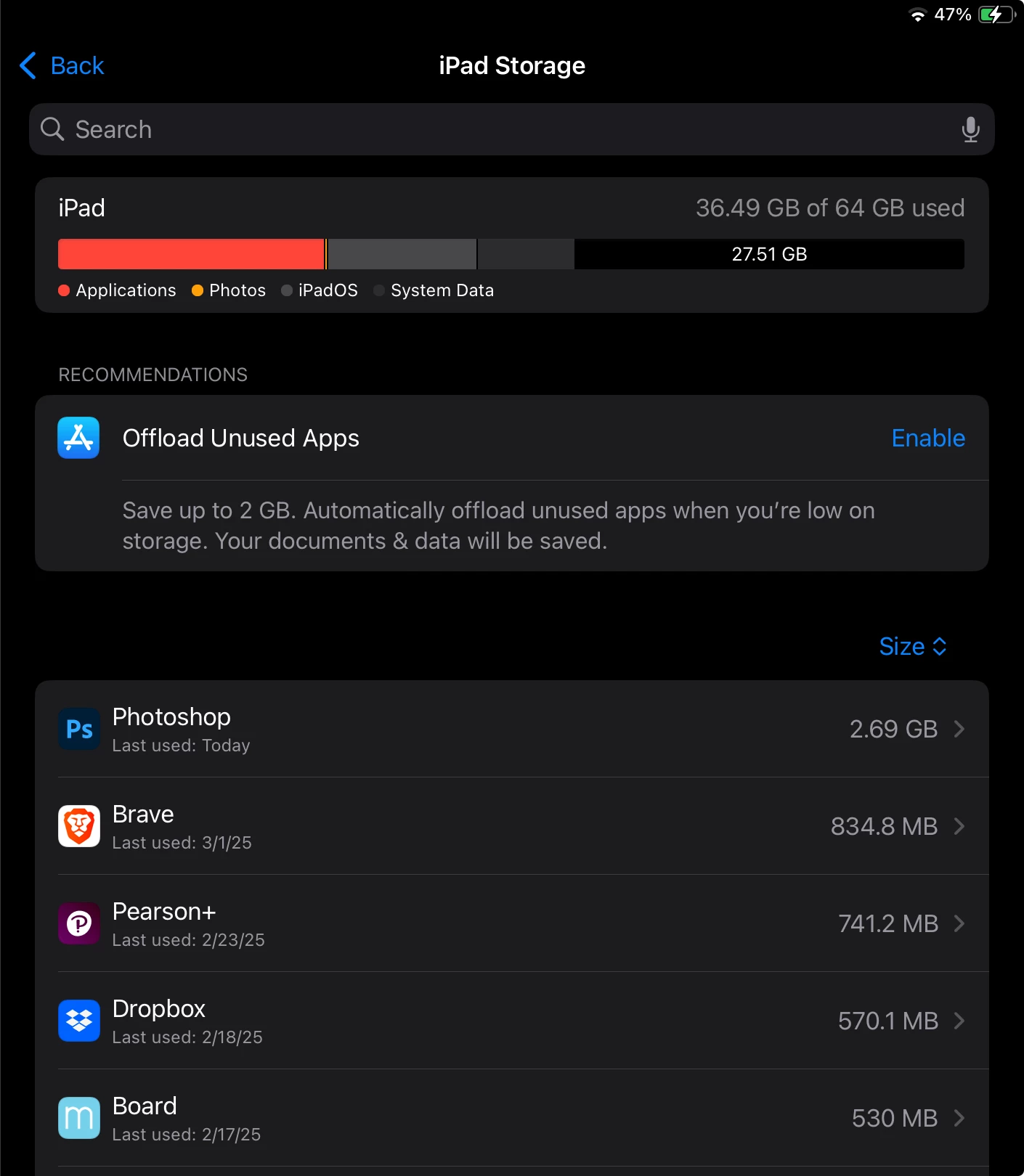
I'm having an issue where Photoshop on my iPad is saying that the applications are over running the system and won't load files, but it's also loading slow on my desktop and I'm ending up with corrupted files for what should be simple tasks such as creating a jpg. I already tried uninstalling a good chunk of apps from my iPad including off loading illustrator. I don't believe I have anything cluttering cloud storage because I save my work in dropbox or one drive. I'm unsure of the reason why my storage could be so backed up.
 

    2 replies

    MassC
    Legend
    March 7, 2025

    Hey @Sincere_meadow6959

    Welcome to the community! I'd be happy to help figure this out with you. Can you share the version of Photoshop you're using? Have you always used DropBox/OneDrive as part of your workflow?  


    ^CM

    Participant
    March 20, 2025

    Hi,


    I'm unsure of what version of Photoshop I'm using for my desktop, but on my iPad I recently updated to version 6.0.2. I offloaded more apps on my iPad and got in just enough to erase something on a photo so I wouldn't be surprised if on my tablet is just a matter of clearing storage space, but in that case I'm uncertain why the desktop version is misbehaving as well. I used to save my work in the cloud, but since Adobe eliminated that option I have been storing my work in other places such as hard drives. 

    kglad
    Community Expert
    Community Expert
    March 6, 2025

    in the future, to find the best place to post your message, use the list here, https://community.adobe.com/

    p.s. i don't think the adobe website, and forums in particular, are easy to navigate, so don't spend a lot of time searching that forum list. do your best and we'll move the post (like this one has already been moved) if it helps you get responses.


    <"moved from using the community">